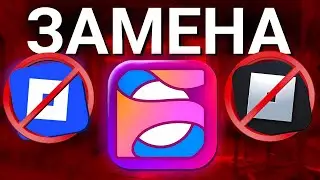
Use These Fast Flags to DOUBLE Roblox FPS! 😳 (FPS BOOST + LOW PING)
Автор: PETRIX
Загружено: 2026-01-16
Просмотров: 11
🚀 Use These Fast Flags to DOUBLE Roblox FPS! 😳 (FPS BOOST + LOW PING)
Are you getting low FPS, stutters, or high ping in Roblox, even after updates?
This video shows you exactly which Fast Flags still work to boost Roblox FPS, reduce lag, and lower ping — tested and updated for the latest Roblox versions.
If Roblox feels choppy, delayed, or capped at low FPS, these Fast Flag optimizations will force Roblox to run smoother, faster, and more responsive on low-end, mid-range, and high-end PCs.
🚀 What You’ll Learn in This Video
✅ Best Roblox Fast Flags for massive FPS boost
✅ How to reduce lag & stuttering in Roblox
✅ Fast Flags that improve frame timing & stability
✅ Settings to lower ping & improve server response
✅ How to apply Fast Flags using Bloxstrap / Voidstrap
✅ Fix Roblox FPS drops after updates
These Fast Flags help Roblox use your system more efficiently, giving you higher FPS, smoother camera movement, faster loading, and better input response.
🎮 Who This Video Is For
✔️ Roblox low FPS issues
✔️ Stuttering & lag spikes
✔️ High ping or unstable servers
✔️ Low-end or older PCs
✔️ Competitive Roblox players
✔️ Anyone using Bloxstrap / Voidstrap
⚠️ Important Notes
• Follow each step carefully
• Restart Roblox after applying Fast Flags
• FPS results depend on your hardware & game
Fast Flags (Just Copy & Paste)
{
"DFFlagTeleportClientAssetPreloadingEnabled": "True",
"DFFlagTeleportClientAssetPreloadingDoingExperiment2": "True",
"DFFlagTeleportClientAssetPreloadingDoingExperiment": "True",
"DFFlagTeleportClientAssetPreloadingEnabledIXP2": "True",
"DFFlagTeleportClientAssetPreloadingEnabledIXP": "True",
"DFFlagTeleportClientAssetPreloadingEnabled9": "True",
"DFFlagTaskSchedulerAvoidSleep": "True",
"DFFlagSimOptimizeSetSize": "True",
"DFFlagDebugPerfMode": "True",
"DFFlagEnablePreloadAvatarAssets": "True",
"DFFlagEnableTexturePreloading": "True",
"DFFlagEnableMeshPreloading2": "True",
"DFFlagEnableSoundPreloading": "True",
"DFFlagPerformanceControlEnableMemoryProbing": "True",
"DFFlagPerformanceControlEnableMemoryProbing3": "True",
"DFFlagDebugRenderForceTechnologyVoxel": "True",
"DFFlagTextureQualityOverrideEnabled": "True",
"DFFlagDebugSkipMeshVoxelizer": "True",
"DFFlagDebugPauseVoxelizer": "True",
"DFFlagDisableDPIScale": "True",
"DFFlagSampleAndRefreshRakPing": "True",
"DFFlagTeleportPreloadingMetrics5": "True",
"DFFlagEnableQuickGameLaunch": "True",
"DFFlagUseRenderThreadPoolForRenderJobs": "True",
"DFFlagOptimizeReflectionMetaData": "True",
"DFFlagReduceUIMemoryUsage": "True",
"DFFlagBatchAssetApi": "True",
"DFFlagBatchAssetApiRollout": "True",
"DFFlagCacheAssetGameData": "True",
"DFFlagCacheAssetGameDataRollout": "True",
"DFFlagEnableIncrementalGC": "True",
"DFFlagEnableLuaGCTuning": "True",
"DFFlagLuaGCPause": "True",
"DFFlagLuaGCStepTuner": "True",
"DFFlagLuaGCStepTunerReportPerf": "True",
"DFFlagLuaGCTunerUseIncGC": "True",
"DFFlagOptimizeJobStart": "True",
"DFFlagParallelTerrainUpdates": "True",
"DFFlagUseFasterHumanoidStateChange": "True",
"DFFlagUseParallelLuaCoroutines": "True",
"DFFlagUseParallelScheduler": "True",
"DFFlagUseThreadPoolForNetworkJobs": "True",
"DFFlagUseLegacyContentProvider": "False",
"FStringVoiceBetaBadgeLearnMoreLink": "null",
"FStringGetPlayerImageDefaultTimeout": "1",
"FStringTerrainMaterialTablePre2022": "",
"FStringTerrainMaterialTable2022": ""
}
💬 Let Me Know
Did these Fast Flags increase your FPS or lower your ping?
Comment your before & after FPS below 👇
If this helped you, LIKE 👍 | SUBSCRIBE 🔔 | SHARE with other Roblox players!
🔎 SEO Keywords (Paragraph Format)
roblox fast flags, roblox fps boost, best fast flags roblox, roblox low fps fix, roblox lag fix, roblox ping fix, roblox stutter fix, roblox performance boost, bloxstrap fast flags, voidstrap fast flags, roblox fps increase, roblox settings 2026, roblox optimization guide, roblox low end pc fps boost
📌 Hashtags
#Roblox #RobloxFPSBoost #FastFlags #RobloxOptimization #LowPing #Bloxstrap #Voidstrap #RobloxLagFix #FPSFix #RobloxSettings #LowEndPC #HighFPS

Доступные форматы для скачивания:
Скачать видео mp4
-
Информация по загрузке: