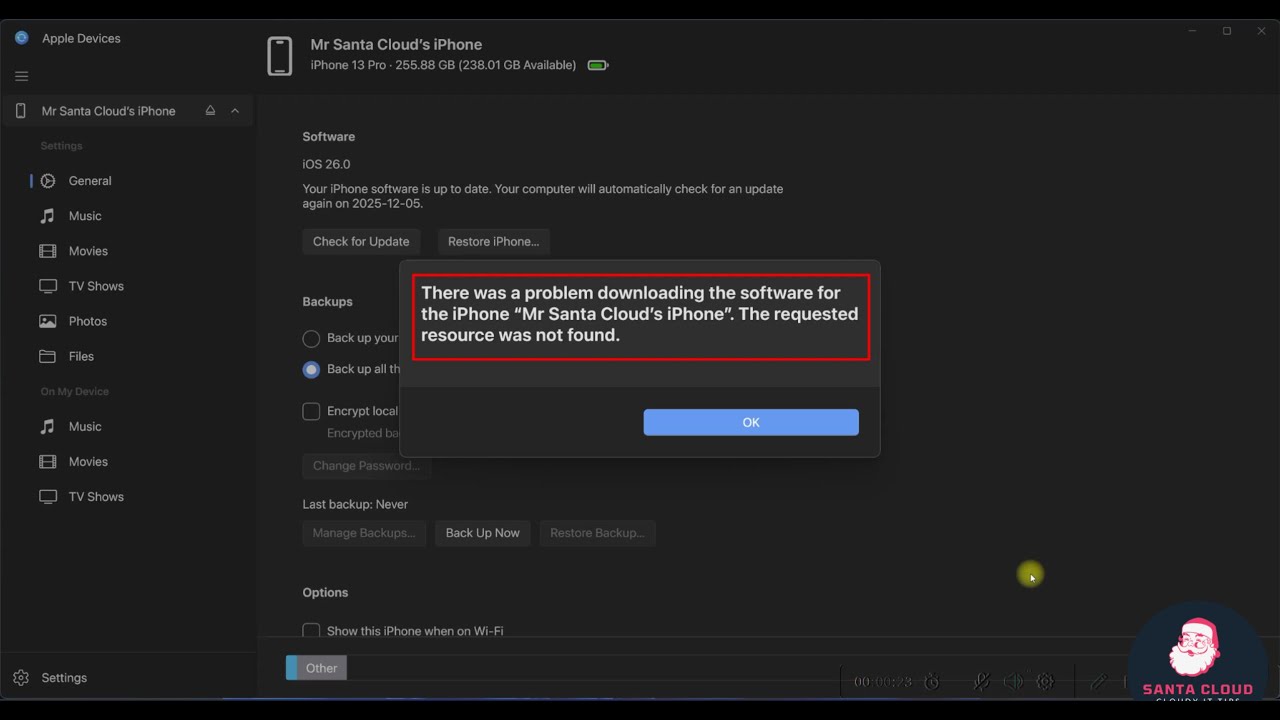
FIX ✅ - There was a problem downloading the software for the iPhone .
Автор: Santa Cloud
Загружено: 2025-11-29
Просмотров: 138
Are you getting this frustrating error when trying to restore or update your iPhone?
• "There was a problem downloading the software for the iPhone"
• "The requested resource was not found"
• "This device isn’t eligible for the requested build"
• "iPhone could not be restored because the firmware file is not compatible"
This video shows the 100% working solution using a locally downloaded IPSW file on Windows (no Mac needed!)
✅ Step-by-step guide:
1. Download the correct official IPSW from https://developer.apple.com/download/os/
2. Use the NEW Apple Devices app on Windows (replaces iTunes in 2025)
3. Hold SHIFT + click "Restore iPhone" and select your .ipsw file
4. Force restart your iPhone and complete the restore
Works perfectly on:
iPhone 16, 16 Pro, 15, 14, 13, 12, 11, SE (2022/2025), iPhone X/XR/XS
iOS 18.0 – 18.2.1 and iOS 19 developer beta
Also fixes these common errors:
Error 3194, Error 4013, Error 9, Error 2009
iPhone stuck in Recovery Mode / DFU Mode loop
"Software for this iPhone is not currently available"
Apple server verification issues
⬇️ Download Links (Official & Safe):
• Latest iOS IPSW files: https://developer.apple.com/download/os/
• Apple Devices app (Windows): Built into Windows 11/10 latest updates
🔥 This method works when iCloud, Finder, iTunes, or Apple Devices fail to download the firmware!
👉 If this helped, smash LIKE and SUBSCRIBE for more iPhone fix videos!
#iPhoneRestoreError #TheRequestedResourceWasNotFound #iOS18RestoreProblem #iPhoneSoftwareDownloadError #Error3194 #iPhoneStuckInRecoveryMode #AppleDevicesApp #iPSWRestore #iPhone1615Restore #iOS19Beta
Доступные форматы для скачивания:
Скачать видео mp4
-
Информация по загрузке:



