The Best Practices for Dropping Columns and Inserting Names in Python Pandas
Автор: vlogize
Загружено: 2025-10-08
Просмотров: 0
Learn the most effective methods to drop multiple columns and insert new column names in Python Pandas for efficient data management.
---
This video is based on the question https://stackoverflow.com/q/64418006/ asked by the user 'Max Z' ( https://stackoverflow.com/u/9497878/ ) and on the answer https://stackoverflow.com/a/64418184/ provided by the user 'Mehdi Golzadeh' ( https://stackoverflow.com/u/3958878/ ) at 'Stack Overflow' website. Thanks to these great users and Stackexchange community for their contributions.
Visit these links for original content and any more details, such as alternate solutions, latest updates/developments on topic, comments, revision history etc. For example, the original title of the Question was: What is the best way to both drop columns and insert column names using Python Pandas?
Also, Content (except music) licensed under CC BY-SA https://meta.stackexchange.com/help/l...
The original Question post is licensed under the 'CC BY-SA 4.0' ( https://creativecommons.org/licenses/... ) license, and the original Answer post is licensed under the 'CC BY-SA 4.0' ( https://creativecommons.org/licenses/... ) license.
If anything seems off to you, please feel free to write me at vlogize [AT] gmail [DOT] com.
---
Efficient Data Management with Python Pandas: Dropping Columns and Renaming
Working with datasets can often present challenges, especially when it comes to managing numerous columns in a DataFrame. If you're using Python Pandas and face the issue of dealing with unnamed columns and the need to remove several of them, you're not alone. In this blog, we’ll explore how to efficiently drop multiple columns while also inserting new column names in a Pandas DataFrame.
Understanding the Problem
Imagine you have a CSV file (for example, ColumnNameTest.csv) with several dozen columns, all defaulting to unnamed formats. Your goal is to:
Remove about half of those unnamed columns.
Assign meaningful names to the remaining ones.
If you attempt to handle naming the columns before dropping the unwanted ones, it can turn into a tedious process. So, what's the best way to do this? Let's dive into the solution.
The Solution: Using Pandas for Clean Data Management
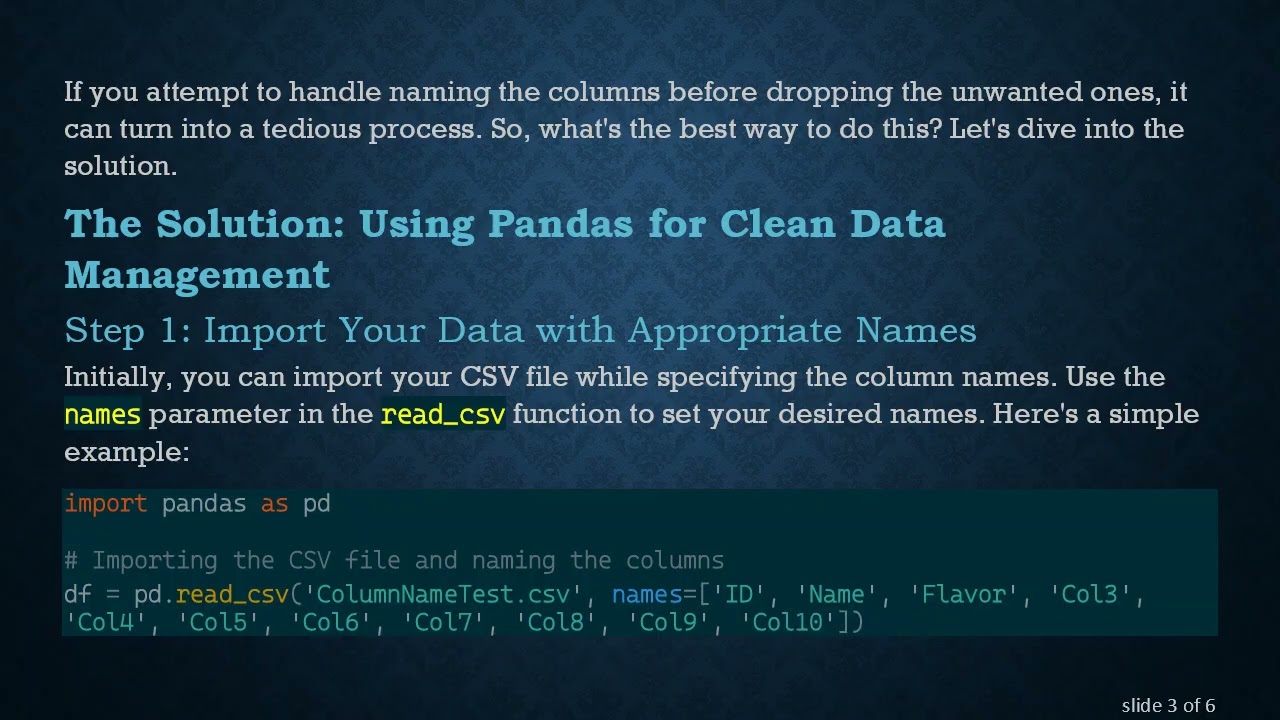
Step 1: Import Your Data with Appropriate Names
Initially, you can import your CSV file while specifying the column names. Use the names parameter in the read_csv function to set your desired names. Here's a simple example:
[[See Video to Reveal this Text or Code Snippet]]
Step 2: Dropping Unnecessary Columns
If you need to drop multiple columns, there’s a clean way to handle this without having to name all columns first. You can utilize the iloc function, which allows you to select specific columns based on their indices, thus providing flexibility in managing column selections. Let’s look at a couple of approaches.
Option 1: Selecting Specific Columns
In this method, you can define exactly which columns to keep by their index numbers:
[[See Video to Reveal this Text or Code Snippet]]
Option 2: Keeping a Range of Columns
Alternatively, if you want to keep a continuous range of columns, it’s equally straightforward:
[[See Video to Reveal this Text or Code Snippet]]
Step 3: Assign New Columns Names
After you have selected the subset or range of columns you want to retain, you can easily rename them. Assign meaningful names to your columns using the columns attribute:
[[See Video to Reveal this Text or Code Snippet]]
Conclusion
By using iloc to select specific columns or ranges, and subsequently assigning new column names, you can ensure your DataFrame is tidy and meaningful. This method is particularly advantageous when you’re working with large datasets where manual column management would be cumbersome.
By following these simple steps, you can streamline your data processing tasks in Python Pandas, allowing for more efficient data analysis and handling. So next time you work with a CSV file cluttered with unnamed columns, remember these techniques to simplify your workflow!
Доступные форматы для скачивания:
Скачать видео mp4
-
Информация по загрузке: