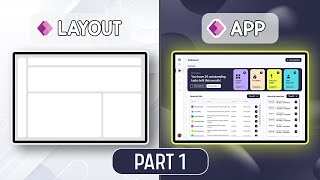
Create Anchors from a menu in a Scrollable Screen in Canvas PowerApps
Автор: Ahmed Salih
Загружено: 2023-02-11
Просмотров: 4885
https://github.com/PowerPlatformPlace...
Learn how to create anchors from a menu in a scrollable screen for a more intuitive and user-friendly navigation experience in your Canvas PowerApps. In this step-by-step tutorial, we'll demonstrate how to build a dynamic menu and implement anchor-based navigation within a single scrollable screen.
In this tutorial, you'll discover:
An overview of scrollable screens in Canvas PowerApps
How to design a scrollable screen with multiple content sections
Creating a dynamic menu to navigate through different sections
Implementing anchor-based navigation using variables and the 'Set' function
Best practices for designing user-friendly and interactive Canvas PowerApps
Whether you're new to Canvas PowerApps or an experienced developer, this tutorial will help you create more engaging and user-friendly applications by utilizing anchors and a dynamic menu in a scrollable screen. Don't forget to like, comment, and subscribe for more PowerApps tips and tutorials!
Keywords:
Canvas PowerApps, scrollable screen, anchors, menu, navigation, user experience, dynamic menu, Set function, tutorial, app development, best practices, interactive apps

Доступные форматы для скачивания:
Скачать видео mp4
-
Информация по загрузке: