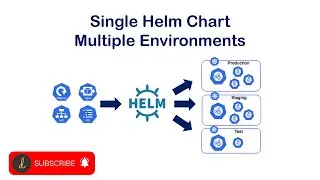
How to use/pull environment variables into Helm Chart
Автор: Rahul Wagh
Загружено: 2021-03-17
Просмотров: 19152
▬▬▬▬▬▬ 🎉 🔥 Udemy Course - AWS Networking Zero to Hero!🔥 🎉▬▬▬▬▬▬
🚀 AWS Networking Masterclass! - https://www.udemy.com/course/aws-netw...
▬▬▬▬▬▬ 🎉 🔥 Udemy Course - Master Azure Like a Pro!🔥 🎉▬▬▬▬▬▬
🚀 Master Azure Like a Pro! - https://www.udemy.com/course/azure-cl...
▬▬▬▬▬▬ 🙍🏻♂️Join YouTube Membership ▬▬▬▬▬▬
Join this channel to get access to perks:
/ @rahulwagh
▬▬▬▬▬▬ 🙍🏻♂️ Members Only Videos ▬▬▬▬▬▬
Member Only videos - • Members-only videos
▬▬▬▬▬▬ 🗓️ Book Me for Consultation ▬▬▬▬▬▬
Calender - https://tidycal.com/rahulwagh17
================================================================================
🔥 Courses | Full Helm Chart Tutorial | Helm Chart Course 🔥
► From Beginner to Expert Guide: Complete Helm Chart Tutorial - • Complete Helm Chart Tutorial: From Beginne...
================================================================================
Guide for how to pass environment variables into helm chart - https://jhooq.com/helm-pass-environme...
This lab session will help you to understand "How to pass environment variables into the Helm Chart". There are total 2 ways by which you can pass the environment variables into the helm chart
1. Using command-line interface to pass environment variables example: - helm install --set replicaCount=2 h helloworld-1 world
2. Using your own values.yaml to pass environment variables example: - helm install -f myvalues.yaml helloworldrelease helloworld
🕘Timestamps:
0:00 - Why do we need pass/pull environment variables into the helm chart?
2:35 - How to pull variables from CLI(command-line interface)?
6:09 - Override the Environment variables
8:02 - Create your own values YAML and then pass it as a parameter into the helm chart
11:00 - Pass/Pull key-value pair into helm chart
To read more about Helm chart variables - https://helm.sh/docs/chart_template_g...
To read more about Kubernetes - https://kubernetes.io/
For more similar content follow up on - https://jhooq.com
Disclaimer/Policy: All the content/instructions are solely mine. The source is completely open-source.
Video is copyrighted and it can not be re-distributed on any platform.

Доступные форматы для скачивания:
Скачать видео mp4
-
Информация по загрузке: