How To Use KNIME's Table Column To Variable Node
Автор: KNIME Tutorials
Загружено: 2021-11-20
Просмотров: 8677
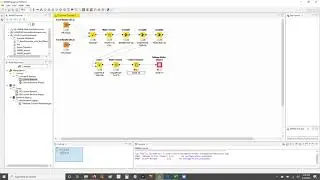
In this video learn how to use KNIME's Table Column To Variable node!
If you want a quick and easy way to convert a column of data to flow variables for parameterization in KNIME Analytics Platform this is the node for you!
Download the follow-along workflow here →https://kni.me/w/JkbPQ7YTwTT679Op.
KNIME Analytics Platform is FREE for Windows, macOS and Linux! Download to get started → https://www.knime.com/downloads.
KNIME is: "the open source software for creating data science. Intuitive, open, and continuously integrating new developments, KNIME makes understanding data and designing data science workflows and reusable components accessible to everyone."
Learn More About Flow Variables:
Flow Variables → https://lnkd.in/gu4bczQK
Flow Variables: From Data to Variables → https://lnkd.in/grf84S7K
KNIME Flow Control Guide → https://lnkd.in/gBvAh8cF
KNIME Analytics: Flow Variables, the Red Line → https://lnkd.in/gtpqwZVr
Full long form article coming soon!
Learn More About KNIME:
On my website → www.knime.tips
KNIME's Low Code journal for data science → / low-code-for-advanced-data-science-a-new-j...

Доступные форматы для скачивания:
Скачать видео mp4
-
Информация по загрузке: