Популярное

Музыка Кино и Анимация Автомобили Животные Спорт Путешествия Игры Юмор

Интересные видео

2025 Сериалы Трейлеры Новости Как сделать Видеоуроки Diy своими руками

Топ запросов

смотреть а4 schoolboy runaway турецкий сериал смотреть мультфильмы эдисон
dTub
Скачать

Setting up the HackRF PortaPack

Автор: SecuritySync

Загружено: 2024-07-09

Просмотров: 12251

Описание:

Michael Smith and Samuel Schneider discuss the HackRF One PortaPack Software Defined Radio (SDR), how to set it up, flash the Mayhem firmware, and update the SD card. The HackRF One is a software-defined radio that can receive and transmit signals up to 6 GHz. We demonstrate the process of upgrading the firmware using a batch file in Windows and show how to copy files to the SD card. We also discuss the accessories and options available for the HackRF One Portapack. The conversation discusses the process of updating the firmware and SD card of a PortaPack device. It covers topics such using the PortaPack in browser tab with the hackrf.app website, managing the device settings, and manually updating the firmware and SD card. The conversation also mentions the different applications and resources available on the PortaPack, such as ADS-B mapping and commercial radio signal reception. The importance of user acceptance testing and verifying the functionality of the firmware is emphasized.


Chapters
00:00 Introduction to HackRF PortaPack and Mike's Travel Kit
06:19 Where to buy a PortaPack
10:08 Introduction to Mayhem Firmware
19:54 Flashing Firmware from Linux
25:10 Updating the SD Card Contents
28:54 Flashing the Firmware in Windows
31:04 Using hackrf.app to Flash the Firmware
36:03 Testing after Flashing New Firmware
41:39 Conclusion


Links
Portapack on eBay https://www.ebay.com/sch/i.html?_nkw=...
Mayhem https://github.com/portapack-mayhem/m...
Firmware Update Instructions https://github.com/portapack-mayhem/m...
Current Firmware https://github.com/portapack-mayhem/m...
Web Firmware Updater https://hackrf.app/


Takeaways
The HackRF One PortaPack is a versatile tool for listening to and analyzing various signals.
Upgrading the firmware and updating the SD card are important for keeping the HackRF One PortaPack up to date.
The firmware can be upgraded using a batch file or through an automated website.
Copying files to the SD card can be done through a USB connection or by directly inserting the card into a computer.
Accessories such as antennas and metal cases can enhance the functionality and durability of the HackRF One PortaPack.
Detaching the PortaPack from the browser tab allows for managing the device settings
The firmware and SD card of the PortaPack need to be manually updated
The PortaPack has various applications and resources available
User acceptance testing is important to ensure the firmware update is successful

Sound Bites
"One of the toys that I keep in my travel bag all the time is this right here."
"But Sam, you want to show us how you update your PortaPack?"
"Okay, and it's that easy. It's literally that easy."

Setting up the HackRF PortaPack

Поделиться в:

Доступные форматы для скачивания:

Скачать видео mp4

  • Информация по загрузке:

Скачать аудио mp3

Похожие видео

HackRF Portapack H4M Beginners Guide

HackRF Portapack H4M Beginners Guide

Теракт в Сиднее, Украина откажется от НАТО? Кремль недоволен Лукашенко. Галлямов, Юсупов, Дурнев

Теракт в Сиднее, Украина откажется от НАТО? Кремль недоволен Лукашенко. Галлямов, Юсупов, Дурнев

Защита от спуфинга, ложные координаты на аэроскопе | как включить FCC на любом дроне | обзор HackRF

Защита от спуфинга, ложные координаты на аэроскопе | как включить FCC на любом дроне | обзор HackRF

HackRF One + SDRSharp настройка и описание программы

HackRF One + SDRSharp настройка и описание программы

Decoding Pagers with Software-Defined Radio

Decoding Pagers with Software-Defined Radio

💾СОБРАЛ NAS НА TrueNAS💽 НЕ ПОНИМАЮ, КАК ЖИЛ БЕЗ НЕГО САМОДЕЛЬНОЕ ХРАНИЛИЩЕ ЭТО ПРОСТО

💾СОБРАЛ NAS НА TrueNAS💽 НЕ ПОНИМАЮ, КАК ЖИЛ БЕЗ НЕГО САМОДЕЛЬНОЕ ХРАНИЛИЩЕ ЭТО ПРОСТО

HackRF One PortaPack H4M Scanner App

HackRF One PortaPack H4M Scanner App

Ultimate HackRF Guide: DFU Flashing Made Simple 2025

Ultimate HackRF Guide: DFU Flashing Made Simple 2025

Cudy WR3000H восстановление и прошивка под OpenWRT Zapret + Podkop

Cudy WR3000H восстановление и прошивка под OpenWRT Zapret + Podkop

Unlocking secrets of the Proxmark3 RDV4.0 | Kevin Barker & Christian Herrmann | nullcon Goa 2019

Unlocking secrets of the Proxmark3 RDV4.0 | Kevin Barker & Christian Herrmann | nullcon Goa 2019

Flipper Zero: Intro & Getting Started // Tech Highlight

Flipper Zero: Intro & Getting Started // Tech Highlight

Software Defined Radio with HackRF by Michael Ossmann, Lesson 1

Software Defined Radio with HackRF by Michael Ossmann, Lesson 1

ВЗЛОМАЛ колонку и заменил Алису на своего ассистента: 5 лет на получение root и модификацию прошивки

ВЗЛОМАЛ колонку и заменил Алису на своего ассистента: 5 лет на получение root и модификацию прошивки

Using Cheap Software Defined Radios to Track Drones and Jammers

Using Cheap Software Defined Radios to Track Drones and Jammers

Антенны PortaPack H2 Hack RF One

Антенны PortaPack H2 Hack RF One

Лучшая антенна для HackRF Portapack (а также Flipper Zero, Meshtastic, Quansheng, RTLSDR и т. д.)

Лучшая антенна для HackRF Portapack (а также Flipper Zero, Meshtastic, Quansheng, RTLSDR и т. д.)

DEF CON 32 - Anyone can hack IoT- Beginner’s Guide to Hacking Your First IoT Device - Andrew Bellini

DEF CON 32 - Anyone can hack IoT- Beginner’s Guide to Hacking Your First IoT Device - Andrew Bellini

Руководство для начинающих по HackRF и Portapak с Mayhem

Руководство для начинающих по HackRF и Portapak с Mayhem

🛜 Portapack H2 Hackrf: простой удаленный захват и воспроизведение

🛜 Portapack H2 Hackrf: простой удаленный захват и воспроизведение

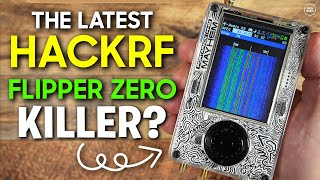
The Latest HackRF & Portapak Combo - H4M  The Flipper Zero Killer?

The Latest HackRF & Portapak Combo - H4M The Flipper Zero Killer?

© 2025 dtub. Все права защищены.


  • Контакты
  • О нас
  • Политика конфиденциальности


Контакты для правообладателей: [email protected]