Скачать
如何利用 Python 建立點陣圖 (廣東話)
Автор: 夏sir網上教室
Загружено: 2021-10-13
Просмотров: 132
Описание:
Requirements:
Install Python, PyCharm
In PyCharm, install the modules opencv-python and numpy
Source codes:
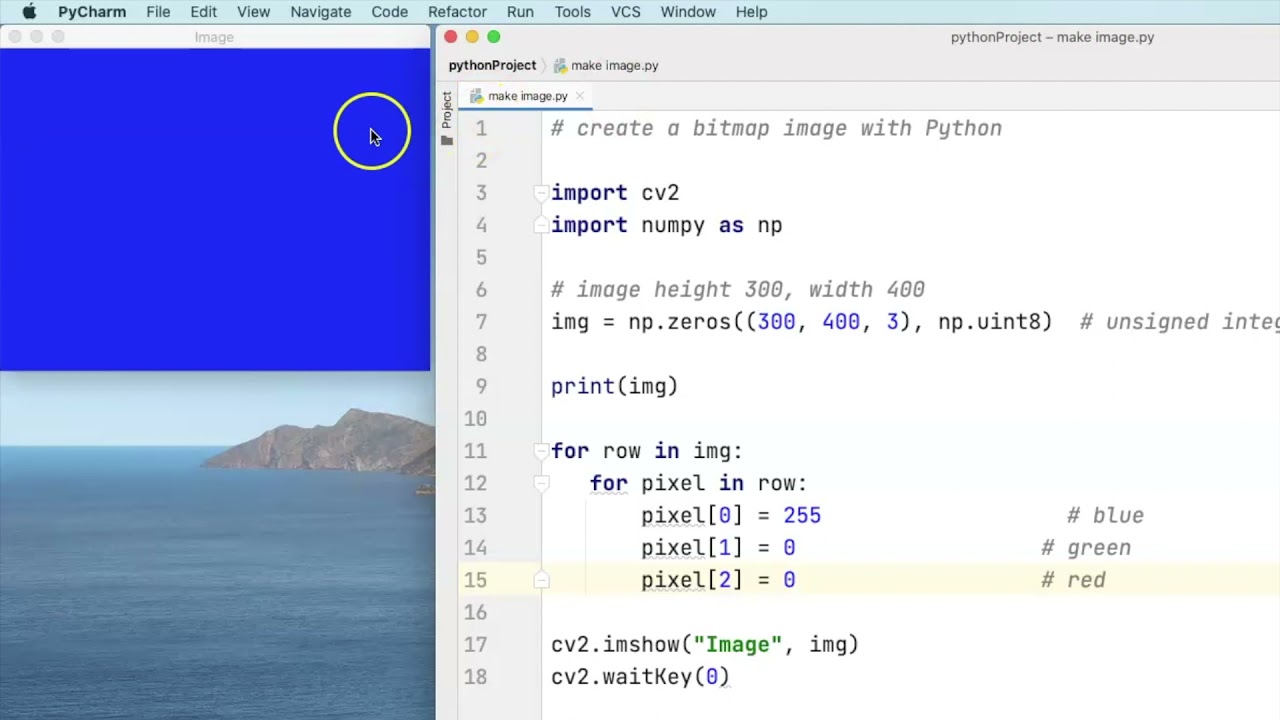
create a bitmap image with Python
import cv2
import numpy as np
image height 300, width 400
img = np.zeros((300, 400, 3), np.uint8) # unsigned integer 8 bit (0-255)
print(img)
for row in img:
for pixel in row:
pixel[0] = 32 # blue
pixel[1] = 32 # green
pixel[2] = 32 # red
cv2.imshow("Image", img)
cv2.waitKey(0)
Доступные форматы для скачивания:
Скачать видео mp4
-
Информация по загрузке:




![Python - Полный Курс по Python [15 ЧАСОВ]](https://image.4k-video.ru/id-video/cfJrtx-k96U)





![Как сжимаются изображения? [46 МБ ↘↘ 4,07 МБ] JPEG в деталях](https://image.4k-video.ru/id-video/Kv1Hiv3ox8I)