TypeScript Playwright Framework 04b - Auto Complete components using the DemoQA website.
Автор: Kevin Tan
Загружено: 2025-12-28
Просмотров: 11
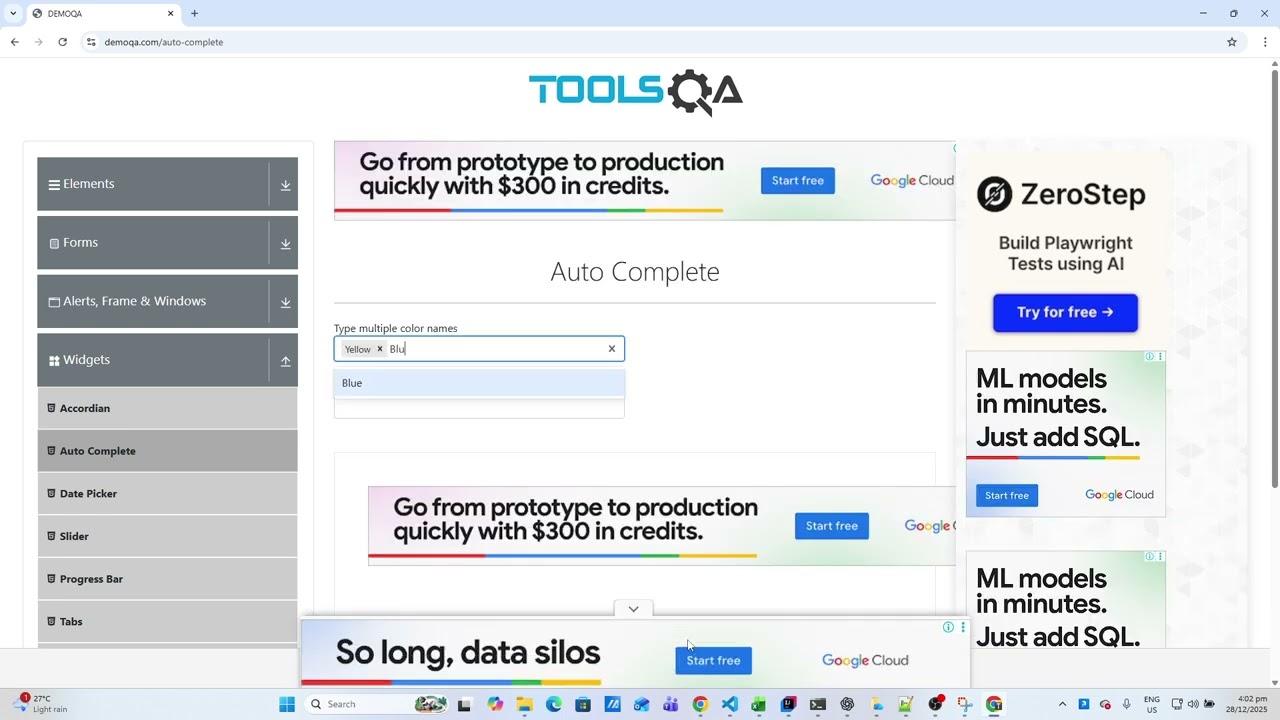
In this video, I continue building my TypeScript Playwright automation framework, focusing on Module 04b – Auto Complete components using the DemoQA website.
This session demonstrates how to correctly automate React-based Auto Complete widgets using Playwright, covering both multi-colour and single-colour selection scenarios. Special attention is given to handling real-world issues such as dropdown selection, keyboard navigation, and validation of rendered values instead of raw input text.
🔍 What’s covered in this video:
Automating Multi-Select Auto Complete (React Select)
Handling keyboard interactions (Type, ArrowDown, Enter)
Selecting values from dynamic dropdown options
Validating selected colour chips for multi-select
Automating Single-Select Auto Complete
Reading and asserting rendered React values
Structuring reusable helper methods in Playwright (TypeScript)
Positive and negative test scenarios
Generating and reviewing Playwright HTML Test Reports
🧠 Key learning takeaway:
Typing text alone is not enough for React Auto Complete components.
You must navigate and commit dropdown selections properly to ensure stable and reliable automation.
🛠 Tech stack used:
Playwright Test (TypeScript)
Node.js
DemoQA (Auto Complete widget)
Playwright HTML Report
This video is part of my ongoing journey transitioning from Java Selenium to TypeScript Playwright, documenting real implementation challenges and solutions step by step.
If you’re learning Playwright, migrating from Selenium, or building a scalable automation framework, I hope this walkthrough helps.
Доступные форматы для скачивания:
Скачать видео mp4
-
Информация по загрузке: