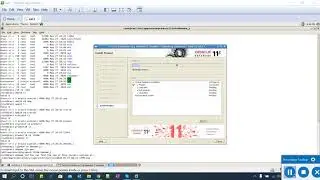
How To Create Oracle Database 11g Using Response File (Silent Mode) || IN HINDI
Автор: Oracle In Hindi
Загружено: 2020-08-14
Просмотров: 639
How To Create Oracle Database 11g Using Response File (Silent Mode) || IN HINDI
Step by step tutorial to create an oracle 11g database using response file (silent mode)
Below are the mandatory parameters in the response file.
RESPONSEFILE_VERSION = "11.2.0" = RDBMS version
OPERATION_TYPE = "createDatabase" = This is create database command.
GDBNAME = "TEST" = This is global DB name.
SID = "TEST" = This is SID name.
TEMPLATENAME = "General_Purpose.dbc" = This is just a template name.
SYSPASSWORD = "oracle" = You must need this password to create DB.
SYSTEMPASSWORD = "oracle" = You must need this password to create DB.
STORAGETYPE=FS = This is storage type whether FS or ASM if available.
DATAFILEDESTINATION=/oradisk" = This is the location of datafiles, controlfiles, and redolog files.
MEMORYPERCENTAGE = "40" = This is the % of your server memory(RAM).
Command to create a database.
dbca -silent -createDatabase -responseFile dbca.rsp
Oracle 11gR2 installation on Oracle Linux Without GUI (silent mode) || IN HINDI
• Oracle 11gR2 installation on Oracle Linux ...
Oracle 11gR2 installation on Oracle Linux With GUI || IN HINDI
• Oracle 11gR2 Installation on Oracle Linux ...
How to install Oracle Linux 7.6 on Virtualbox | IN HINDI
• How to install Oracle Linux 7.6 on Virtual...
#createoracle11gonLinuxVirtualbox
#howtocreateoracle11gonLinuxserver
#howtocreateoracle11gonlinuxstepbystep
#oracle11gr2installationonlinuxstepbystep
#howtcreateoracle11gonoraclelinux
#howtcreateoracle11gonlinuxwithoutGUI
#oracletutorial
#freetutorial
#setpbystepdatabasecreation

Доступные форматы для скачивания:
Скачать видео mp4
-
Информация по загрузке: