ProPresenter- Stage Displays
Автор: Renewed Vision
Загружено: 2025-12-12
Просмотров: 1097
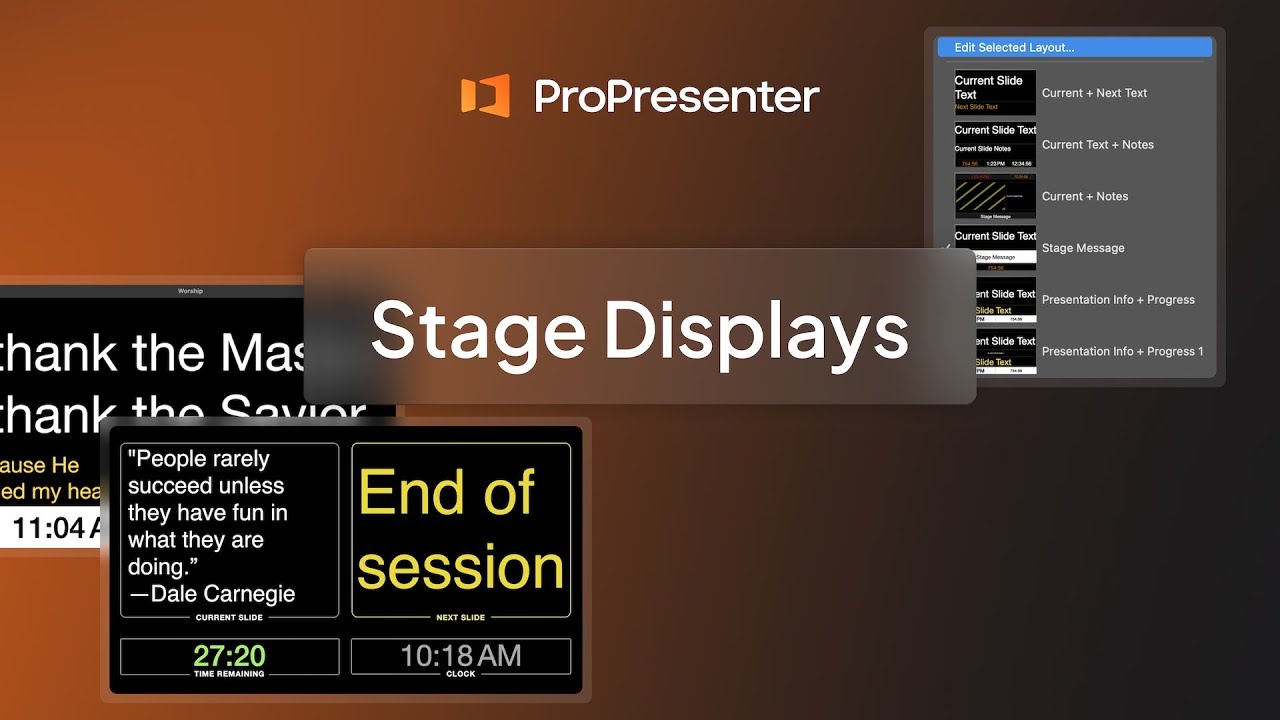
Learn how to take full advantage of Stage Screens in ProPresenter—one of the most powerful tools for giving your team the information they need in real time. Stage Screens (also known as confidence monitors) allow you to send customized content to performers, speakers, and production crew members without showing it on your main audience displays.
Here’s what you’ll learn in this video:
What Stage Screens are and how they enhance live production
How to open and navigate the Stage Layout Editor
Building new Stage Display layouts from templates or from scratch
Adding and customizing layout elements such as:
• Current and next slide text or images
• Slide notes and stage messages
• Clocks, timers, and countdowns
• Chord charts and Planning Center Live integrations
• Screen previews and live video inputs
Using text and shape tools to organize layouts and display dynamic information
Assigning layouts to Stage Screens manually or automatically with slide actions
Practical layout examples for worship leaders, speakers, and production teams
By the end of this video, you’ll know how to design and deploy Stage Screen layouts that improve communication, streamline your live workflow, and keep every member of your team in sync.
📘 For additional resources or support, visit [Renewed Vision Support](https://support.renewedvision.com), or click the *Help* button on the bottom right corner of our website to contact our team.
👍 If this video was helpful, subscribe to our channel for more ProPresenter tutorials and best practices.
#ProPresenter #RenewedVision #ProPresenterTraining #ChurchTech #WorshipMedia #LiveProduction #StageDisplay #ConfidenceMonitor
Доступные форматы для скачивания:
Скачать видео mp4
-
Информация по загрузке: