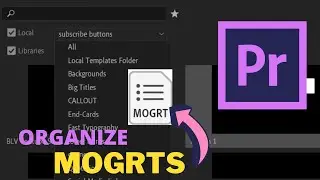
How to Organize your MOGRTs in Premiere Pro
Автор: AdventureMuse
Загружено: 2020-03-26
Просмотров: 5797
Easily organize, rename or delete your MOGRTS (motion graphic templates) in Premiere Pro using libraries.
If you want your libraries tab next to your Essential Graphics - here is a quick tutorial.
• workspaces and panels in Premiere
0:23 How you export a MOGRT in After Effects
1:22 Premiere Essential Graphics Panel
2:19 Organize your MOGRTs with Libraries
WHERE TO FIND ME ON THE WEB:
Instagram: / adventuremuse_
Twitter: / adventuremuse_
Website: http://Graphicmuse.com
My Gear:
Main Camera Body: https://amzn.to/2F0RTie
Favorite Lens: https://amzn.to/2WoOnUA
Buttery Bokeh Lens: https://amzn.to/2ME4RZq
Gotta have a GoPro: https://amzn.to/2WoPmUM
Backpack I'm using: https://amzn.to/2WsayJE
Lav: Rode Wireless Go: https://amzn.to/31K6IhS
Small Shotgun mic: Boya BY-MM1: https://amzn.to/31XgzkL
Studio Mic - Audio-Technica-AT8035: https://amzn.to/3871XlS
Best GoPro Mount: https://amzn.to/2FNQVFN
FULL disclosure!
Product links are affiliate links so if you purchase or sign up to something through one - I receive a small commission at no extra cost to you. (WOO HOO!).
This video is not sponsored or endorsed by any brand or organization and all opinions are entirely mine.
Thank you, everyone, for checking out my video and for the support.
#premierepro #motiongraphics
Доступные форматы для скачивания:
Скачать видео mp4
-
Информация по загрузке: