2013 NISSAN Maxima - Audio Systems
Автор: Nissan Owner Channel
Загружено: 2015-04-19
Просмотров: 64820
Audio Systems
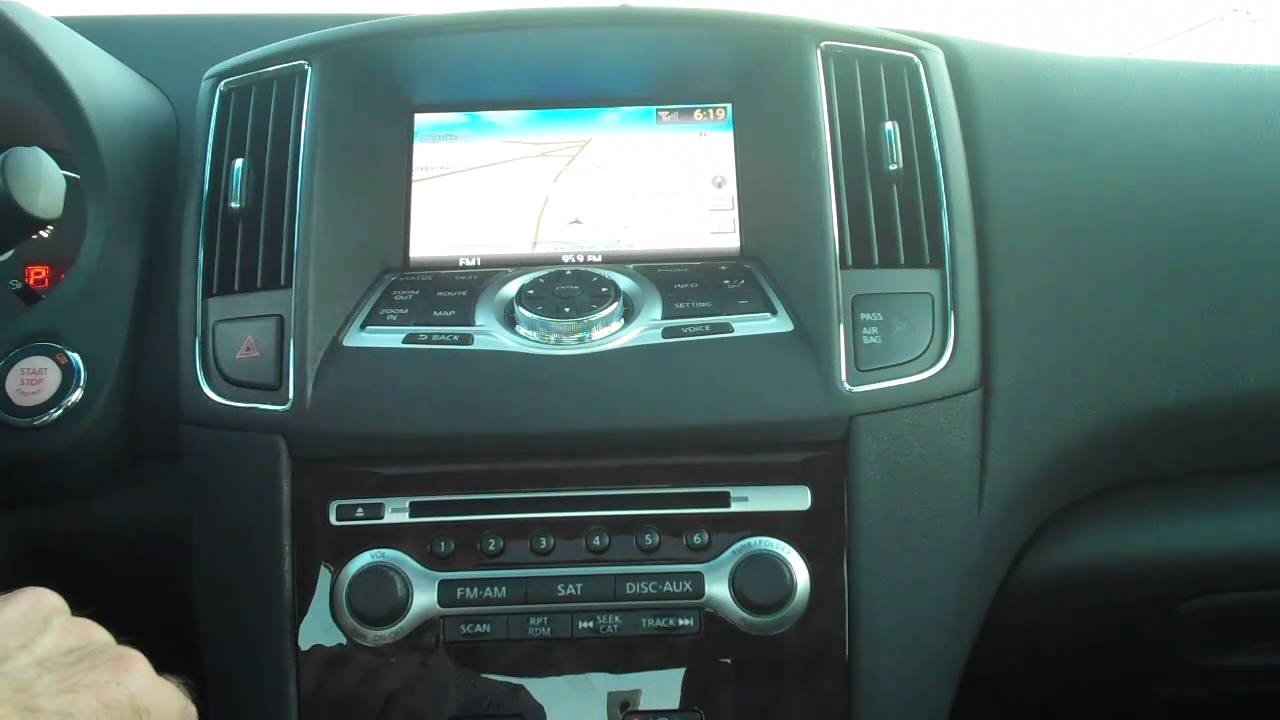
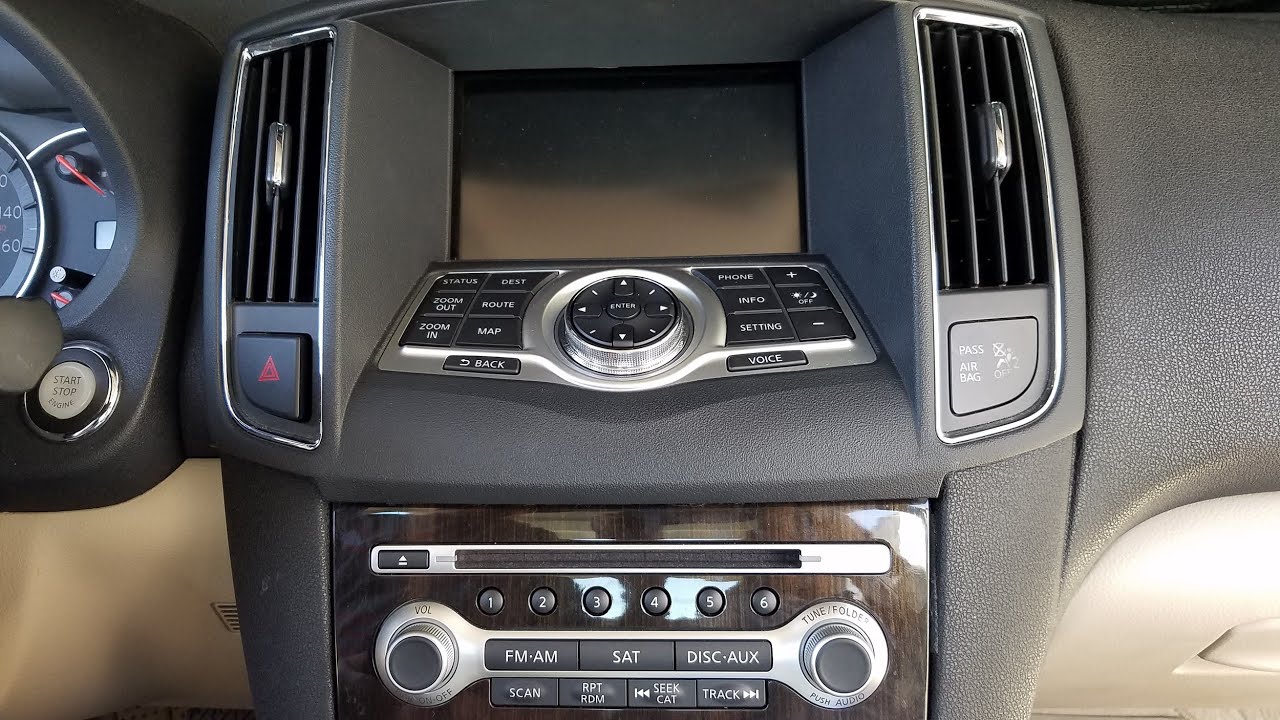
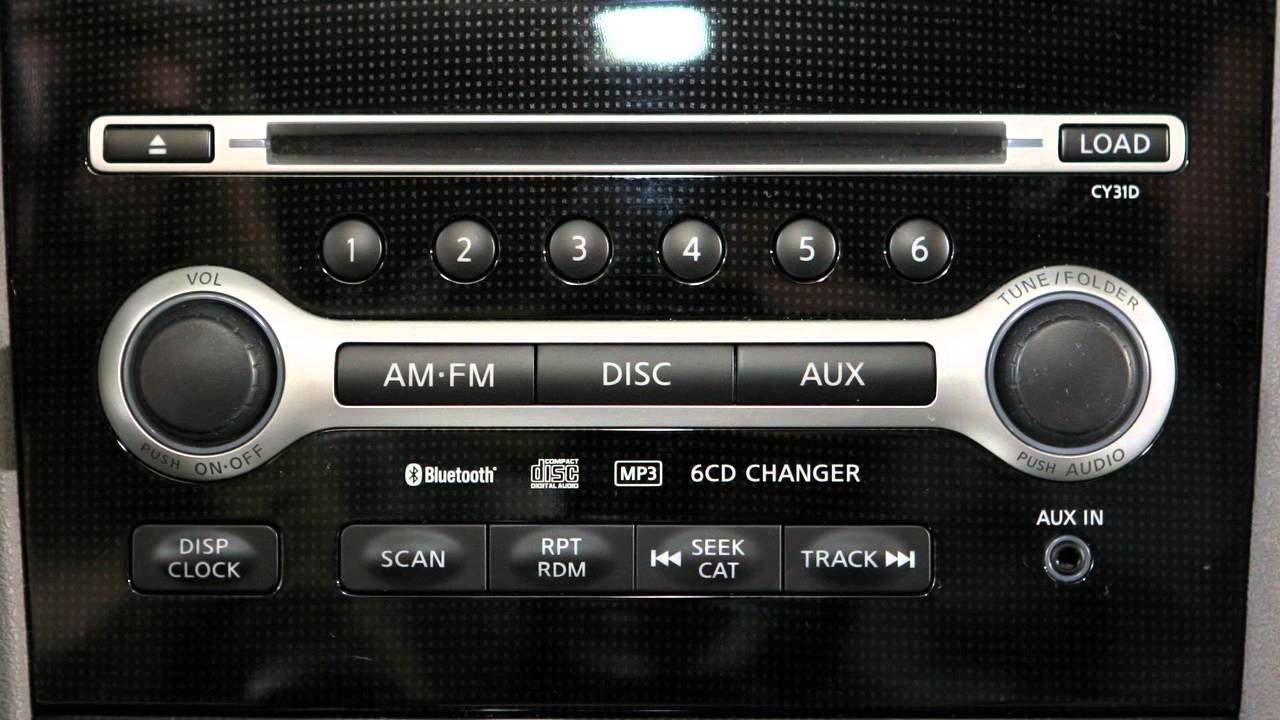
Your audio system includes an AM/FM radio and either a single-disc CD player or a six-disc CD changer. The controls and their functions are similar, with a few exceptions which will be covered later in this chapter.
Press the VOLUME/ON-OFF control knob to turn your system ON or OFF. Turn the knob to adjust volume.
Your radio will play FM and AM stations, and if so equipped, will tune in SiriusXM® Satellite radio. Choose a radio band by pressing the FM/ AM button or, if so equipped, the SATELLITE button. On some systems you will press the AUXILIARY button to access SiriusXM® Satellite radio, if so equipped. For full details on SiriusXM® Satellite Radio, you can refer to your Owner's Manual or go to www.siriusxm.com.
To manually tune the radio, turn the TUNE/ FOLDER/ AUDIO knob left or right. To tune and stop at the next broadcast station up or down the band, press the TRACK or SEEK/ CATEGORY buttons left or right.
If playing a CD, pressing the TRACK button will also advance to the next track. Press the SEEK/ CATEGORY button to skip to the beginning of the current track. Press either button repeatedly to skip through multiple tracks. Press and hold either of these buttons to rewind or fast forward.
When you press the SCAN button it will seek out and stop for five seconds at each station along the dial. When you reach a station you want to listen to, press again to make it stop and stay there.
You can set up to 6 AM and 12 FM stations, and if so equipped, 18 SiriusXM Satellite radio stations in memory. First select a radio band by pressing the FM/ AM button or, if so equipped, the SATELLITE or AUXILIARY buttons. Now tune the radio to the desired station. Once you have reached the station you would like to store in memory, press and hold the desired station button, one through six, until the radio mutes, indicating that station has been set in memory. The radio will then resume play. To play a stored station, select the correct radio band, then press the corresponding button, one through six.
When you are listening to the radio and you would like to play a CD that is already loaded, press the DISC/ AUXILIARY button. You can also press this button to play devices plugged into the auxiliary input jacks. On six-disc changers press the DISC button to switch to CD mode and press the AUXILIARY button to play devices plugged into the input jacks.
To load a CD, the ignition must be at ACC or ON. Insert the disc into the slot with the label side up. The CD will automatically be pulled into the slot and start to play. If the radio has been playing, it turns OFF and the CD begins. To eject a CD, press the EJECT button.
On six disc changers, you can load up to six CDs for playback, using the LOAD button and these select buttons, one through six. To load just one CD press the LOAD button, then press one of the select buttons. Now insert the CD. The slot number will appear on the display when loading is complete. To load more than one CD, press the LOAD button for more than one and a half seconds. One by one, the slot numbers will appear on the display as CDs finish loading.
To eject a single CD, press the EJECT button. Then select the CD select button, one through six, containing the CD you want to remove. If no CD select buttons are pressed, the currently loaded disc will eject. To eject all discs, press the EJECT button for longer than one and a half seconds. If not removed within 15 seconds, the CD will reload.
Press the REPEAT/ RANDOM button while a CD is being played to change the play pattern among random, repeat and normal play of discs and their tracks. This feature also changes the play pattern of MP3 discs and optional features, such as iPods® and USB devices, if so equipped.
To adjust audio settings, you'll press the AUDIO button. It can adjust bass, treble, balance and fade. Simply press the AUDIO button repeatedly until the audio effect you want to adjust appears in the display. Then turn the TUNE/ FOLDER/ AUDIO knob left or right to adjust it to the desired level. Once you have finished adjusting the feature, press the AUDIO button until the radio or CD display appears.
If your vehicle is equipped with SSV, or Speed Sensitive Volume, you can use this feature to make the audio louder at faster speeds and quieter at slower speeds. You can adjust SSV by pressing the SETTING button on the control panel and selecting "Audio."
If so equipped, there is an auxiliary input jack on the center console or three input jacks located inside the center console storage box. The jack on the center console accepts any standard analog input device, such as a cassette tape player, CD player, MP3 player or laptop computer...
Доступные форматы для скачивания:
Скачать видео mp4
-
Информация по загрузке: