MIOPS SMART+ UNBOXING AND FIRST IMPRESSIONS
Автор: Vaughan Laws Photography
Загружено: 2022-09-07
Просмотров: 710
Hi, I have teamed up with MIOPS and they have sent me out their MIOPS smart trigger to test.
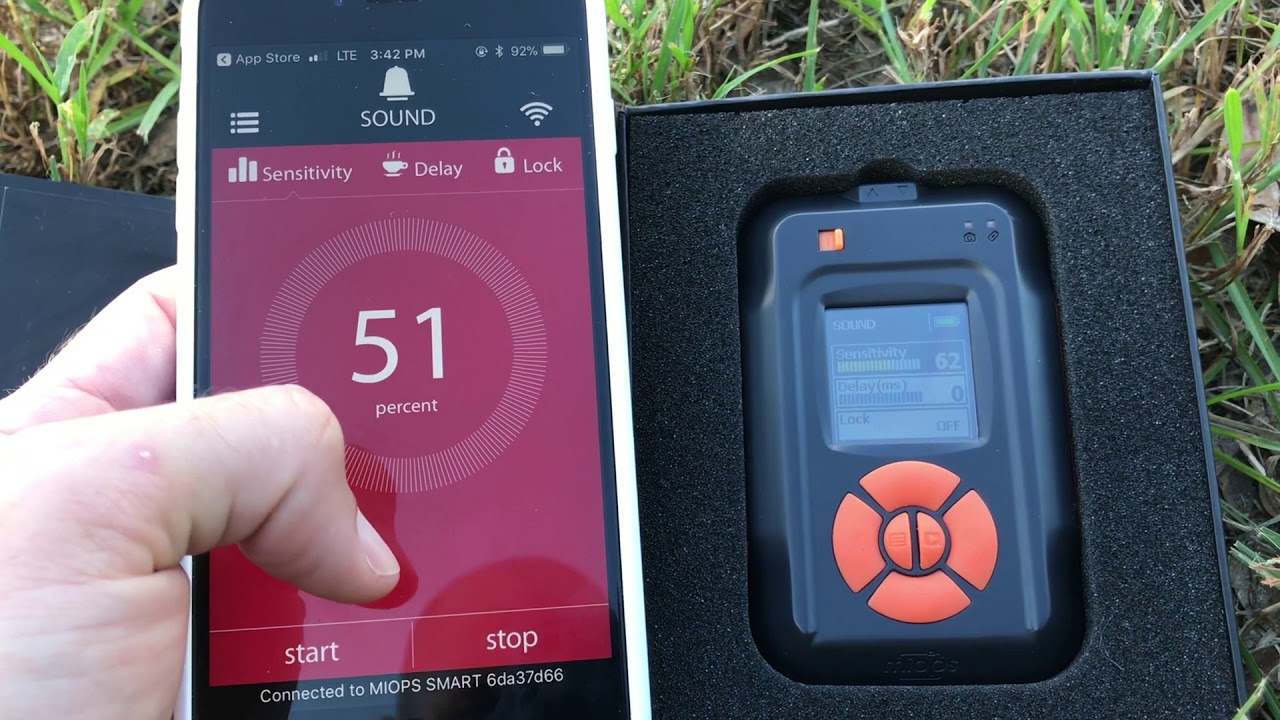
My first impressions on using this trigger is how easy it is to actually use! For first time use, you need to make sure you have the software updated. You can download the MIOPS app from the Apple or Android store and then you are pretty well set to go.
To use your trigger, make sure you have the connection cable attached to the camera and MIOPS trigger. Turn on the camera, trigger and open the MIOPS app (make sure Bluetooth is enabled on your phone). The trigger will automatically connect to the phone and all you have to do is confirm the connection. From there you can control everything from your phone.
If you do not wish to use your phone, the trigger has a bright coloured LCD screen on top which you can choose all your settings.
I am really looking forward to getting this out for the upcoming storm season and testing out the lightning trigger.
I will be doing another review later on when I put this trigger to the test throughout the storm season so keep an eye on my YouTube channel and subscribe to be notified!

Доступные форматы для скачивания:
Скачать видео mp4
-
Информация по загрузке: