How to Fix PS4 Pro Overheat Problems.
Автор: idrees tech
Загружено: 2023-05-09
Просмотров: 3144
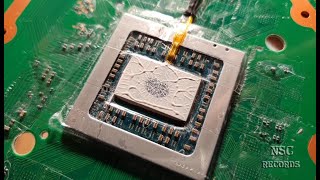
Use this tutorial to disassemble the PlayStation 4 Pro to clean the heatsink from dust and replace thermal grease.
The process results in a significant reduction in fan noise and improved performance of the PS4 Pro. PS4 Pro 1st gen of models: CUH-7015b, CUH-7016b, CUH-7115b, CUH-7116b.
PS4 overheating fix for free! If your PS4 keeps shutting down and sounding like it is about to take off, it is probably overheating. PS4 Overheating is a common issue caused mainly by the unit's design. In this video, I dismantle a PlayStation 4 and show you exactly what to do to clean the fan and heatsink assembly so that you can restore complete gaming pleasure and performance.
You will need a couple of tools to do the job: a Torx T8 security driver and a Phillips screwdriver. I used a standard Torx T8 driver without an issue. You could also use a paintbrush and a tin of compressed air, or if you have an air compressor, use that instead.
ps4 overheating fix
how to take apart ps4 pro
ps4 pro thermal paste replacement
how to clean a ps4 fan
how to clean ps4 fan
ps4 overheating
ps4 too hot fix
how to stop ps4 overheating
how to stop your ps4 from overheating
00:00 Intro
00:15 PS4 Pro Repair: Overheating and Loud Fan
02:45 PS4 Disassembly and Cleaning Guide
09:40 Guide to Cleaning and Applying Thermal Paste
12:22 Installing the PS4 motherboard ribbon cables
13:55 Step-by-Step Guide to Reassembling a Device
17:30 Testing for Operational Functionality
20:00 Maintenance and Cleaning Tips for a Quieter Cooling System

Доступные форматы для скачивания:
Скачать видео mp4
-
Информация по загрузке:


![Как исправить перегрев PS4 | Постоянно выключается сама по себе [Обновлено в 2024 году]](https://ricktube.ru/thumbnail/Kzd-KWkc9d8/mqdefault.jpg)