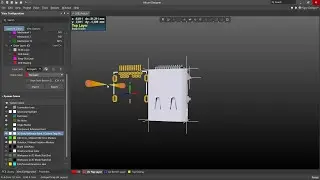
Altium Designer Tutorial 3: Position 3D Body and Add a Snap point from Vertices in Altium Designer.
Автор: Altium 366
Загружено: 2022-05-26
Просмотров: 3889
#Position #3d Body and Add a #Snap #point from #Vertices in #Altium #Designer
#Position #3d #Body in #Altium #Designer:
A #3D body is a primitive polygonal design object that is used to represent the three-dimensional shape of the physical component that is mounted on the assembled #PCB. Any number of 3D body objects can be used together to create complex component shapes. You can place extruded polygon, cylindrical, and spherical 3D Body shapes either in the PCB editor or into a PCB library component footprint.
As well as the simple 3D shapes that can be defined, a #3D #Body object also can be used as a container into which you can import a standard-format generic #3D #model, including #STEP, SolidWorks, and Parasolid format models.
Add #Snap #Points to #Vertices in #Altium #Designer :
This command is used to add Snap Points to vertices of a chosen 3D Body when viewing the current board/footprint in 3D. #Snap #points are used as reference markers on 3D objects and can be useful when orienting or aligning the #3D #Body with #primitives or other snap points on the #PCB (or PCB 2D Footprint).
#AltiumDesigner #Altium #AltiumTutorial #PCBDesign #PCBlayout #PCB3D #3DBody #SnapPoint #Vertices #ComponentPlacement #FootprintDesign #EDAtools #ElectronicsDesign #ElectronicsEngineering
#Altium #PCBdesign

Доступные форматы для скачивания:
Скачать видео mp4
-
Информация по загрузке:


![Altium Designer [3D Body Placement»Add Snap Points From Vertices,Align Face with Board]](https://image.4k-video.ru/id-video/pSyzFhAlsHA)


![How to Design the Component Libraries in Altium Designer [Beginners Tutorial]](https://image.4k-video.ru/id-video/J_pZdNdJaAs)