CATIA V5 Part Modeling Tutorial | Gear Box Housing Design from Engineering Drawing | Step by Step
Автор: The Product Designers
Загружено: 2026-01-11
Просмотров: 138
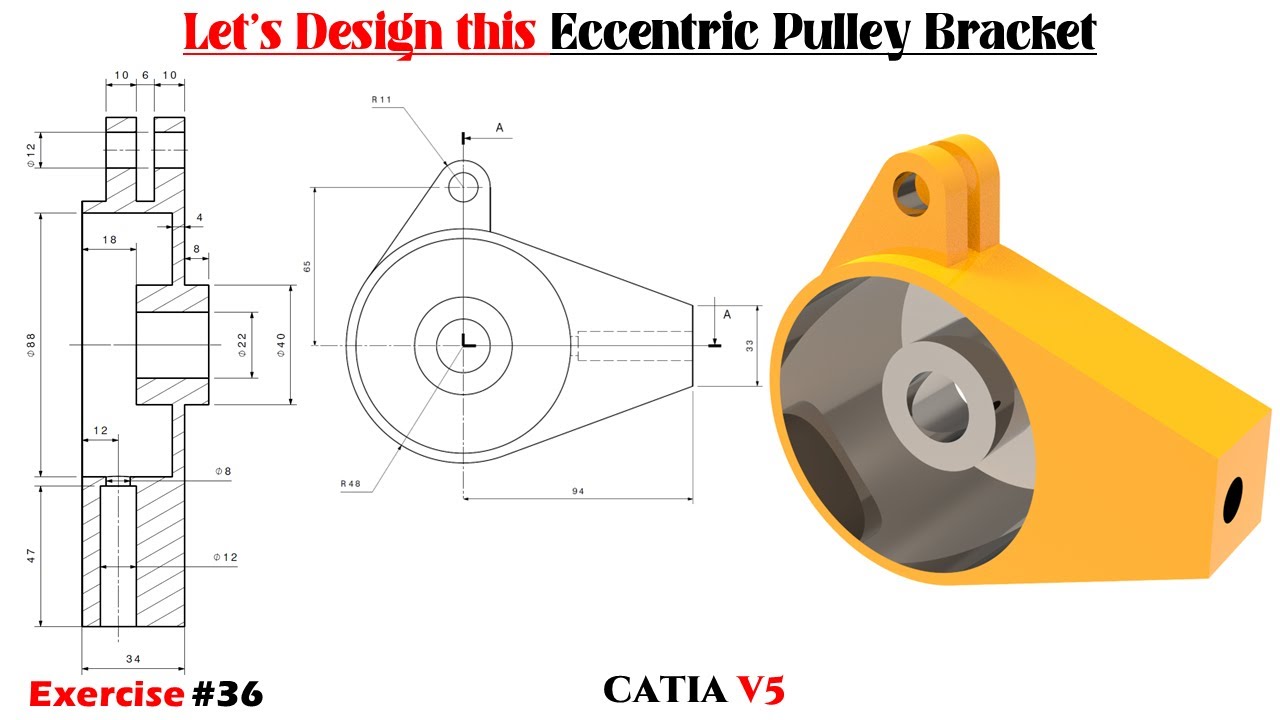
In this tutorial, we will learn CATIA V5 Part Modeling by designing a Gear Box Housing using a proper engineering drawing.
This video is created for beginners and intermediate learners who want to understand how to convert a 2D engineering drawing into a 3D model using CATIA V5.
All steps are explained in a simple and clear manner, without using complex technical words.
🔧 What you will learn in this video:
How to read and understand an engineering drawing
Interpreting dimensions, radii, holes and section views
Creating sketches in Sketcher Workbench
Using Pad, Pocket, Hole, Fillet and Chamfer
Modeling bosses and mounting features
Understanding Section View A–A
Creating a clean and professional CATIA V5 part
Best practices for mechanical part modeling
This tutorial follows first angle projection and standard mechanical drawing rules.
You can download the CATIA V5 part file and the engineering drawing (PDF / DWG) used in this tutorial from GrabCAD.
👉 GrabCAD Download Link:
🔗 https://grabcad.com/library/gear-box-...
This file is useful for:
Practicing along with the video
Understanding dimensions clearly
Learning real mechanical part modeling
🎵 Music Credit
Song: HXI – Lock n' Load [NCS Release]
Music provided by NoCopyrightSounds
Free Download/Stream: http://ncs.io/LockNLoad
📌 Software: CATIA V5
📌 Topic: Part Design
📌 Example: Gear Box Housing
📌 Level: Beginner to Intermediate
If you find this video useful, please Like, Share, and Subscribe to support the channel.
#CATIAV5
#CATIATutorial
#PartModeling
#GearBoxHousing
#EngineeringDrawing
#MechanicalDesign
#CATIAPartDesign
#BeginnerCATIA
#CADTutorial
#ProductDesign
#TheProductDesigners

Доступные форматы для скачивания:
Скачать видео mp4
-
Информация по загрузке: