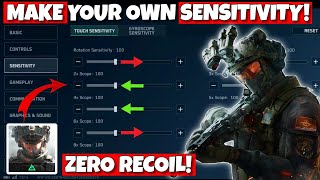
How to Use Gyroscope in Delta Force Mobile - Complete Gyroscope Settings & Sensitivity Guide
Загружено: 2025-06-10
Просмотров: 8599
Delta Coin (Discount🤑) : https://lootbar.gg/top-up/delta-force...
🎯 Delta Force Mobile Gyroscope Guide – Best Settings, Sensitivity & Tips!
Welcome back warriors! In today’s video, we’re diving deep into how to use gyroscope in Delta Force Mobile and uncovering the best gyroscope settings and sensitivity guide that can completely transform your gameplay!
If your aim feels shaky, recoil is out of control, or you struggle to track enemies — this is the video you’ve been waiting for! 💥
www.ggbro.com
🌀 What You’ll Learn in This Video:
✔️ How gyroscope works in Delta Force Mobile
✔️ Which gyroscope mode is best: Always ON vs When ADS
✔️ Step-by-step settings guide for beginners & pros
✔️ Best gyroscope sensitivity for aiming, recoil, and hip-fire
✔️ Gyroscope MDV, Vertical/Horizontal sensitivity explained
✔️ Firing sensitivity tips for laser-accurate shots
✔️ Expert advice for smooth transitions and better control
✔️ How to balance gyroscope + finger movement for god-tier aim
✔️ Vehicle settings for tanks & helicopters (yes, it’s different!)
📱 Why You Should Use Gyroscope in Delta Force:
Gyroscope allows you to aim just by tilting your phone — meaning faster crosshair movement, better recoil control, and pro-level tracking without needing to drag your thumb across the screen.
Whether you're hip-firing in close range or spraying with 6x scope, gyro gives you the edge!
🔧 Recommended Gyroscope Settings (Quick Summary):
➡️ Gyroscope Mode: Always ON for full control
➡️ Sensitivity: Increase to 200 for smoother response
➡️ MDV: Set to 0.70 for better scoped aim
➡️ Fire MDV: Set to 1.0 for balanced sensitivity
➡️ Firing Gyro Sensitivity: Around 70 for better recoil handling
➡️ Vertical: Lower to 95, Horizontal: Raise to 140 for precision
➡️ Sensitivity Transition: Gradual for smoother feel
➡️ Reverse Gyro: OFF to avoid muscle memory issues
🔥 BONUS TIPS:
💡 Combine gyroscope and finger movement – gyro for vertical, finger for horizontal
💡 Adjust tank & vehicle gyroscope settings separately under “Vehicle” tab
💡 Use “Aim Assist” ON for easier tracking and slight correction
📺 Watch Next:
🎯 Best Zero Recoil Sensitivity Settings in Delta Force Mobile ➤ • Best Zero Recoil Sensitivity Settings in D...
🎯 Delta Force Mobile Pro Settings Guide (No Lag, No Recoil) ➤ • Delta Force Mobile Pro Settings Guide (No ...
🎯 Advanced Camera & Firing Sensitivity (COMING SOON!)
🔔 Don’t forget to SUBSCRIBE to Gamerella for Delta Force tips, tricks, and setting guides to help you dominate every match!
👍 Like the video if you learned something new
💬 Drop your device name in the comments for custom sensitivity help
📲 Follow me on Instagram for more content and DM support. Link in Bio
––––––––––––––––––––––––––––––
Music: I Can't Wait by FIREMAN https://pixabay.com/users/firemansupe...
License: Creative Commons — Attribution 4.0 International CC BY 4.0
Free Download / Stream: https://www.audiolibrary.com.co/firem...
Music promoted by Audio Library: • Retro, Synth, Driving No Copyright Music |...
––––––––––––––––––––––––––––––
Music: Neptune by Mehul Choudhary / mehulchoudhary
License: Creative Commons — Attribution 3.0 Unported — CC BY 3.0
Free Download / Stream: https://www.audiolibrary.com.co/mehul...
Music promoted by Audio Library: • Progressive, Electronic, Trance No Copyrig...
––––––––––––––––––––––––––––––
#DeltaForceMobile #GyroscopeGuide #GyroSettings #DeltaForceSensitivity #MobileGamingTips #GyroscopeAim #DeltaForceTips #NoRecoil #FPSMobile #GGbro

Доступные форматы для скачивания:
Скачать видео mp4
-
Информация по загрузке: