error c2152 konica minolta
Автор: copyir
Загружено: 2023-10-15
Просмотров: 23907
error c2152 konica minolta
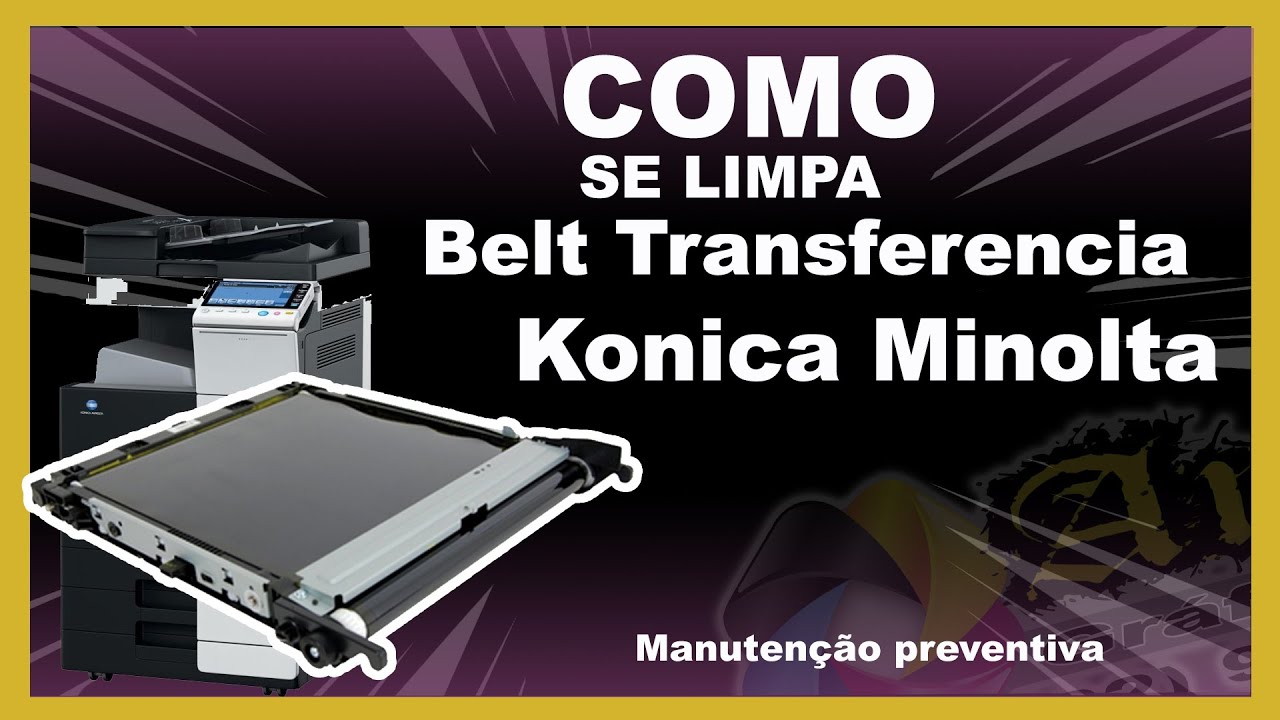
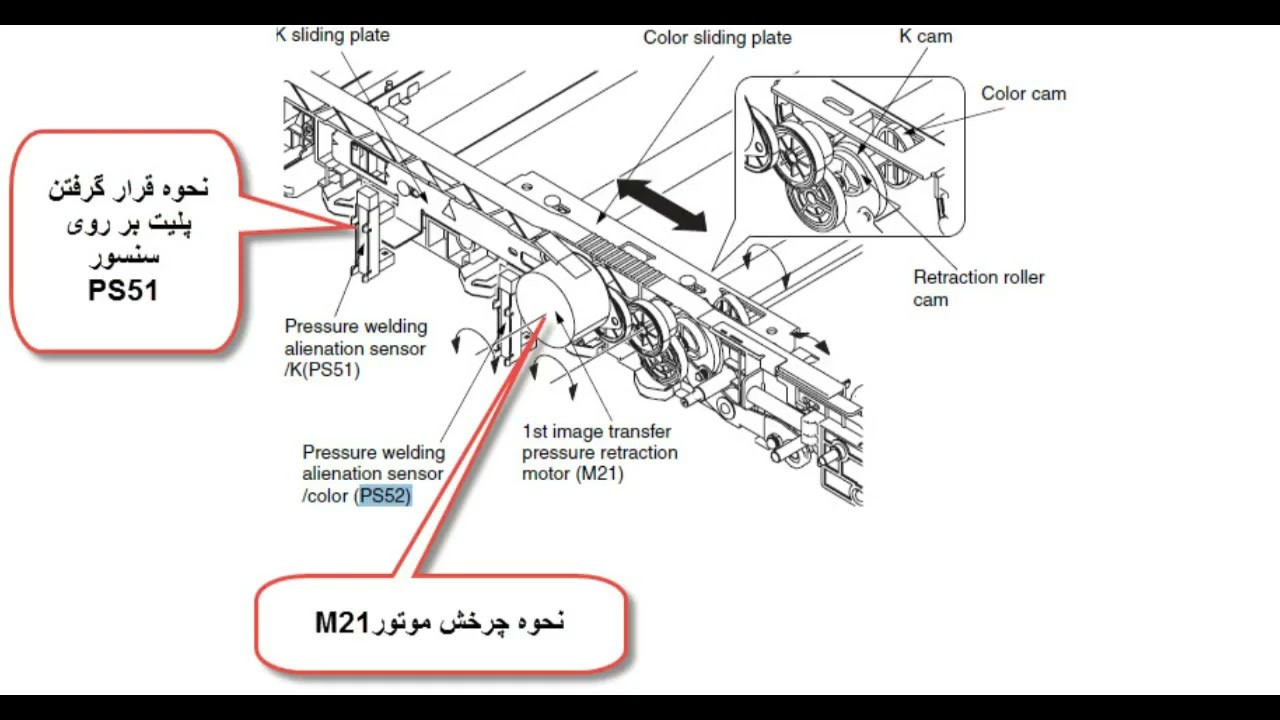
Error C2152 on Konica Minolta devices is related to the PS51 transfer sensor. This sensor is located behind the transfer unit and is mounted on the device chassis. To resolve this issue, you should first reset the machine. If that doesn't fix the problem, the issue could be with the sensor's drive, connector, or even the board.
Understanding the process:
When you press the start button, the image is transferred from the drums to the transfer belt, and then from the transfer belt to the paper, before it goes into the fuser.
The error occurs when the image isn’t properly transferred from the drum to the transfer belt.
As the image forms on the drums, the transfer belt moves close to the CMYK drums. Through a process of magnetic attraction (due to positive and negative charges), the image is transferred onto the belt. If this process fails, the C2152 error code appears.
Troubleshooting steps:
Reset the machine to see if the issue is resolved.
Inspect and clean the transfer sensor (PS51):
The error typically relates to the black PS51 sensor, located inside the device.
Remove the transfer unit and clean the sensor.
Check the drive mechanism:
Manually rotate the gears to check if the plate moves smoothly. Ensure the plate moves properly in line with the sensor.
If the drive is working correctly, ensure that the transfer belt is placed back correctly and reset the device.
If the error persists, check Motor M21 and its related gears to ensure they are functioning properly.
After performing these steps, if the problem persists, the issue might be with the motor or control board, which may require further inspection or replacement.
Please support us by liking, subscribing, and sharing our channel with your friends so we can create more tutorial videos!
کونیکا مینولتا c2152 ایراد و مشکل
ارور C2152 در دستگاههای کونیکا مینولتا مربوط به سنسور PS51 ترانسفر میباشد. این سنسور پشت واحد ترانسفر و به شاسی دستگاه متصل است. برای رفع این ارور، ابتدا باید دستگاه را یک بار ریست کنید. اگر مشکل حل نشد، احتمال دارد مشکل از درایو، کانکتور سنسور یا حتی برد دستگاه باشد.
درک فرآیند:
زمانی که شما کلید استارت را فشار میدهید، تصویر از درامها به ترانسفر منتقل شده و سپس از ترانسفر به کاغذ و در نهایت به فیوزر میرود.
ارور C2152 زمانی رخ میدهد که تصویر به درستی از درامها به ترانسفر منتقل نمیشود.
فرآیند به این صورت است که طلق ترانسفر توسط رولهای CMYK به درامها نزدیک میشود و از طریق جریان آهنربایی (منفی و مثبت شدن جریان) تصویر به طلق ترانسفر میچسبد. اگر این فرآیند به درستی انجام نشود، ارور C2152 ظاهر میشود.
مراحل رفع ایراد:
ابتدا ریست دستگاه را انجام دهید تا ببینید آیا مشکل حل میشود یا خیر.
سنسور ترانسفر PS51 را بررسی و تمیز کنید:
این ارور معمولاً مربوط به سنسور مشکی PS51 است که در داخل دستگاه قرار دارد.
واحد ترانسفر را جدا کرده و سنسور را تمیز کنید.
مکانیزم درایو را بررسی کنید:
به صورت دستی دندهها را بچرخانید تا مطمئن شوید که پلیت به نرمی حرکت میکند. اطمینان حاصل کنید که پلیت به درستی با سنسور حرکت میکند.
اگر درایو به درستی کار میکند، ترانسفر را دوباره در جای خود قرار دهید و دستگاه را ریست کنید.
اگر ارور همچنان ادامه دارد، موتور M21 و دندههای مربوط به آن را بررسی کنید تا مطمئن شوید که به درستی کار میکنند.
پس از انجام این مراحل، اگر مشکل همچنان باقی بود، احتمال دارد که مشکل از موتور یا برد کنترل باشد که نیاز به بررسی یا تعویض دارد.
لطفا برای حمایت ما و تو لید محتواهای جدید کانال مارا لایک و ساکسکرایپ و به دوستان خود معرفی کنید
Доступные форматы для скачивания:
Скачать видео mp4
-
Информация по загрузке: