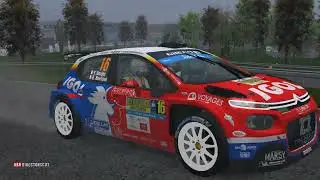
Rbr Citroen C3 R5 Final Fmod 1.0 by Bitto69
Автор: BigoeBitto
Загружено: 2024-04-07
Просмотров: 4150
0:00 tv view
4:28 onboard
6:19 rear camera
7:46 onboard
Rallysimfans
P.s. Luceram-Col Saint-Roch
Citroen C3 R5
NGP Physics by Worker Bee
Model, mapping and textures by Rodriguez
Special Thanks for Rodriguez, Sancho, Worker Bee
Convert by Ha3aP
Skin Citroen C3 R5 "Michelini-Angiletta/Rally del Taro 2023"
MPJ GRAPHICS AND DESIGN
https://www.mpjdesign.org/blank
Fmod V_1.0 by Bitto69
over 70 C3 R5 samples (engine, limiters, idle, gearbox, backfire etc)
11 random backfires
12 rear off random external releases
7 fluck gear sound random exteriors
4 fluck gear up /down random internal sounds
7 front turbo bip
for a different experience with each release of the pedal gas
Donate & Support Bitto69
https://paypal.me/bitto69
If you enjoyed it, subscribe to the channel
download here: 1.0
https://www.mediafire.com/file/o5l4j6...
To put my sounds on RSF:
1 - download and unpack with winrar
2 - put the 3 files inside the RSF folder example "X:\Richard Burns Rally\AudioFMOD"
3 - from the menu ,where you select the car and the track, load my sound
"C3_R5_Bitto69" it will be enough to do it only the first time, then that remains.
important note:
my sound is too loud.
to reduce fmod volume with RSF:
1 - launch "RallySimFans_Launcher"
2 - select "advance options"
3 - select "my cars"
4 - select "Citroen C3 R5"
5 - in the right menu, select "override FMOD volume"
6 - reduce the volume according to your needs
If RSF does not keep my sounds, but returns to the original FMOD sounds:
start RSF and go to the options,
and check that the two options
"DONWLOAD FMOD BANKS" and
"ALWAYS CACHE FMOD BANKS"
must have the red flag
that's all
Bitto69

Доступные форматы для скачивания:
Скачать видео mp4
-
Информация по загрузке: