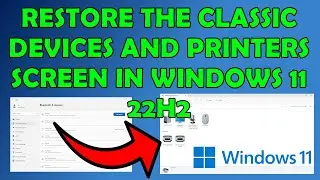
How to Open the Devices and Printers Settings in Windows 11
Автор: OnlineComputerTips
Загружено: 2024-03-16
Просмотров: 25247
If you preferred the Windows 10 way of managing your printers which was to use the Devices and Printers settings screen, you may find that it is missing from Windows 11, and you have to use the Windows 11 settings app to manage your printers. Fortunately, it's not really gone but rather hidden and you will need to take a few extra steps to open the Devices and Printers configuration screen.
You can also put this in the Run box to go right to Devices and Printers.
shell:::{A8A91A66-3A7D-4424-8D24-04E180695C7A}
*NOTE*
You should also be able to get to the web services link by clicking on the More information section below the More devices and printers settings.
Here are some other related videos.
How to Make a Devices and Printers Shortcut for Windows 11
• How to Make a Devices and Printers Shortcu...
Add Devices and Printers to the File Explorer Navigation Pane in Windows 11
• Add Devices and Printers to the File Explo...
Add Devices and Printers to This PC in Windows File Explorer
• Add Devices and Printers to This PC in Win...
Learn More:
Check out our online training courses!
http://madeeasytraining.com
Check out our book titled Windows 11 Made Easy to take your Windows skills to the next level!
https://amzn.to/3TW2nG7
Check out our extensive tech\computer book series.
https://www.madeeasybookseries.com/home
https://onlinecomputertips.com/
*This description contains affiliate links. As an Amazon Associate, we earn from qualifying purchases.
#devicesandprinters
#windows11tips
#windows11
#windowstipsandtricks
#windowstips

Доступные форматы для скачивания:
Скачать видео mp4
-
Информация по загрузке: