Photoshop [Looks Like a Painting] Photo Manipulation
Автор: NyelenehArt
Загружено: 2017-01-03
Просмотров: 8530
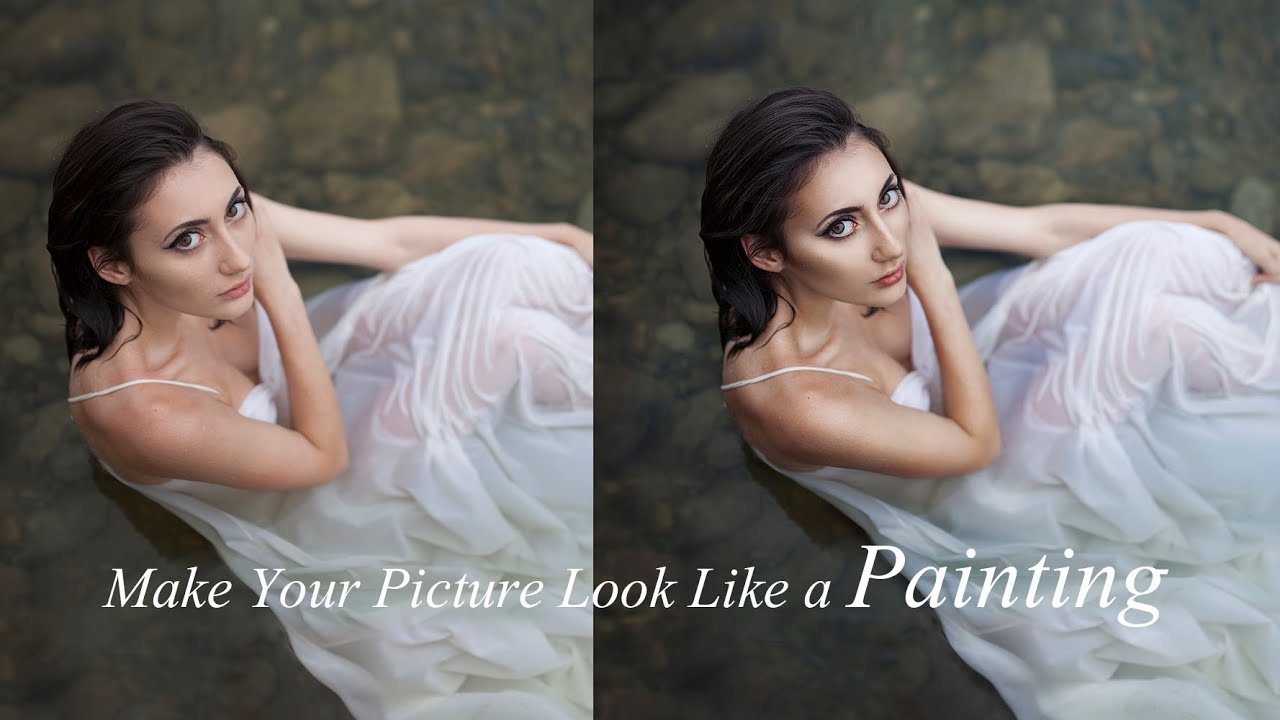
Typically, to photo retouching and change or transform the image like a painting we can use the smudge tool in Photoshop. Well, in this video tutorial, we will only use the smudge tool to complement it and not the whole.
In this video tutorial we'll try to experiment with using ~ Surface Blur Filter and Eraser Tool. To create the effect of painting in photo edits.
------------------------
Stock pictures:
------------------------
~ Lovely Portrait
~ Background shape
------------------------
in here: https://goo.gl/Oauybt
------------------------
Note: If you use your own photos.
~ Try to use the sharp photo without noise (72 dpi is OK!, unless you want to create print we recommend using 300 dpi).
~ For arrangements blending modes, adjustment layers, surface blur and others, please adjust the photos you use.
~ When using the Eraser Tool, delete only portions of textures and shadows on the body.
~ For the use of colors on the abstract background, please use the colors that you like.
~ For basic technique, making shapes in the background. Can be seen in this tutorial: • Change Background [Dramatic Lens flare] Ph...
~ That's it, now you can make your photos into beautiful paintings look like :)
Don't forget to subscribe
for more tutorials ❤ https://goo.gl/E9CTDJ
Well, enjoy ... (: and Thank You for watching, Salaam (peace)
-------------------
Backsound: Just As Soon by Kevin MacLeod is licensed under a Creative Commons Attribution license (https://creativecommons.org/licenses/...)
Source: http://incompetech.com/music/royalty-...
Artist: http://incompetech.com/
![Photoshop [Looks Like a Painting] Photo Manipulation](https://imager.clipsaver.ru/l92Cg3ffRfc/max.jpg)
Доступные форматы для скачивания:
Скачать видео mp4
-
Информация по загрузке:
![Typographic Portrait Tutorial [Light Design] in Photoshop](https://imager.clipsaver.ru/vf7xh3Gfv3k/max.jpg)




![Surreal [The Road] Perspective Photoshop Manipulation](https://imager.clipsaver.ru/EFpZlgj0kcw/max.jpg)