How to Get a Partial Range of a ReadableStream in JavaScript
Автор: vlogize
Загружено: 2025-09-30
Просмотров: 0
Learn how to extract a specific byte range from a ReadableStream using JavaScript's TransformStream and PipeThrough techniques.
---
This video is based on the question https://stackoverflow.com/q/62011987/ asked by the user 'emillime' ( https://stackoverflow.com/u/1662675/ ) and on the answer https://stackoverflow.com/a/63816362/ provided by the user 'Domenic' ( https://stackoverflow.com/u/3191/ ) at 'Stack Overflow' website. Thanks to these great users and Stackexchange community for their contributions.
Visit these links for original content and any more details, such as alternate solutions, latest updates/developments on topic, comments, revision history etc. For example, the original title of the Question was: Get partial range of ReadableStream
Also, Content (except music) licensed under CC BY-SA https://meta.stackexchange.com/help/l...
The original Question post is licensed under the 'CC BY-SA 4.0' ( https://creativecommons.org/licenses/... ) license, and the original Answer post is licensed under the 'CC BY-SA 4.0' ( https://creativecommons.org/licenses/... ) license.
If anything seems off to you, please feel free to write me at vlogize [AT] gmail [DOT] com.
---
How to Get a Partial Range of a ReadableStream in JavaScript
When working with streams in JavaScript, you often deal with data that needs to be manipulated or processed on the fly. One common scenario is needing to extract a specific byte range from a ReadableStream. While it may seem straightforward, there isn't a built-in method to directly skip through or read a specific amount of bytes from a stream. Instead, we use the combination of TransformStream and pipeThrough() to accomplish this task efficiently.
The Challenge
Let's look at a specific example to illustrate the problem:
You have a ReadableStream that consists of 1000 bytes.
You want to create a new stream that contains only the bytes from 300 to 900.
Why This Is Important
This ability to precisely extract portions of a stream can be crucial for applications such as:
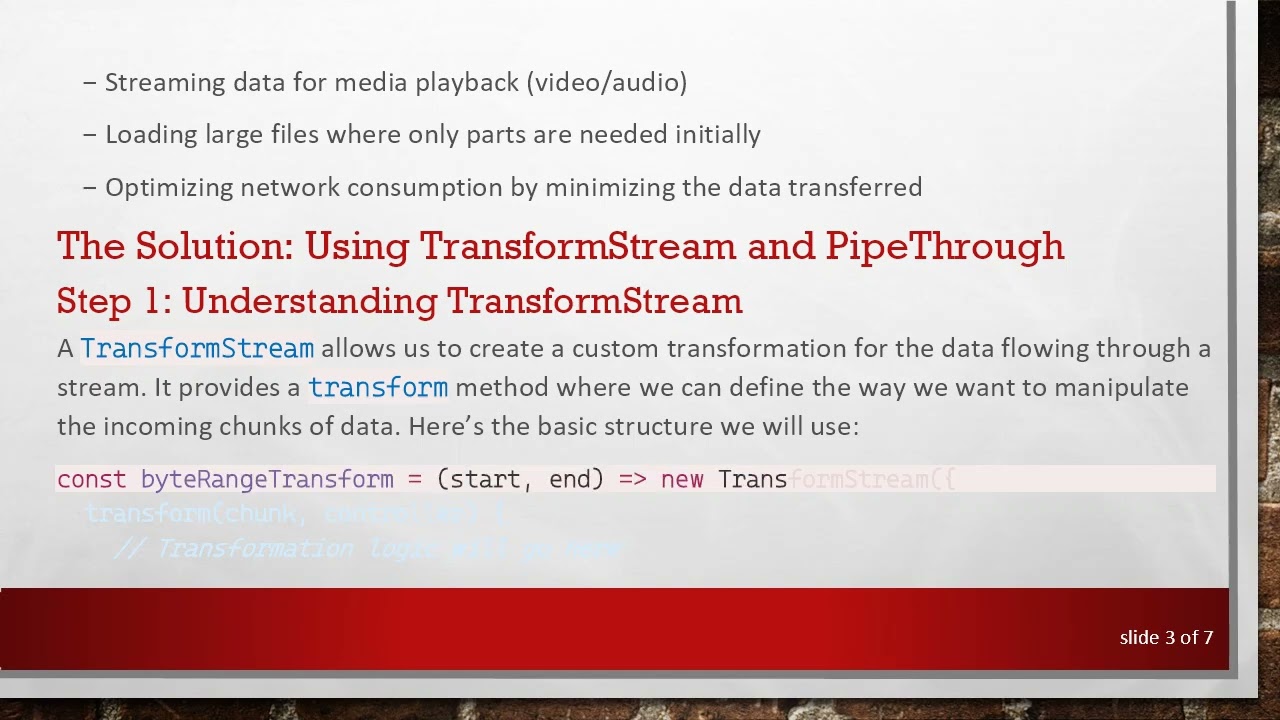
Streaming data for media playback (video/audio)
Loading large files where only parts are needed initially
Optimizing network consumption by minimizing the data transferred
The Solution: Using TransformStream and PipeThrough
Step 1: Understanding TransformStream
A TransformStream allows us to create a custom transformation for the data flowing through a stream. It provides a transform method where we can define the way we want to manipulate the incoming chunks of data. Here’s the basic structure we will use:
[[See Video to Reveal this Text or Code Snippet]]
Step 2: Implementing the Transformation Logic
To implement the transformation, we need to track how many bytes we have seen so far and apply several logical conditions to decide what to enqueue into our new stream. Here’s what the skeleton of our implementation looks like:
[[See Video to Reveal this Text or Code Snippet]]
Step 3: Applying PipeThrough
Once we have our TransformStream set up, we can use pipeThrough to create our new ReadableStream that only includes the desired byte range:
[[See Video to Reveal this Text or Code Snippet]]
What’s Next?
In your implementation, you would need to handle additional cases such as:
When the chunk starts before the specified range and ends after it (part of the data will be included).
When the chunk is entirely within the specified range.
When the chunk ends after the specified range.
Each case may require adjusting how you slice the incoming chunk of data and when to enqueue it to the controller.
Conclusion
By leveraging TransformStream and the pipeThrough() method, you can efficiently create a new ReadableStream that only contains the desired range of bytes. This method preserves memory since it processes data on-the-fly without storing it entirely, making it an excellent solution for browser applications. Experiment with the implementation based on your use case, and you'll find this approach highly flexible and powerful for working with streams in JavaScript.
Доступные форматы для скачивания:
Скачать видео mp4
-
Информация по загрузке:





![Курс Python с Абсолютного нуля! [12 часов из 80] Python курс - качественный старт для начинающих!](https://image.4k-video.ru/id-video/lYMLLI-MJek)