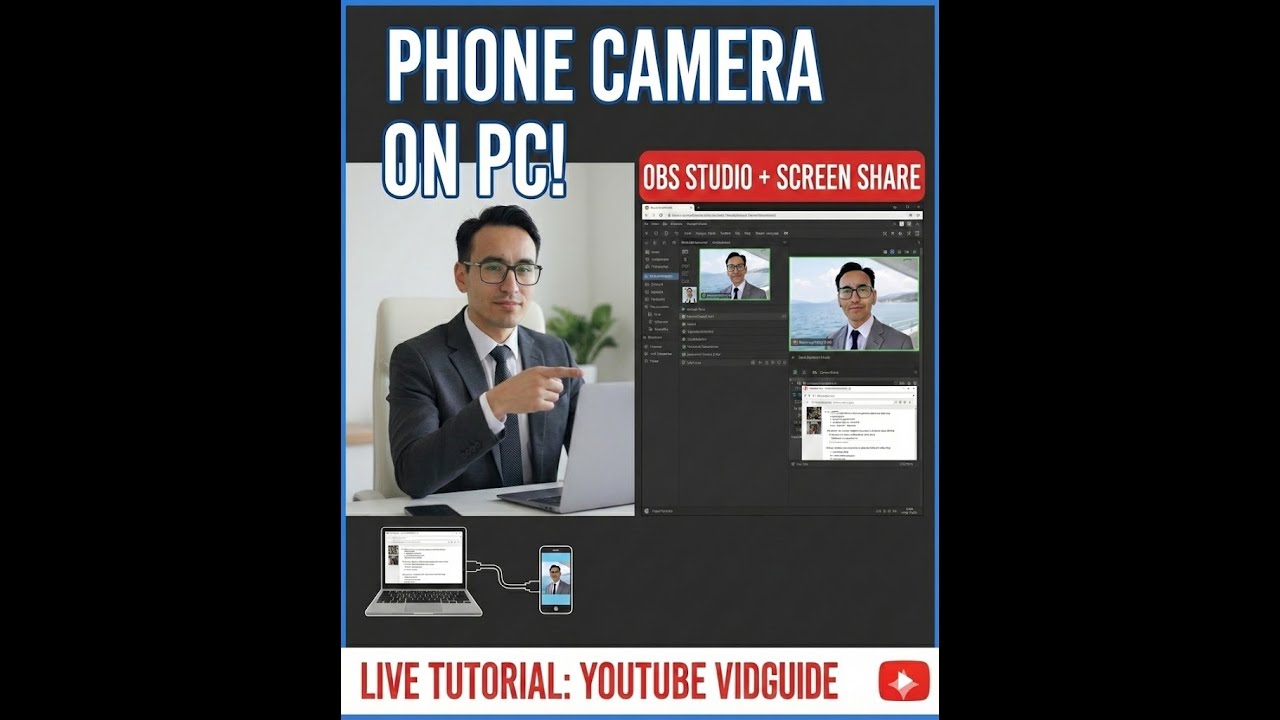
How to Use Mobile Camera as Webcam on PC | OBS Studio Tutorial (Best Quality)
Автор: AAA EASY TRADING AND INVESTING WITH MAN THAPA
Загружено: 2026-01-12
Просмотров: 30
How to Use Mobile Camera as Webcam on PC | OBS Studio Tutorial (Best Quality)
Use Your Phone Camera on Laptop for YouTube Videos | OBS Screen + Face Cam
OBS Studio Tutorial | Mobile Phone Camera as Webcam for Screen Recording
How to Connect Mobile Camera to PC for YouTube | OBS Studio Step-by-Step
Best Way to Use Smartphone Camera on Windows PC for YouTube Videos (OBS)
🔷 YouTube Summary / Description (Detailed & SEO Optimized)
In this video, I explain step-by-step how you can use your mobile phone camera as a high-quality webcam on a Windows laptop or PC, especially while creating YouTube videos using OBS Studio where screen sharing + face camera recording is required.
Most creators struggle with poor webcam quality on laptops. The good news is that your smartphone camera is far superior to most built-in webcams. By using your mobile phone as a webcam, you can dramatically improve video quality, lighting, sharpness, and professionalism in your YouTube videos — without buying expensive cameras.
📌 What This Video Covers
How to connect mobile phone camera to Windows PC
Using OBS Studio for screen recording + face cam
Best setup for YouTube tutorials, stock market videos, presentations
How to avoid lag, frame drops, and audio sync issues
Ideal settings for clear video & smooth screen sharing
How to position your phone for best framing and lighting
🎥 Why This Setup is Best for YouTubers
Smartphone cameras offer better resolution and autofocus
Perfect for educational videos, trading tutorials, screen sharing
Budget-friendly solution for new YouTube creators
Professional look without investing in DSLR or mirrorless cameras
This setup is extremely useful for:
Stock market & trading videos
Online teaching & presentations
Software tutorials
OBS Studio screen recording
YouTube beginners and professionals
If you are creating YouTube videos where you need to show your screen along with your face, this method will significantly upgrade your video quality and help improve watch time, engagement, and subscriber growth.
🔑 Key Highlights
Use mobile phone camera as webcam on PC
Perfect for OBS Studio screen recording
High-quality video without expensive cameras
Ideal for YouTube tutorials & stock market videos
Beginner-friendly & budget-friendly setup
⚠️ Disclaimer
This video is made only for educational and learning purposes.
This is not a paid promotion or sponsored content.
All tools shown are for demonstration and learning only.
🔗 Connect With Me (Always Included)
📺 Watch Now: / @aaaeasytrading
🐦 Twitter: https://x.com/mbthapa
_
📊 TradingView: https://in.tradingview.com/u/mbthapa
_
📘 Facebook: / aaa.easy.trading.and.investing.with.man.thapa
💹 Open Zerodha Account: https://zerodha.com/?c=FT9106&s=CONSOLE
#OBSStudio #OBSStudioTutorial #MobileCameraAsWebcam #UsePhoneAsWebcam #OBSForYouTube #YouTubeRecording #ScreenRecording #FaceCamRecording #YouTubeSetup #ContentCreation #YouTubeCreator #YouTubeTips #OBSRecording #ScreenSharing #WebcamAlternative #MobileCameraQuality #YouTubeTutorial #TechTutorial #VideoRecording #WindowsPC #LaptopRecording #YouTubeBeginners #YouTubeGrowth #VideoQuality #ContentCreatorTools #OnlineTeaching #StockMarketVideos #TradingYouTube #EducationalYouTube #VideoSetup #OBSSettings #RecordingSetup #YouTubeStudio #StreamingSetup #VideoCreation #YouTubeWorkflow #CreatorTips #TechForCreators #BestWebcamSetup #LowBudgetYouTube #ProfessionalYouTube
Доступные форматы для скачивания:
Скачать видео mp4
-
Информация по загрузке:















![[Плейлист] Когда вы не хотите думать ни о чем | Уютная расслабляющая джазовая музыка на заднем фоне](https://imager.clipsaver.ru/Llour2YvsiI/max.jpg)

