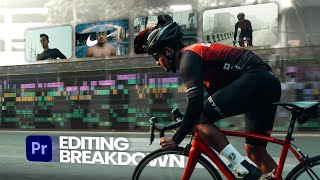
HOW TO ADD FILM HALATION + BLOOM IN PREMIERE PRO (UPDATED VIDEO IN DESCRIPTION)
Автор: TRENTORIALS
Загружено: 2023-12-08
Просмотров: 95913
Want free Video assets? Go Here: https://trentorials.gumroad.com/
UPDATED VERSION: • How to Add Halation to your videos without...
So I made a video about Film Halation a while ago and it's been doing pretty well so far. But some of you guys pointed out that I got the term wrong and used "halation" instead of "bloom". lol, rip.
But since the video has gotten more popular than I thought it would, I want to make sure that the information I'm giving you guys is accurate. That's why I'm making this new tutorial, which will teach you about the difference between Film Bloom and Film Halation. Plus, I'll also show you how to combine both effects to get that sweet 16 or 35-mm film look.
I just want to make things clear. This channel is not just a place where I throw my knowledge at you. It's also a cool spot where we can talk and exchange ideas. I'm not perfect, but I do my best to know my stuff when it comes to films. I think my insights are pretty helpful, and I'll keep giving you accurate info. Your ideas matter too, they help me grow and do better.
___________________________________________________________________
If you're new here, I'm Trent, the creator behind Trentorials. I help filmmakers and content creators level up their video skills without the unnecessary complexity. My channel focuses on practical, efficient techniques to help level up your content. I started this channel because I wanted to help you guys get farther along without the headache I had to go through myself, and since then, my color grading tutorials have become especially popular, with viewers regularly telling me they've completely transformed their editing process using my methods. If you're looking to make your videos look more cinematic without the headache, you're in the right place.
How I got here...
13 Years old: Got DaVinci Resolve for free and made my first videos with my Canon PowerShot SX40 HS.
14 Years old: Started filming with my iPhone 4 and upgraded to Premiere Pro for editing.
15 Years old: Got monetized. (you only needed 100 subs back then!) and I saved up to buy my first MacBook.
16 Years old: Got my driver's license, reached 1,000 subscribers, and bought the Canon 77D.
17 Years old: Made videos teaching skateboarding that gained a lot of traction.
18 Years old: Kept making skating videos in college and companies started sponsoring the channel.
19 Years old: Moved to Charleston SC but started to get tired of making YouTube videos.
20 Years old: Got a SONY A7sii, got into "professional" video work, and learned how to color grade videos. I also made fewer YouTube videos.
21 Years old: Started at age 21 on the road, traveling and filming those adventures. Started to love coloring videos.
22 Years old: Started this channel, TRENTORIALS, to teach others what I learned about making videos.
23 Years old: As this channel grew, I began getting more viewers and offers before eventually accepting a job as a corporate video producer in July of 2024.
Since then I've been making videos like this.
⧎◇⧎◇⧎◇⧎◇⧎◇⧎◇⧎◇⧎◇⧎◇⧎◇⧎◇⧎◇⧎◇⧎◇⧎◇⧎◇⧎◇
DISCLOSURE
Information shared here is for educational purposes only.
___________________________________________________________________
△ My Drone: https://amzn.to/3HjDflV
△ My Camera: https://amzn.to/47CborI
△ My Main Lens: https://amzn.to/48zgOFj
△ Super Wide Lens: https://amzn.to/3S479Q5
△ My Tripod: https://amzn.to/3SkBxqz
△ Budget Key Light: https://amzn.to/48AKj9G
△ Bendy Tripod: https://amzn.to/3Smbpf9
△ Microphone: https://amzn.to/493grCs
(affiliate links)
#editing #premierepro #videoeditingtutorial #davinciresolve

Доступные форматы для скачивания:
Скачать видео mp4
-
Информация по загрузке: