How to show or get item from combobox in C# winform
Автор: ITSolution
Загружено: 2019-06-08
Просмотров: 1117
How to show or get item from combobox in C# winform:
In windows form development often we need get pr show data from combobox. We can show combobox data in different way.We can use selected item and selectected index of the item.
We can also use this process when we need to get data when we change item of combobox and after change completed means committee of changing using SelectedIndexChanged and SelectionChangeCommitted event
In this video I have showed a simple way to show or get data from combobox item.
Working Steps:
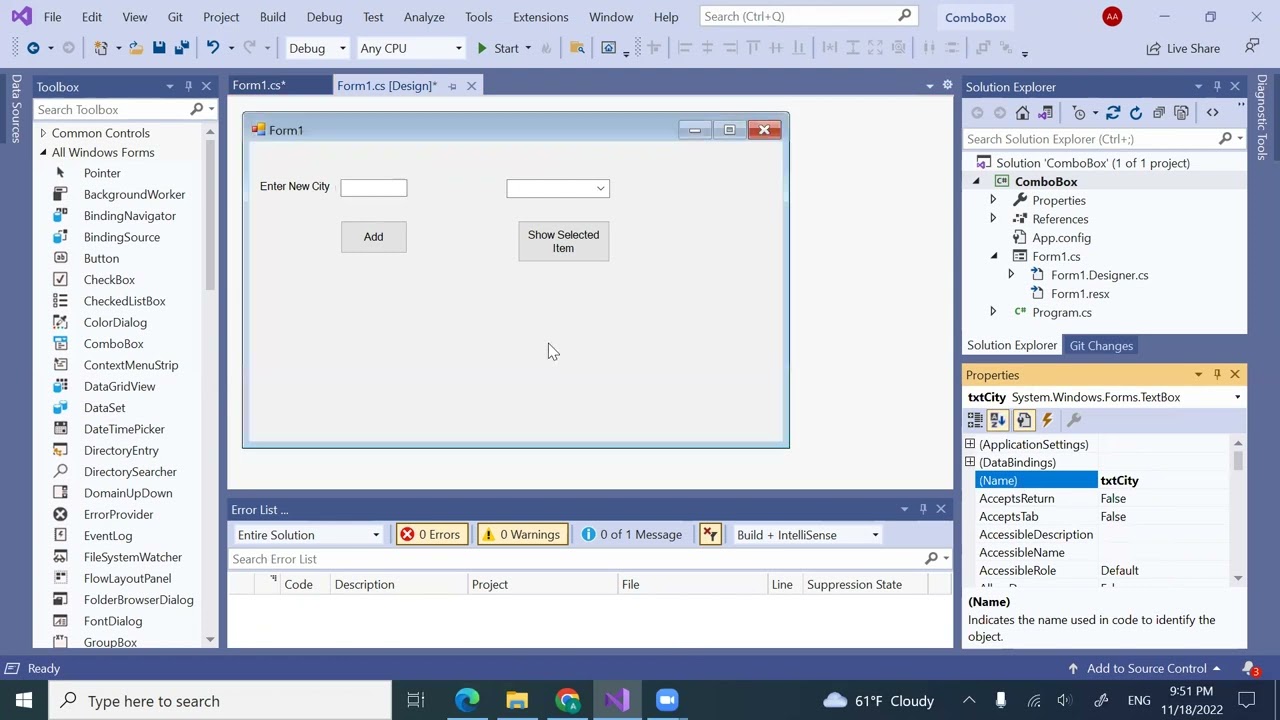
1. At first design a simple form with combobox and label. Changed the font and color properties to look nice. Load the data with different data collection or way.
2. In my previous video I have shown how to clear and remove items
3. I have taken another button to show the item from combobox
4. Write code on the button click event run and check
5. Then do the process again in the SelectedIndexChanged and SelectionChangeCommitted event.
8. Then Run and check.
I will create lot of windows and other .net library related basic and advance video so do subscribe to see all.
To find the code I have written in this video, join to our facebook group by clicking following link:
/ itsolution365
You can also like to our facebook Page to get all video code clicking on following link:
/ itsolution-562632724205366
You can follow us on twitter clicking on following link:
/ itsolut62078624
We will create thousands of video related with information technology from our practical experience and those are used in our daily work and development. Stay with us.
Do like, share and comments and subscribe to my channel and click on bell button to get notification when new video uploaded. You may suggest me to make new video with new topic.
My Channel Subscription link:
/ @itsolution8998
Thanks again

Доступные форматы для скачивания:
Скачать видео mp4
-
Информация по загрузке: