Pioneer DJM-V10 Hidden Gems: Independent Audio Routing for DJs
Автор: frank_hw
Загружено: 2026-01-15
Просмотров: 69
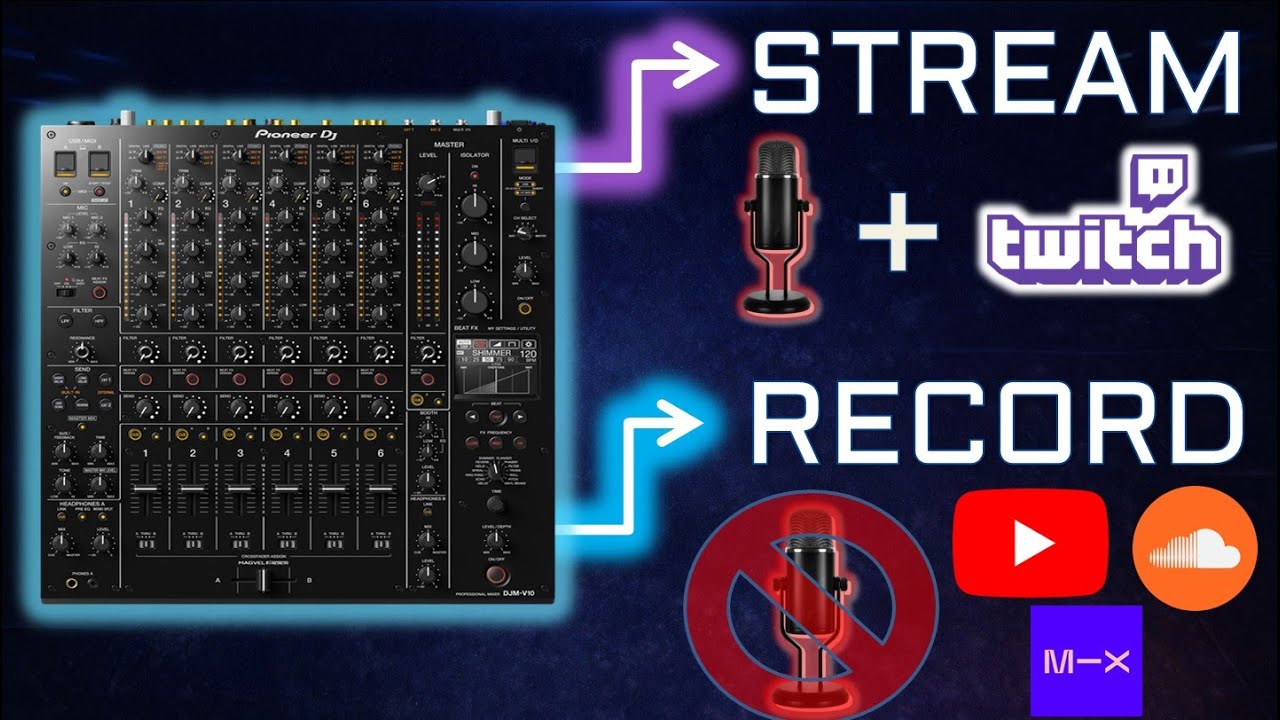
Stop letting your Twitch shoutouts ruin your permanent DJ set recordings! In the video, you will learn that while it is great to live stream on Twitch with a microphone for the audience, that microphone feed is a "curse" when you want a clean archive for SoundCloud or a DJ contest.
The DJM-V10 is DJ mixer that unables more options than most. In Part 1 of this "V10 Hidden Gems" series, we dive into the internal utility settings and dual-bus architecture to solve the "Mic Bleed" problem forever. No extra audio capture device, no second computer, just one performance and two distinct audio feeds.
📂 Chapters
0:00 – Diagram 1: The "Purple Mic + Music Signal" Problem
1:32 – Why Mic Bleed is a "Curse" for DJ Set Recording
4:51 – Diagram 2: Independent Audio Capturing Workflow
5:43 – Essential Tools: ASIO Plugins & V10 Drivers
8:51 – Troubleshooting: V10 Talkover & Audio Ducking
10:58 – Routing Mic via USB from DJM-V10
11:46 – DJM-V10 Utility Settings for Mic Routing
13:23 – Adding USB Digital Mic Audio Source to OBS
14:29 – Important: Turning Talkover Mode OFF!
16:55 – OBS Step 1: Setting Audio Track Splits for Streaming vs Recording
20:43 – OBS Step 2: Setting Streaming & Recording Tracks Independently
🔌💻 Hardware Requirements:
--Pioneer DJM-V10 Drivers: Ensure these are updated on your PC/Mac.
https://support.pioneerdj.com/hc/en-u...
--OBS ASIO Plugin: This allows OBS to see the individual USB channels of your V10.
https://github.com/Andersama/obs-asio
--High-Quality USB Cable: Run this directly from the V10 to your computer (avoid hubs if possible for stability).
👉 What You’ll Learn in This Video
---The Utility Secret: How to assign your Mic to a dedicated digital channel.
---Audio Split Routing: Setting up your audio interface to handle separate Stream and Record paths.
---Ensure your stream and recording are setup with different sources in OBS Studio
---Advanced Utility Options to shut off the mic feed from specific outputs, ensuring your recording stays 100% music while your stream stays interactive
This is Part 1 of 3.
🔗 Connect 🔗
Join the Live Vibe 🎉: / frank_hw
MIXCLOUD Audio Set ►► https://www.mixcloud.com/frank_hw/
INSTAGRAM - Visuals Suggestions ►► / frank_h_w
FACEBOOK - AMA ►► / djfrankhw
#DJMV10 #obsstudio #streamingtips #PioneerDJ #DJSetup #DJGear #DJTips #KlubTrippy
Доступные форматы для скачивания:
Скачать видео mp4
-
Информация по загрузке: