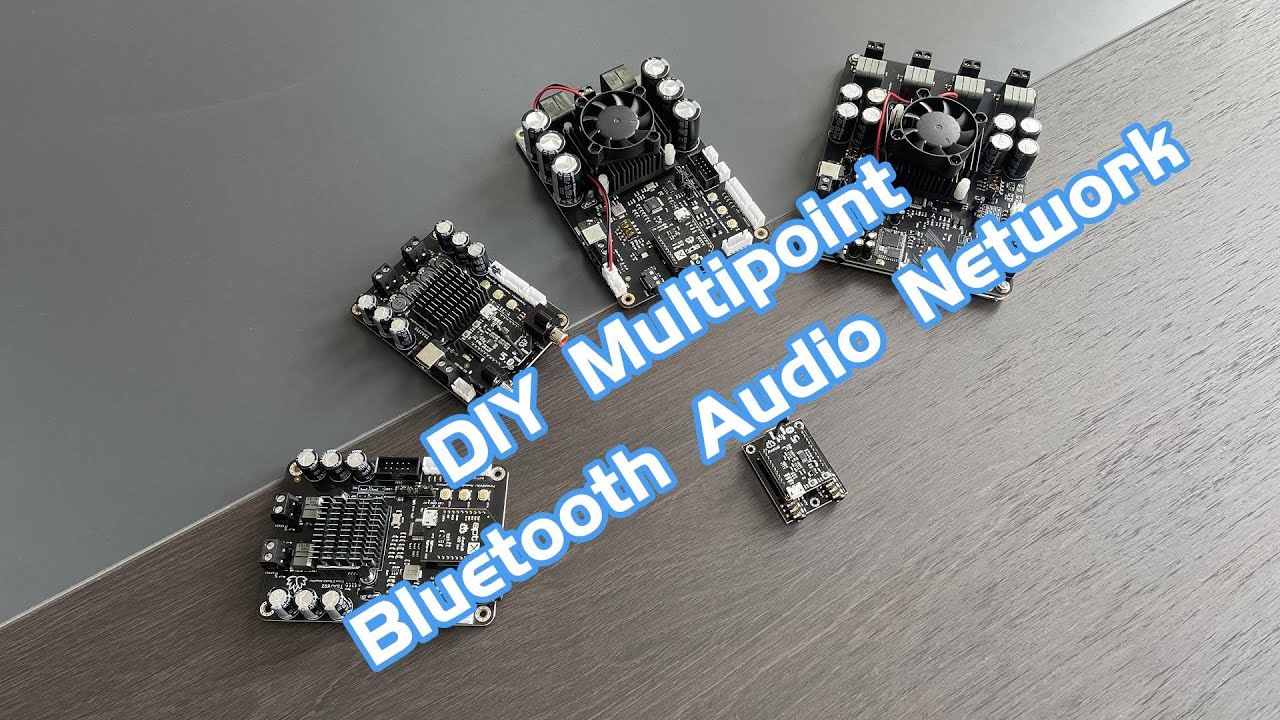
TinySine Electronics -- DIY Multipoint Bluetooth Audio Network
Автор: Electronics TinySine
Загружено: 2024-11-06
Просмотров: 1868
Step-by-Step Guide with TSA6179A, TSA7551B, TSA7802B, TSA8804, & TSA3118M.
You can use any board in the network as the master board; here, we used the TSA6179A.
🎬 00:00 Power on TSA6179A and double-click the S1 button to put the board into pairing mode. Now, you can use your phone to pair with TSA6179A and play music.
🎬 00:30 Click S1 to put TSA6179A into transmitter mode (voice: "broadcast mode"), then double-click S2 to start TSA6179A searching for slave boards.
🎬 00:48 Now, we connect TSA7551B to the network as a slave board. Click the Play/Pause button to set TSA7551B into receiver mode (voice: "broadcast audio enabled"), then double-click Play/Pause to start searching.
🎬 01:00 Wait a moment; the master and slave boards will connect together (voice: "pairing successful"), and both boards will have music output.
🎬 01:10 If you fail to connect the slave, just double-click the S2 button on the master board after performing the operation on the slave board.
🎬 01:20 Repeat the same operation to connect TSA7802B to the network.
🎬 01:50 For TSA8804, click the RX button to set it into receiver mode and double-click RX to join the network.
🎬 02:10 TSA3118M is similar to TSA6179A. Click S2 to put it into receiver mode, then double-click S2 to start TSA3118M searching for the master board.
🎬 02:30 If a slave board wants to leave the network, set it to transmitter or receiver mode to rejoin it.
🎬 02:53 All boards can remember the pairing information even when powered off.
#audiosystem #audioproject #amplifier #diy #bluetooth #bluetoothspeaker
Доступные форматы для скачивания:
Скачать видео mp4
-
Информация по загрузке: