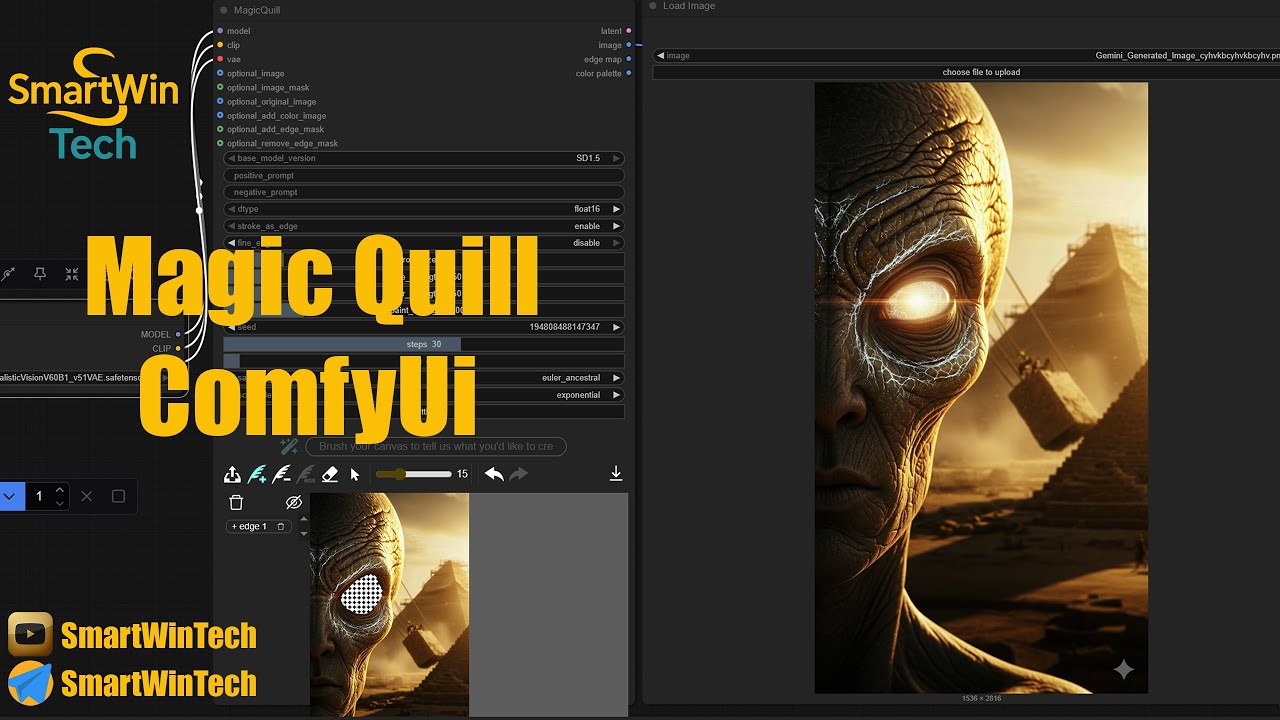
Install Magic Quill in ComfyUI | Expert Mode Full Tutorial (2025) + Fix Errors
Автор: SmartWinTech
Загружено: 2025-09-17
Просмотров: 824
🚀 Install Magic Quill in ComfyUI (Comfyui-Zluda) | Full Windows 10/11 Setup Guide (2025)
In this tutorial, we show you how to install and set up Magic Quill inside ComfyUI on Windows 10/11 (2025). With Magic Quill, you can unlock next-level AI image generation, storytelling workflows, advanced text-to-image prompts, and seamless integration with Stable Diffusion models.
This guide works with AMD GPUs and NVIDIA GPUs and ensures smooth usage of (Comfyui-Zluda) :
Magic Quill Nodes & Workflows
Stable Diffusion 1.5, 2.1, XL (SDXL)
ControlNet, LoRA, VAE, Hypernetworks, Embeddings
Upscalers (ESRGAN, RealESRGAN, SwinIR)
Creative Models like PixArt, Hunyuan-DiT, Flux.1, Flux Pro, Flux Schnell, T5, MiaoBi
✨ Magic Quill works across all Stable Diffusion models and ensures maximum compatibility for creative AI workflows.
Magic Quill for ComfyUI is a powerful extension designed to enhance creative AI workflows. It adds advanced text processing, storytelling, and generative writing features directly inside ComfyUI, allowing you to go beyond simple prompt-to-image tasks.
With Magic Quill, you can:
✍️ Generate rich and dynamic prompts automatically from short text ideas.
📖 Create storytelling workflows, chaining multiple prompts into structured narrative sequences.
🎨 Blend text and visuals seamlessly, making your AI images more coherent and aligned with your creative vision.
🔗 Integrate with all major Stable Diffusion models (1.5, 2.1, XL/SDXL, custom checkpoints).
🧩 Combine with ControlNet, LoRA, and embeddings for fine-tuned creativity.
🚀 Enhance productivity with automated workflow nodes for prompt engineering, text formatting, and context expansion.
Magic Quill essentially acts like a creative assistant inside ComfyUI, giving you smarter text-to-image pipelines, better storytelling tools, and more control over your AI generations.
⚠️ Common Errors Fixed in This Tutorial:
✓ import failed
✓ missing random_mask_brushnet_ckpt
✓ diffusion_pytorch_model.safetensors not exist
✓ ComfyUI_BrushNet and comfyui_controlnet_aux Not install
💡 What You’ll Learn:
Step-by-step installation of Magic Quill extension in ComfyUI
How to configure Magic Quill for Windows 10/11 (2025)
Workflow examples for text-to-image and storytelling
Tips for dependency management and avoiding installation issues
How to combine Magic Quill with ControlNet, LoRA, and advanced models
Fix All Errors
📥 Download Files & Resources:
Subscribe To Unlock The Link
-------------------------------------------------------
https://sub4unlock.io/zSpe8
-------------------------------------------------------
🔑 Keywords:
ComfyUI Magic Quill, Magic Quill Install, MagicQuill Setup, ComfyUI Plugin Install
Magic Quill Tutorial, ComfyUI Extensions, ComfyUI Workflows, AI Storytelling
Stable Diffusion XL, SDXL ComfyUI, AI Tools 2025, AI Workflow 2025
AI Image Generation, AI Creative Tools, ComfyUI Windows 10, ComfyUI Windows 11
Magic Quill Nodes, ComfyUI Text-to-Image, SmartWinTech AI, ComfyUI Magic Quill Guide
🔖 Video & Channel Hashtags:
#ComfyUI #MagicQuill #ComfyUIPlugins #ComfyUIExtensions #MagicQuillAI
#AIImageGeneration #AIStorytelling #ComfyUIWindows #AItools2025 #AIWorkflow
#StableDiffusion #StableDiffusion1_5 #StableDiffusion2_1 #StableDiffusionXL
#Inpainting #ControlNet #LoRA #VAE #ESRGAN #RealESRGAN #SwinIR
#CLIP #PixArt #HunyuanDiT #Flux1 #FluxPro #FluxSchnell #MagicQuillSetup
#ComfyUITutorial #AIonAMD #AIonNVIDIA #SmartWinTech #AIInstallGuide
SmartWinTech Channel Hashtags:
#SmartWinTech #SmartWinTechAI #SmartWinTechWindows #SmartWinTechTutorials
#SmartWinTechGuide #SmartWinTechAItools #SmartWinTechTips #smarttechnology
🌐 Connect with Us:
Telegram Admin: https://t.me/Ferodo
Telegram Channel: https://t.me/SmartWinTech
Telegram Group: https://t.me/SmartTechWin
YouTube: / @smartwintech
Доступные форматы для скачивания:
Скачать видео mp4
-
Информация по загрузке: