Custom Pegboard Hook in Fusion 360 — Photo to 3D Print -Trying Again
Автор: Tyler Beck of Tech & Espresso
Загружено: 2026-01-13
Просмотров: 1695
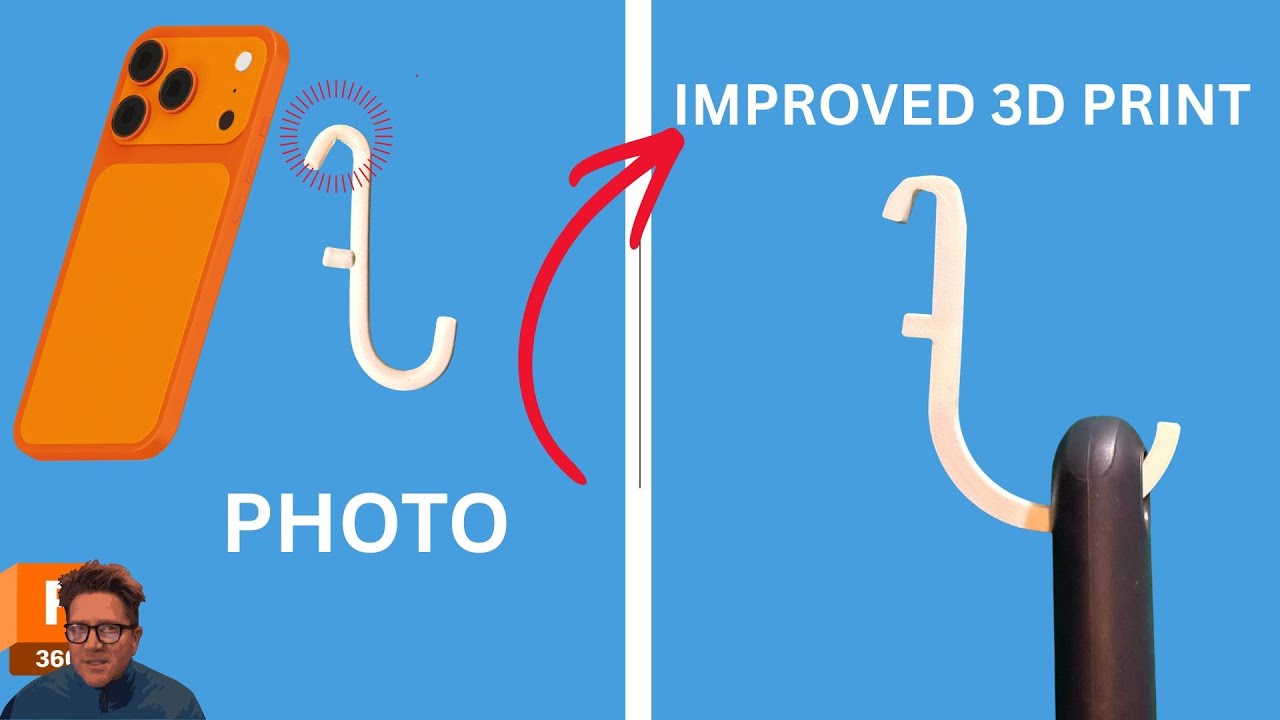
Sorry about the last attempt. A pegboard hook that almost works is one of the most frustrating shop problems. It fits the pegboard… but not your actual tool. And buying a pack of 10 or hunting for an STL just isn’t worth it.
In this video, I quickly reverse-engineer an existing pegboard hook, tweak the design to actually fit my hammer, and 3D print a custom version—fast.
In this video, I’ll show you:
✅ How to bring a photo into Fusion 360 using the Canvas tool
✅ How to correctly flip, position, and calibrate a canvas
✅ A fast sketch-and-trace workflow for reverse engineering parts
✅ How to redesign a hook radius to fit a real tool (22 mm hammer)
✅ When not to use Thin Extrude—and why
✅ A rapid, iteration-first approach to custom 3D prints
✅ Sending the part straight to Bambu Studio for printing
🔗 Grab my free Fusion 360 cheat sheets here:
https://www.resources.techandespresso...
⏱️ Timestamps
00:00 – The problem: a pegboard hook that almost fits
00:28 – Measuring the hammer & identifying the design issue
00:55 – Reverse-engineering the hook in Fusion 360
01:15 – Inserting a photo using the Canvas tool
01:55 – Flipping and orienting the canvas correctly
02:20 – Why canvas calibration matters (and how to do it)
03:05 – Starting the sketch and adjusting canvas transparency
03:45 – Sketching strategy: flat edges vs perfect curves
04:30 – Quick demo: Thin Extrude (and why I skip it here)
05:35 – Redesigning the hook radius for a real-world tool
06:30 – Using construction geometry for layout control
07:20 – Iterating fast instead of chasing perfection
08:05 – Closing the sketch and checking for closed profiles
08:35 – Extruding the hook and reviewing the first pass
09:05 – Sending the part directly to Bambu Studio
09:30 – Slicing and print time check (~10 minutes)
🎥Watch Next
Brand New User Series With Exercises https://bit.ly/brandnewuser
Quick Tips Series https://bit.ly/FusionQuickTips
23 Tips Beginners Should Learn https://bit.ly/Fusion23Tips
My Course 🚀
https://bit.ly/Fusion360Jumpstart
___________________________________________________________________
#Fusion360
#Fusion 360 Tutorial
#autodeskad
___________________________________________________________________
DISCLAIMER
This video and description may contain affiliate links, which means that if you click on one of the product links, I’ll receive a small commission. This helps you support the channel at no extra cost to you and allows me to continue to make videos like this.
Доступные форматы для скачивания:
Скачать видео mp4
-
Информация по загрузке: