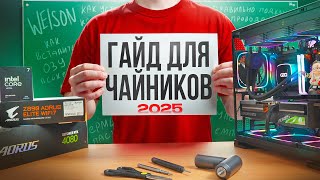
Build Probably Most Versatile as Possible Desktop PC Setup for Today and for Tomorrow, for 2000€!
Автор: LODA LT
Загружено: 2025-10-17
Просмотров: 202
This setup is for performance value, not for design solutions.
Attention: Right RAM slots is A2 and B2, for Dual Channel mode (Double speed). Check your motherboard manual before do it. Due i collect my PC setup i did wrong, but later i was fixed it(Pay attention).
Windows 11 Pro KEY(retail) legally for ~1€! Yes, legally! Works! Watch video! - https://www.allkeyshop.com/blog/buy-w...
Setup "Windows 11 Pro" for USB or DVD - https://www.microsoft.com/en-us/softw...
If you want versatile desktop PC setup for today and tomorrow for maximum value(as i can understand), you can repeat my PC setup. Watch video, repeat, enjoy!
Your PC setup is your own risk! This video is only friendly advice! For save your hardware, i recommend to use antistatic gloves.
For better components prices, i highly recommend price comparison websites. Due i collect this PC setup i bought components from 5 different shops, for extract these prices! It`s little bit more difficult and you need spend more time for shopping, but it`s worth to do it! With every component you can save 10-200€! Same component, same warranty, but not a same price!
Ask Gemini for price comparison websites in your country, pay attention for delivery time and check shop before your order through Trustpilot or Google feedback.
About my Desktop PC setup components and why?!
Motherboard: GIGABYTE Z790 D AX - With integrated Wi-Fi 6E 802.11ax, easy overclock settings for beginners and advanced users. 1x PCIe 5.0 x16 for GPU, PCIe 4.0 x4 for M.2. Availabe XMP RAM profiles with up to 7600 MT/s, 256GBs of RAM. Before install Windows i highly recommend to update your BIOS to latest version for maximum experience.
CPU: Intel 14th i5-14600K - "K" means, you can clock speed. So, try to look this CPU with "K", or "KF"("KF" means clock CPU, but without GPU, you need to use external GPU). For this setup, look for best price for 14600K or 14600KF. This CPU have 14 cores with base 3.5GHz speed, but you can overclock easily this speed to 5.3GHz, even 5.6GHz or more with using right motherboard with base or extremal clock settings. This CPU is best for price and performance, clocked, can beat base i7 cpu`s in some tasks.
GPU: GeForce RTX™ 5070 Infinity 3 - One of Cheapest with 3 fans, quality card. Why NVIDIA? Better for CUDA cores. For today is best value for price. 5060 TI is 25%~ cheaper, but 38% slower. 5080 is 41% faster, but price is double.
RAM: PATRIOT VIPER VENOM 32GB DDR5 KIT 2X16GB 6400Mhz CL32-40-40-84 1.4V - 32GB RAM is fully enough for this PC setup(GPU+CPU possibilities). Good CAS(CL32) Latency time. 6400Mhz is optimal for DDR5. 1.4V means good quality. Price is absolutely best for this RAM set.
SSD: PATRIOT Viper VP4300 Lite 2TB M.2 - Is one of the best price and quality decision. PCIe 4.0 x4 NVMe! Read up to 7,400MB/s, write up to 6,400MB/s. 1600 TBW! 5 years warranty.
PSU: Chieftec Vega M 850W 80PLUS Gold - Ensure setup stability even you decide to clock system. Good price for performance and quality.
CPU Cooler: BE QUIET PURE ROCK PRO 3 "BK041" - 120mm 250W TDP with pre-aplied thermo paste(Easy install for beginners). Also are good for price "Thermalright" products. Base 14600 cpu requires 125w, clocked 181w, extremely clocked more TDP W. This model will be ensure silent work with high performance clock settings.
CASE: Montech X3 Mesh - Available Black and White colors. Installed 6 fans with LED lights, ensure low system temperature. This model is price star and good design solution.
MONITOR: QD-OLED! AOC AGON PRO - 31.5", 4K, 165Hz, 0.03 ms, integrated audio 8Wx2. For better setup expierience QD-OLED is better than higher GPU for FPS! (My opinion).
This description is suitable for your side, to discover your best prices instead beat your pocket for my affiliate commission! If you feel sincerely from me, you know, what you can best for me! Like, Share, Sub, Comment (Optional free).
0:00 - Intro
0:00 - Start build PC
0:18 - Unboxing GIGABYTE Z790 D AX
0:31 - Unboxing I5 14600K
0:45 - Install CPU
0:54 - Unboxing PURE ROCK PRO 3
1:09 - Unboxing PATRIOT VIPER VENOM 32GB DDR5 KIT
1:22 - Wrong RAM installation
1:26 - Install RAM
1:39 - Install SSD M.2 PATRIOT Viper VP4300 Lite 2TB
2:12 - Install PURE ROCK PRO 3
4:32 - Install Z790 to CASE and fix by 9 screws
5:18 - Unboxing PSU
6:02 - Unboxing PALIT GeForce RTX 5070 Infinity 3
6:29 - Install RTX 5070
6:59 - Connect Motherboard cable
7:04 - Connect RTX 5070 cable
7:24 - Connect Z790 cables
7:32 - Connect F.Panel
8:06 - Connect CPU cable
8:16 - PSU Setup
9:01 - Finish Hardware Setup
9:24 - AOC AGON PRO QD-OLED 31.5" Unboxing and prepare to use
11:12 - Install Windows 11 Pro
11:41 - Windows 11 installation "No WIFI" hack
11:47 - Continue installation
12:10 - Z790 no WIFI issue FIX by download drivers using mobile phone and USB cable.
12:32 - RAM & CPU Clock settings for maximum preformance
13:15 - QD-OLED vs OLD LCD IPS monitor comparison

Доступные форматы для скачивания:
Скачать видео mp4
-
Информация по загрузке: