How to Convert a String to an Int Array in Java
Автор: vlogize
Загружено: 2024-08-06
Просмотров: 192
Learn a step-by-step guide on converting a string to an int array in Java, covering key methods and tips to simplify the process.
---
Disclaimer/Disclosure: Some of the content was synthetically produced using various Generative AI (artificial intelligence) tools; so, there may be inaccuracies or misleading information present in the video. Please consider this before relying on the content to make any decisions or take any actions etc. If you still have any concerns, please feel free to write them in a comment. Thank you.
---
How to Convert a String to an Int Array in Java
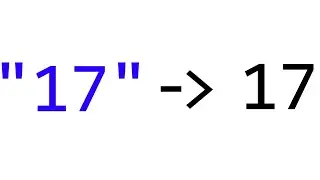
In Java programming, there are often situations where you need to convert a string of numeric characters into an integer array. This can be essential for various applications such as data parsing, computation, or when handling user inputs. In this guide, we’ll explore different methods you can use to achieve this conversion in a clean and efficient manner.
Method 1: Using split() and parseInt()
One straightforward approach to convert a string to an int array is to use the split() method together with Integer.parseInt(). Here’s a breakdown of how this method works:
Split the String: First, you split the string into an array of substrings using a delimiter.
Parse Each Substring: Convert each substring to an integer using Integer.parseInt().
Here’s some sample code demonstrating this approach:
[[See Video to Reveal this Text or Code Snippet]]
In this example, the string str is split at each comma, resulting in an array of substrings. Each substring is then converted to an integer and stored in intArray.
Method 2: Using Streams (Java 8 and Above)
For those who prefer a more modern and concise approach, Java 8 introduced the Streams API, which can be used to convert a string to an int array more elegantly. Here’s how you can do it:
[[See Video to Reveal this Text or Code Snippet]]
In this example, split() is used to create a stream of substrings, and mapToInt(Integer::parseInt) converts each substring to an integer. Finally, toArray() collects the results into an int array.
Handling Edge Cases
When converting strings to int arrays, it’s essential to consider edge cases, such as:
Empty Strings: Ensure that your method can handle empty strings without throwing exceptions.
Incorrect Formats: Added error handling can prevent issues arising from improperly formatted strings.
Here's an example of handling an empty string:
[[See Video to Reveal this Text or Code Snippet]]
Conclusion
Converting a string to an int array in Java is a common task that can be accomplished using various methods, each suitable for different scenarios. Whether you opt for the traditional approach of using split() and parseInt() or the modern Streams API, understanding these techniques allows you to handle such conversions efficiently.
Feel free to experiment with the code samples provided and choose the method that best fits your specific requirements.

Доступные форматы для скачивания:
Скачать видео mp4
-
Информация по загрузке: