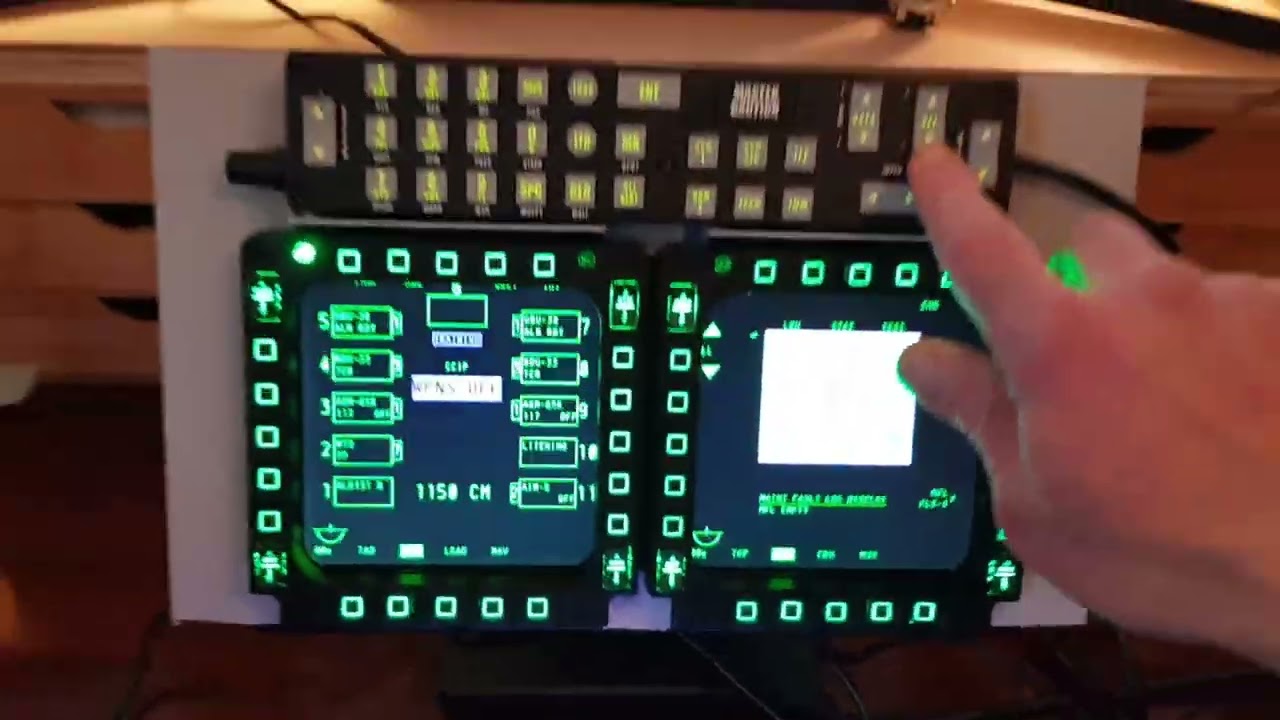
Connect Thrustmaster Cougar MFDs with UFC to monitor for A-10C Warthog in DCS Flight Sim
Автор: Strak
Загружено: 2022-01-30
Просмотров: 23306
Stuff I used mostly Amazon:
Eyoyo 12 Inch Portable HDMI Monitor TFT LCD
Midream Tilt Mounted Fold Monitor Holder Vesa
Unitek 4 port USB hub
TM Cougar MFDs
PVC strip / superglue / heavy duty velcro
UFC from Buddy Fox
Connections:
MFDs + UFC into USB hub
USB hub from monitor to PC hub (power)
HDMI cable from monitor to PC
DCS setup:
Create MonitorSetup folder under Config folder (if not already there)
Create a new MFCD.lua file and fiddle with pixel positions for your monitors.
Then select this new file under DCS settings and fiddle until centred.
This guy has done a great job explaining the .lua file in DCS go there for details:
https://forums.eagle.ru/topic/258724-...
Update 2025 - this YT guy has done a good job on setting the monitors and the .lua file, if you get stuck on this bit:
• Ep: 20 - How to Export DCS Viewports | Fli...
Notes:
The monitor (and MFDs) has a sloping edge which is a nuisance, if you can find a simple square edge monitor/bezel this will be easier for mounting. I mounted on the bezel using PVC to ensure level fitting (not the screen).
The Vesa mount I recommend, it is very solid and very stiff with rubber feet, I can push all buttons without movement on my desk.
Buddy Fox UFC is a solid piece of kit, all buttons easy to set up in DCS, highly recommend!
Sound:
I have the Logitech G560 with subwoofer under table against wall and the engine sounds during startup taxi and in flight for airbus warthog etc are incredible!
Доступные форматы для скачивания:
Скачать видео mp4
-
Информация по загрузке: