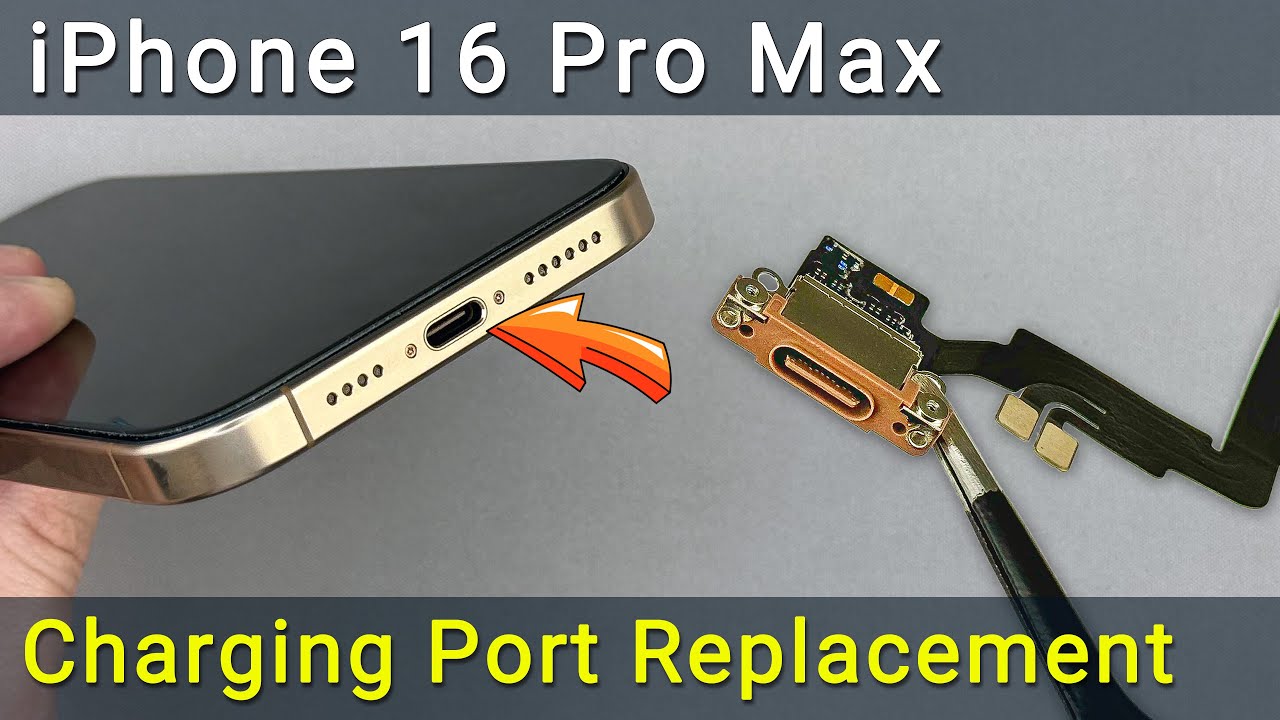
iPhone 16 Pro Max Charging Port Replacement - Easy Repair Guide
Автор: How-FixIT
Загружено: 2025-03-05
Просмотров: 36351
This step-by-step guide will help you fix the damaged or not working charging port on an iPhone 16 Pro Max. Learn how to disassemble, replace, and restore full functionality.
Buy tools and parts on AMAZON:
Screwdriver Set: https://hfixt.com/mpro
Pro Toolkit: https://hfixt.com/tool
Magnetic Mat: https://hfixt.com/mat
Tweezers: https://hfixt.com/tzrs
Global AliExpress:
Screwdriver Set: https://hfixt.com/alis
Opening Tool Kit: https://hfixt.com/alit
Magnetic Mat: https://hfixt.com/amat
Tweezers set: https://hfixt.com/altz
Adhesive Tape: https://hfixt.com/ip16a
Charging Port Cable: https://s.click.aliexpress.com/e/_oEY...
📌*Useful links*
More DIY repair guides: https://how-fixit.com
📱Follow us for more tech tips and guides!
TikTok: / howfixit
Instagram: / howfixit
Facebook: / howfixit
X: https://x.com/HowFixit
Description
Is your iPhone 16 Pro Max not charging, or is the charging port damaged? This step-by-step repair guide will show you how to replace the charging port and restore your iPhone's functionality. Follow along as we disassemble the device, remove the damaged port, and install a new one.
📌 Tools Required:
✔️ Pentalobe 0.8 mm, Tri-Wing 0.8 mm, Phillips 1 mm, Standoff 1.5 mm screwdrivers
✔️ Tweezers & Plastic Pry Tools
✔️ Suction Cup & Screen Disassembly Tool
✔️ Waterproof Adhesive Tape
📌 Key Takeaways:
✅Learn how to replace the iPhone 16 Pro Max charging port step by step.
✅Essential tools and techniques for safe disassembly and reassembly.
✅How to restore water resistance with waterproof sealing tape.
✅Tips for safe screen and back glass removal without damage.
⚡ Restore Your iPhone’s Charging Functionality!
Follow this tutorial to successfully repair your iPhone 16 Pro Max charging port and ensure proper waterproof sealing.
🔔 Subscribe to HowFixit for more repair guides!
🎬Time Code:
00:00 - Introduction to Charging Port Replacement Guide
00:18 - Tools Required for Repair
00:39 - Preparing for Disassembly
01:00 - Removing the Back Glass
03:07 - Disconnecting Battery & Components
05:15 - Removing the Charging Port
07:14 - Installing the New Charging Port
08:28 - Reassembly Process
10:20 - Testing the Charging Port
10:44 - Restoring Water Resistance
14:50 - Final Assembly & Conclusion
❓ FAQ:
Q: How do I know if my iPhone 16 Pro Max charging port is broken?
A: If your iPhone doesn’t charge with multiple cables or wobbles when plugged in, the charging port might be damaged.
Q: Can I replace the iPhone 16 Pro Max charging port myself?
A: Yes! Follow this step-by-step guide carefully, and you can replace it at home.
Q: Does replacing the charging port affect water resistance?
A: Yes, but you can restore it using waterproof adhesive tape, as shown in the video.
Q: Where can I buy a replacement charging port?
A: Check the video description for links to compatible replacement parts.
Q: How long does the repair take?
A: On average, it takes about 45-60 minutes, depending on experience.
AFFILIATE PROGRAM
We are a participant in the Amazon Services LLC Associates Program, an affiliate advertising program designed to provide a means for us to earn fees by linking to Amazon.com and affiliated sites.
#iphone16promax #howfixit #phonerepair #diy #ifixiphone
Доступные форматы для скачивания:
Скачать видео mp4
-
Информация по загрузке:


