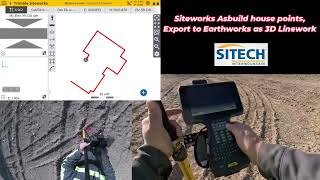
SITECH Intermountain Trimble Earthworks VCL File Management
Автор: SITECH Intermountain
Загружено: 2023-04-03
Просмотров: 1137
In this video, SITECH Intermountain will discuss the basics of Trimble Earthworks VCL file management. We will cover topics such as creating VCL files, importing VCL files, and managing VCL layers.
VCL files are a proprietary file format used by Trimble Earthworks to store 3D model data. VCL files can be created in Trimble Earthworks or exported from other 3D modeling software.
To create a VCL file in Trimble Earthworks, simply select the "File" menu and choose "Export". From the "Export" dialog box, select the "VCL" file type and click "Save".
To import a VCL file into Trimble Earthworks, simply select the "File" menu and choose "Import". From the "Import" dialog box, select the "VCL" file type and click "Open".
VCL files can be managed in Trimble Earthworks by using the "Layers" dialog box. To open the "Layers" dialog box, select the "View" menu and choose "Layers".
The "Layers" dialog box allows you to create, delete, and manage VCL layers. You can also use the "Layers" dialog box to set the properties of VCL layers.
For more information on Trimble Earthworks VCL file management, please refer to the Trimble Earthworks documentation.
Here are some additional tips for managing VCL files:
Use descriptive names for your VCL files. This will make it easier to find and identify your VCL files later.
Keep your VCL files organized. Create folders for different types of VCL files, such as as-built VCL files, design VCL files, and reference VCL files.
Back up your VCL files regularly. This will help to protect your data in case of a computer crash or other disaster.
We hope this video has been helpful. Please let us know if you have any questions.

Доступные форматы для скачивания:
Скачать видео mp4
-
Информация по загрузке: