Популярное

Музыка Кино и Анимация Автомобили Животные Спорт Путешествия Игры Юмор

Интересные видео

2025 Сериалы Трейлеры Новости Как сделать Видеоуроки Diy своими руками

Топ запросов

смотреть а4 schoolboy runaway турецкий сериал смотреть мультфильмы эдисон
dTub
Скачать

AVEVA Unified Engineering (E3D 4.0 ) 2D Drawings (Part 1): Getting Started with Sheets & Views

Автор: TDS Engr Solutions Pte Ltd

Загружено: 2025-09-15

Просмотров: 1652

Описание:

AVEVA Unified Engineering (UE) is the evolution of AVEVA E3D—it is E3D 4.0. While this video showcases the Unified Engineering environment, the concepts are just as useful for E3D 3.0 users, making it valuable no matter which version you are working with.

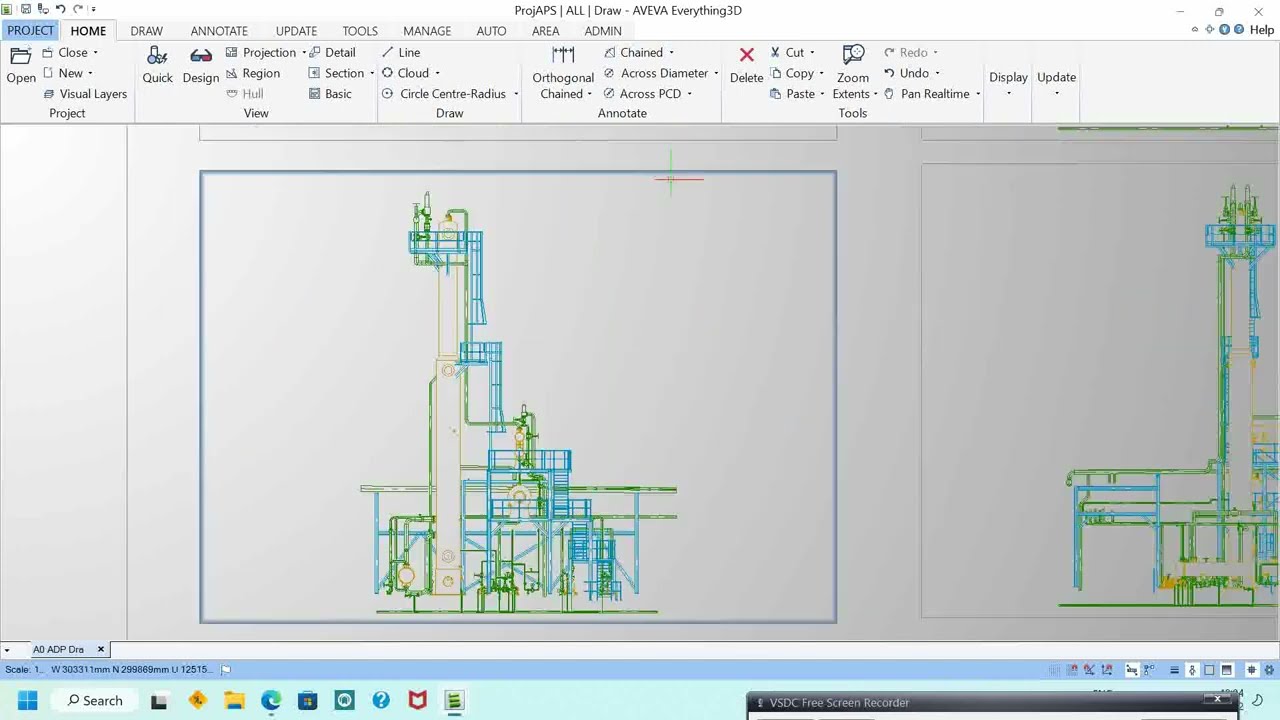
This is the first part of our 2D Drawings series in AVEVA Unified Engineering (E3D). Even in a 3D-centric design world, 2D drawings remain essential deliverables for projects. In this video, we’ll walk through the foundations of creating 2D drawings in E3D: how sheets and registries work, and how they stay linked to the live 3D model.

👉 What you’ll learn in Part 1:

Why 2D drawings are still critical in engineering projects

How to create and manage sheets in AVEVA E3D Draw

Using the drawing registry for organized project workflows

Linking 2D drawings with the 3D model for navigation and updates

📌 What’s next (Part 2): We’ll cover section views and detail views, helping you expand your drawing capabilities.

🔔 Subscribe to TDS Engr Solutions so you won’t miss the rest of this 2D Drawings series, along with more tutorials on AVEVA Unified Engineering, E3D, and integrated workflows.

💡 This video is not just a quick tutorial—it’s part of a structured learning series, designed like a mini-course to help you get started with 2D drawings in AVEVA Unified Engineering (E3D). For best results, and to build a strong foundation across the full software, you can join our TDS Training Programs on Unified Engineering and E3D. Our hands-on sessions guide you step by step, combining real project experience with practical workflows.

📌 Contact us to learn more about our training: sales@tdsengrsolutions.com

About TDS Engr Solutions
TDS Engr Solutions Pte Ltd, based in Singapore, is an AVEVA Solution Provider and Autodesk Training Center with over a decade of experience supporting engineering and design companies across Asia. Founded by Goh Thiam Seng, who has hands-on industry experience in S.E. Asia, Japan and China, TDS specializes in helping organizations adopt and maximize AVEVA Unified Engineering (UE), AVEVA E3D, and related solutions.

Our team has worked with companies on:
Tendering & project execution support
Plant design & offshore facilities using AVEVA E3D and PDMS
Custom tool development to streamline engineering workflows
Training and knowledge-sharing to upskill teams and improve ROI

With deep knowledge of E3D/UE—from its origins in PDMS to the latest E3D 4.0 evolution—TDS helps engineering companies improve collaboration, reduce rework, and accelerate project delivery.

📌 Learn more about us: www.tdsengrsolutions.com

AVEVA Unified Engineering (E3D 4.0  )  2D Drawings (Part 1): Getting Started with Sheets & Views

Поделиться в:

Доступные форматы для скачивания:

Скачать видео mp4

  • Информация по загрузке:

Скачать аудио mp3

Похожие видео

CSI SAFE 2025 (v22) Tutorials for Beginners | Pile Cap Design Under Shear Wall or Lift Core | Part 1

CSI SAFE 2025 (v22) Tutorials for Beginners | Pile Cap Design Under Shear Wall or Lift Core | Part 1

Нейросеть ReRender AI: режим

Нейросеть ReRender AI: режим "улучшение"

Houdini Tutorial | ABSTRACT SHAPE IN MOTION

Houdini Tutorial | ABSTRACT SHAPE IN MOTION

Начало работы с E3D — Введение (Путь обучения 01)

Начало работы с E3D — Введение (Путь обучения 01)

Высшее образование больше не нужно? Как ИИ рушит систему образования

Высшее образование больше не нужно? Как ИИ рушит систему образования

AVEVA E3D - Getting Started

AVEVA E3D - Getting Started

AVEVA Unified Engineering (E3D 4.0) 2D-чертежи (часть 2): создание разрезов и детальных видов

AVEVA Unified Engineering (E3D 4.0) 2D-чертежи (часть 2): создание разрезов и детальных видов

Aveva E3d - Draw - Automatic Drawing Production ( ADP ) - Auto draft

Aveva E3d - Draw - Automatic Drawing Production ( ADP ) - Auto draft

Module Design E3D

Module Design E3D

Learn in 30: AVEVA Unified Engineering

Learn in 30: AVEVA Unified Engineering

СКОЛЬКО НА САМОМ ДЕЛЕ зарабатывает СТОЛЯР и почему ВЫ НЕ СТАНЕТЕ МИЛЛИОНЕРОМ?

СКОЛЬКО НА САМОМ ДЕЛЕ зарабатывает СТОЛЯР и почему ВЫ НЕ СТАНЕТЕ МИЛЛИОНЕРОМ?

Аннотация Unified Engineering 3D (E3D 4.0) – Часть 3: Линейные размеры и управление визуальным ст...

Аннотация Unified Engineering 3D (E3D 4.0) – Часть 3: Линейные размеры и управление визуальным ст...

Опоры для труб | Типы опор для труб | Основные и вспомогательные опоры для труб | Руководство по ...

Опоры для труб | Типы опор для труб | Основные и вспомогательные опоры для труб | Руководство по ...

E3D Getting Started - Equipment Modification ( Learning Path 03 )

E3D Getting Started - Equipment Modification ( Learning Path 03 )

Aveva E3D DRAFTING TUTORIAL

Aveva E3D DRAFTING TUTORIAL

Fusion 360 для новичков: Твоя первая 3D модель за 20 минут

Fusion 360 для новичков: Твоя первая 3D модель за 20 минут

Маркировка чертежей Unified Engineering 3D (E3D 4.0) – Часть 2: Маркировка концов труб и автомати...

Маркировка чертежей Unified Engineering 3D (E3D 4.0) – Часть 2: Маркировка концов труб и автомати...

Design Smarter: Turn 2D Inputs into 3D Models in AVEVA E3D with Ease

Design Smarter: Turn 2D Inputs into 3D Models in AVEVA E3D with Ease

AVEVA Unified Engineering (E3D 4.0) – Full Workflow: Model, Deliverables & Admin

AVEVA Unified Engineering (E3D 4.0) – Full Workflow: Model, Deliverables & Admin

AVEVA Unified Engineering (E3D 4.0) – Модель, часть 2: Основы моделирования оборудования и исполь...

AVEVA Unified Engineering (E3D 4.0) – Модель, часть 2: Основы моделирования оборудования и исполь...

© 2025 dtub. Все права защищены.


  • Контакты
  • О нас
  • Политика конфиденциальности


Контакты для правообладателей: infodtube@gmail.com