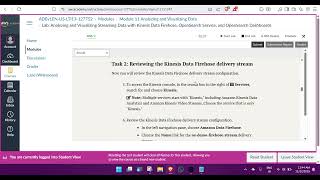
How to open Lab in AWS machine learning foundation?
Автор: EEE TV
Загружено: 2025-12-07
Просмотров: 10
📌 In this video, you will learn how to open and access Labs in AWS Machine Learning Foundation through AWS Academy / Learner Lab Platform. This guide is useful for students, trainers, and anyone enrolled in AWS Academy Machine Learning Foundations program.
---
🔥 What you’ll learn
✔ How to log in to AWS Academy portal
✔ How to open AWS Machine Learning Foundation course
✔ How to launch Learner Lab
✔ How to open AWS Console for ML practice
✔ Steps to start hands-on machine learning labs
✔ Important tips while using lab time
✔ Common errors & solutions
---
🪜 Step-by-step Summary
1. Log in to AWS Academy portal / LMS (Canvas / Vocareum / Moodle)
2. Open AWS Machine Learning Foundation course module
3. Click on Learner Lab or Start Lab
4. Wait for environment to activate
5. Click AWS Console → Begin ML practice
6. Use labs like SageMaker, S3, IAM and more!
---
💡 Who should watch?
🔹 Engineering / B.Sc / BCA Students
🔹 AWS Academy Learners
🔹 AI & ML Beginners
🔹 Cloud & Data Enthusiasts
---
Keywords (SEO)
aws lab startup tutorial, AWS Academy Machine Learning Foundation, how to open learner lab, start lab in aws academy, aws learner lab guide, AWS ML course lab, aws console access, machine learning aws training, sageMaker lab access, cloud computing lab tutorial

Доступные форматы для скачивания:
Скачать видео mp4
-
Информация по загрузке: