Популярное

Музыка Кино и Анимация Автомобили Животные Спорт Путешествия Игры Юмор

Интересные видео

2025 Сериалы Трейлеры Новости Как сделать Видеоуроки Diy своими руками

Топ запросов

смотреть а4 schoolboy runaway турецкий сериал смотреть мультфильмы эдисон
dTub
Скачать

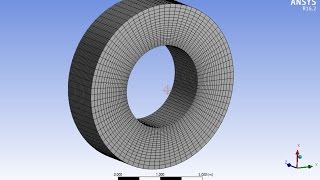
Meshing 2D Elements in ANSYS Workbench - Linear and Quadratic - Triangles and Quadrilaterals

Автор: Learn Finite Element Analysis

Загружено: 2021-02-04

Просмотров: 8819

Описание:

You can get a copy of the book here: https://www.amazon.com/dp/1908689404

This video is a tutorial on how to control the mesh when meshing 2D elements in ANSYS workbench. We describe how to change between linear and quadratic elements, how to change between triangular and quadrilateral elements and how to force workbench to make the type of mesh that you want. We also cover how specify the number of elements and layout of the elements within your mesh.

We use a case study from the book "Practical Stress Analysis with Finite Elements" as an example and we demonstrate how to build a 2D plane stress model of a thin cantilever beam, how to apply loads and boundary conditions and, finally, how to mesh the problem to the requirements outlined in the case study. We also discuss finding the stress and deformation results, comparing them with theoretical values.

This video also has a couple of other tips such as how to check the number of nodes in your element after meshing and how to display the node numbers in ANSYS workbench.

I hope you find this tutorial useful!

#fea​ #fem​ #finitelement​ #ansys​ #workbench​ #2d​ #planestress​ #plane​ #stress​ #mesh #meshing #elements #linear #quadratic #mesh tips

Meshing 2D Elements in ANSYS Workbench - Linear and Quadratic - Triangles and Quadrilaterals

Поделиться в:

Доступные форматы для скачивания:

Скачать видео mp4

  • Информация по загрузке:

Скачать аудио mp3

Похожие видео

2D Plate with a Hole using ANSYS Workbench

2D Plate with a Hole using ANSYS Workbench

Plane Strain Forging Simulation of a Block using ANSYS Workbench

Plane Strain Forging Simulation of a Block using ANSYS Workbench

Element Quality Check & Quality Improvement (Part – 1)

Element Quality Check & Quality Improvement (Part – 1)

Понимание важности форм и порядка трёхмерных элементов в ANSYS Mechanical — Урок 2

Понимание важности форм и порядка трёхмерных элементов в ANSYS Mechanical — Урок 2

1D Truss Analysis with ANSYS Workbench

1D Truss Analysis with ANSYS Workbench

Understanding the Finite Element Method

Understanding the Finite Element Method

ANSYS 17.0 Tutorial - Non Linear Plastic Deformation I-Beam

ANSYS 17.0 Tutorial - Non Linear Plastic Deformation I-Beam

Tips & Tricks for Modeling Plasticity | ANSYS e-Learning | CAE Associates

Tips & Tricks for Modeling Plasticity | ANSYS e-Learning | CAE Associates

How to connect different meshes (different zones) in Ansys Meshing

How to connect different meshes (different zones) in Ansys Meshing

Ansys Mesher - Intro to 2D meshing

Ansys Mesher - Intro to 2D meshing

Introduction to Fatigue Analysis As Per ASME Standards

Introduction to Fatigue Analysis As Per ASME Standards

ANSYS 2020 Tutorial: Reinforced Concrete T-Joint

ANSYS 2020 Tutorial: Reinforced Concrete T-Joint

Плоское напряжение и двумерный анализ – FEA с использованием ANSYS – Урок 2

Плоское напряжение и двумерный анализ – FEA с использованием ANSYS – Урок 2

Расширенные методы построения сетки в ANSYS Workbench | CAE Associates | Электронное обучение ANSYS

Расширенные методы построения сетки в ANSYS Workbench | CAE Associates | Электронное обучение ANSYS

✅ ANSYS MESHING - Hexahedral Mesh - Intermediate Tutorial 3 - Part 2/2

✅ ANSYS MESHING - Hexahedral Mesh - Intermediate Tutorial 3 - Part 2/2

Specifying an Appropriate Element Size for Stress Analysis Using Ansys Mechanical — Lesson 1

Specifying an Appropriate Element Size for Stress Analysis Using Ansys Mechanical — Lesson 1

Mesh Refinement and Best Practices - FEA using ANSYS - Lesson 5

Mesh Refinement and Best Practices - FEA using ANSYS - Lesson 5

How to Obtain Hexahedral Structural Meshing in ANSYS | Learn Mesh Structuring Techniques

How to Obtain Hexahedral Structural Meshing in ANSYS | Learn Mesh Structuring Techniques

Bicycle Frame with Beam Elements ANSYS Workbench

Bicycle Frame with Beam Elements ANSYS Workbench

Meshing (Element Types, Mesh size, methods, refinement, and quality metrics, Results Convergence)

Meshing (Element Types, Mesh size, methods, refinement, and quality metrics, Results Convergence)

© 2025 dtub. Все права защищены.


  • Контакты
  • О нас
  • Политика конфиденциальности


Контакты для правообладателей: [email protected]