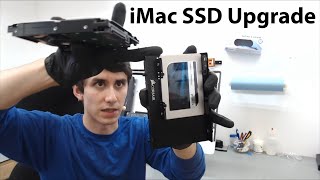
Upgrade Your iMac 27-inch 5K – M.2 SSD, RAM & Fusion Drive Replacement (Step-by-Step Guide!)
Автор: kashilembo wabu
Загружено: 2025-04-08
Просмотров: 17459
Upgrade Your iMac for MAX Performance – SSD, RAM & More!
Want to speed up your iMac? In this step-by-step guide, I’ll show you how to upgrade your iMac by replacing the Fusion Drive with an SSD, upgrading the RAM, swapping the M.2 SSD, and even how to boot macOS from an external SSD or USB!
✅ iMac SSD Upgrade (Fusion Drive to SSD)
✅ Install M.2 NVMe SSD (Up to 8TB!)
✅ RAM Upgrade for Faster Multitasking
✅ Boot macOS from External Drive
✅ Clean Fans, Power Supply & Motherboard for Better Cooling
✅ Tools You’ll Need + Pro Tips & Mistakes to Avoid
🔥 Whether you’re upgrading an older iMac or maxing it out for creative work, this video covers everything you need—plus the do’s and don’ts to avoid damaging your screen (yep, I cracked mine
Save 70% on Royalty-Free Music! Use code SAVE70 now!
AUDIIO Link: https://audiio.com/partner?oid=1&affi...
🛠️ Don’t miss the full iMac teardown, cleaning, SSD + RAM installation, and reassembly guide.
#iMacUpgrade #MacSSDUpgrade #FusionDriveToSSD #MacTips #AppleUpgrade #iMacTeardown #DIYiMac #macOSExternalBoot #SSDupgrade #ramupgrade
Things you need
AMAZON US
Mini Screwdrive https://amzn.to/4ibBHuf
Best Screwdriverhttps://amzn.to/3YphmdA
Adhesive stripshttps://amzn.to/4443wBl
Adhesive stripshttps://amzn.to/3Ef3ko2
IMac screen removal kithttps://amzn.to/42p38ec
Screen Suction Cup https://amzn.to/4cpO4S4
Repair Tool Kithttps://amzn.to/43KyWMQ
Samsung SSD 870 EVO, 4 TBhttps://amzn.to/424gwVZ
DDR4 RAM https://amzn.to/3EhhPb1
Apple 2019 iMac 27-inch w/Retina 5K Display, Late 2018 https://amzn.to/3YmjhQ8
Mac SSD 512GB M.2 PCIe NVMe https://amzn.to/3XMKGuw
M.2 SSD 512 Option 2 https://amzn.to/43KENSd
Screw Organiser https://amzn.to/422fgmi
Fusion drive to SSD caddy https://amzn.to/42BjdhW
SSD cady option 2 https://amzn.to/4i4EEfW
Amazon UK
Mini Screwdrive https://amzn.to/4loASAP
Best Screwdriver https://amzn.to/3R7UjQA
Adhesive strips https://amzn.to/3EgXTFb
Best Adhesive strips https://amzn.to/4jklAfj
IMac screen removal kit https://amzn.to/3G3tJ91
4 Pcs Screen Suction Cup https://amzn.to/3G0tnA0
Repair Tool Kit https://amzn.to/4cru0i3
Samsung SSD 870 EVO, 4 TB,https://amzn.to/3RblM3U
DDR4 RAM https://amzn.to/43KxbPK
Apple 2019 iMac 27-inch w/Retina 5K Display, Late 2018 https://amzn.to/3RchHMV
Mac SSD 512GB M.2 PCIe NVMe https://amzn.to/3G2bj8A
M.2 SSD 512 Option 2 https://amzn.to/3FWar5x
Fusion drive to SSD caddy https://amzn.to/3XMUhRZ
SSD cady option 2https://amzn.to/4lF34Qn
Screw Organise https://amzn.to/3Ypj4f0
Make sure you do your own research
00:00 🚀 Why your iMac is slow + what we’re fixing
00:35 ⚠️ Important warning about fragile cables
01:00 💻 Overview of the 2017 iMac 5K specs
02:00 🔒 Backup & security reminder before upgrading
03:20 🛠️ Tools you need for the upgrade
04:00 🔥 Removing the iMac screen safely
05:30 🔌 Disconnecting ribbon cables correctly
06:20 📦 Organizing screws & components
07:10 💨 Cleaning fans & dust before upgrades
08:00 💾 Upgrading SSD (Fusion Drive → fast SSD)
09:15 🔋 Boosting RAM up to 64GB
10:20 🔧 Accessing motherboard & power supply
12:00 🧹 Cleaning + preparing for reassembly
13:30 ⚡ Installing the new 4TB SSD
15:00 🖥️ Reassembling and sealing the iMac
16:20 🖱️ Booting up & installing macOS
17:40 ❌ Common mistakes to avoid (cracks, lost screws)
19:00 ✅ Final results: faster, cooler, more powerful iMac

Доступные форматы для скачивания:
Скачать видео mp4
-
Информация по загрузке: