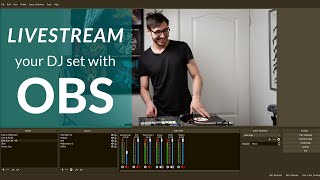
How To Add Serato To Your Livestream with OBS
Автор: DJ Beneficial
Загружено: 2021-04-05
Просмотров: 16390
Beneficial TV
Season 3 Episode 2
This video is a tutorial for 3 things. 1. Adding Serato or any DJ software to your OBS as a background. 2. Adding sections of your Serato to your livestream as an overlay or background. 3. Adding just your waveforms with a transparent background to your livestream or for creating content (for YouTube, Tik Tok, Instagram reels etc. or for making tutorials.
Breakdown:
0:00 Intro
0:34 What you will need
0:48 Adding Serato (or any DJ Software) as a background in OBS
3:35 Adding sections of your DJ software as an overlay or background
6:52 Adding your waveforms with a transparent background
11:51 Outro
Links:
My livestream setup:
https://kit.co/DjBeneficial
Follow me on twitch!
/ djbeneficial
You can also fine me on other forms of social media...👇
/ djbeneficial
/ djbeneficial
/ djbeneficial
https://www.mixcloud.com/djbeneficial
/ djbeneficial
/ djbeneficial
snapchat @djbeneficial
Thanks for watching! 🙏
#Serato #LivestreamTutorial #SeratoTutorial #DJ #DjBeneficial #OBS #OBStutorial #Twitch

Доступные форматы для скачивания:
Скачать видео mp4
-
Информация по загрузке: