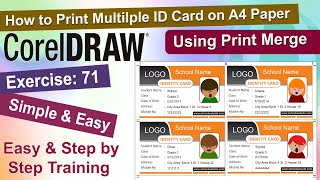
Master CorelDRAW Print Merge and Save Hours
Автор: CorelDraw Tips
Загружено: 2021-01-22
Просмотров: 4374
Stop wasting hours on repetitive design tasks! Learn how to automate your workflow and drastically increase efficiency using CorelDRAW’s powerful Print Merge feature.
This tutorial is essential for graphic designers, printers, and sign makers who regularly create variable data projects such as personalized certificates, mailing labels, numbered signage, or business cards. Instead of manually updating individual files, you'll learn how to quickly import data from a spreadsheet and let CorelDRAW do the work for you.
In this step-by-step CorelDRAW video tutorial, we cover:
How to prepare your external data source (like an Excel file or CSV) for import.
Mapping variable data fields onto your CorelDRAW layout.
Executing the Print Merge command to create personalized designs instantly.
Tips for saving time on large-scale printing and design projects.
Don't let manual data entry slow you down. Master the Print Merge tool today and streamline your production process.
For more free CorelDRAW tutorials and expert tips, visit us at: http://www.coreldrawtips.com
If this video helped you save time, please subscribe for more valuable graphic design and printing tutorials!

Доступные форматы для скачивания:
Скачать видео mp4
-
Информация по загрузке: