17.2.4Lab: Informational and Network Tools
Автор: notDennix
Загружено: 2025-12-22
Просмотров: 438
🔧 Linux Network Troubleshooting Lab | Tracing Network Routes with Terminal
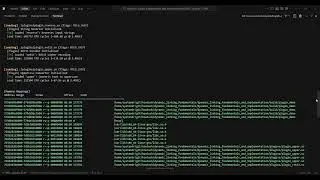
In this lab walkthrough, we troubleshoot a performance issue on a Linux system named IT-Laptop that is experiencing slow connectivity when accessing a remote computer on the internet. Using the Linux Terminal, we analyze the network path (route) traffic takes to reach both an external DNS server and an internal remote host.
This exercise focuses on understanding network routing, hops, and troubleshooting connectivity issues using Linux command-line tools.
🧪 Lab Objectives Covered:
Locate the external DNS server IP address using provided network exhibits
Determine the network route to the external DNS server
Analyze hop-by-hop routing information to answer lab questions
Trace the route to a remote internal computer (10.10.20.10)
Compare external vs internal network paths
🛠️ Tools & Commands Used:
Linux Terminal
traceroute / tracepath
Network exhibits and routing analysis
📚 Skills Practiced:
Linux command-line navigation
Network diagnostics and troubleshooting
Understanding hops, gateways, and routing paths
Identifying performance bottlenecks in network communication
This lab is ideal for students and entry-level IT professionals learning Linux networking, system administration, or help desk troubleshooting concepts.
👍 If you found this helpful, don’t forget to like, subscribe, and share!

Доступные форматы для скачивания:
Скачать видео mp4
-
Информация по загрузке: