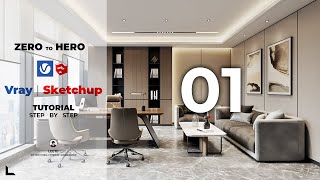
Daylight Interior Rendering Tutorial | VRay Sun + Environment Background (GI)
Автор: RDA
Загружено: 2020-02-05
Просмотров: 69665
There's something about a bright cheery scene with sunlight filtering in; but if you just set up a scene with a window and no other light sources and hit render, it'll come out dark and unpleasant.
VRay's camera doesn't work like a real world camera; it doesn't capture light bounces or adjust automatically to surroundings. That's why there are some hidden light effects used to enhance a render that's using only sunlight to illuminate it.
In this video, I'll show you how to set up VRay Sun, Environment, and a few Background/Hidden lights, step by step and in detail.
----
Links:
Chaos Group Resources:
VRay Sun: https://docs.chaosgroup.com/display/V...
Environment and GI Light: https://docs.chaosgroup.com/display/V...
----
Your support would make my day :)
If you like my videos and tutorials, please consider supporting me so I can devote more time to more free content by either
Becoming my Patron: / ravenors
Or buying one of my scenes on Gumroad: https://gumroad.com/ravenors
----
** You can adjust Play Speed to faster or slower playback in Settings!! **
----
For more Sketchup & VRay tutorials: https://www.ravenors.com
----
** Software Used:
Sketchup 2018.
VRay Next (4.00.02).
Photoshop Cs6 Extended.
Materialize 1.78
----
Join the Family:
Discord Server: / discord
Facebook Page: / ravenors.co
Facebook Group: / 1144326325673238
Instagram Account: / ravenors.co
----
HDRI: https://hdrihaven.com
Music: Fluidscape - Kevin MacLeod
Video Production: Camtasia 2018.

Доступные форматы для скачивания:
Скачать видео mp4
-
Информация по загрузке: