GIMP Tutorial: How to Use the Path Tool in GIMP?
Автор: Ardon
Загружено: 2025-08-07
Просмотров: 864
How to Use the Path Tool in GIMP?
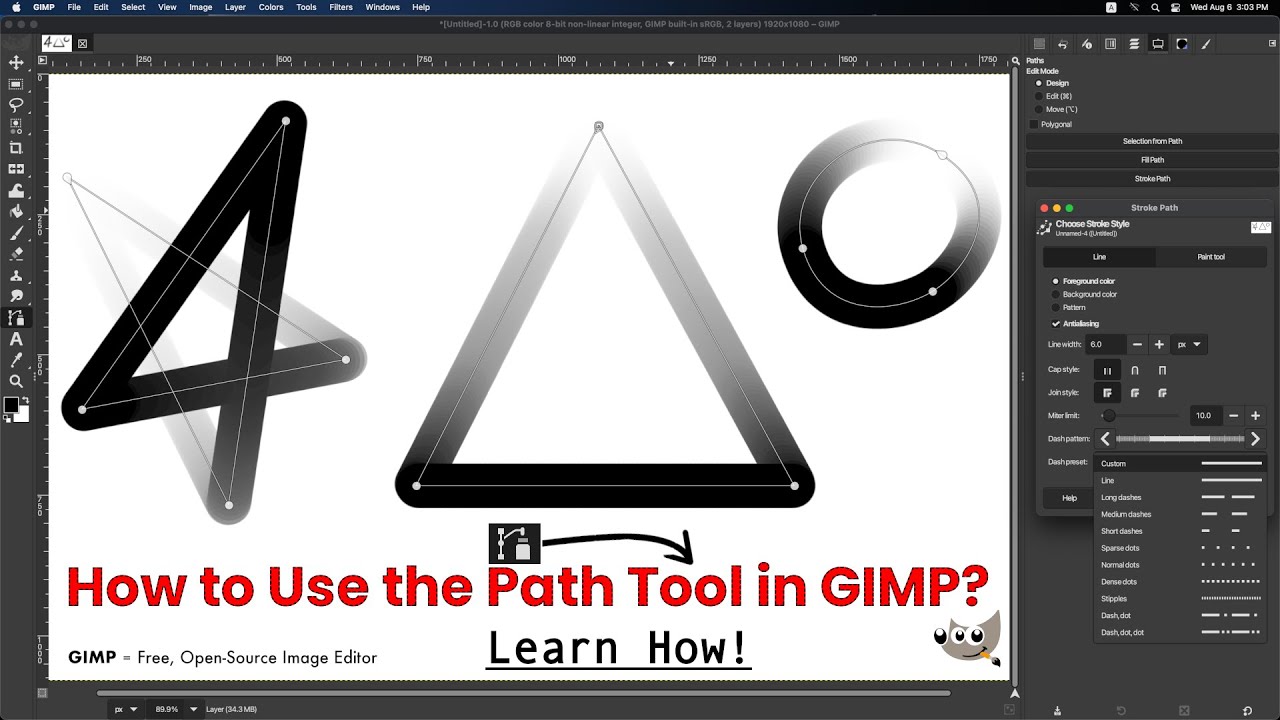
In this comprehensive tutorial, we dive deep into the powerful capabilities of the Path Tool in GIMP. You’ll learn how to create and manipulate paths, add curves, and adjust anchor points to achieve stunning, precise designs. We’ll also cover how to convert your paths into fills and strokes, giving you the tools to elevate your graphic design projects.
What You’ll Learn:
• Steps to create a transparent layer in GIMP.
• How to find and select the Path Tool from the toolbox.
• Adding anchor points and curves.
• Adjusting anchor points and handles for precision.
• Instructions on how to close a path in GIMP.
• Techniques for moving single and multiple anchor points.
• How to delete unwanted anchor points using right-click and keyboard shortcuts.
• Instructions for adding curves and adjusting handles.
• Steps how to move the entire path to a new position.
• How to fill paths and stroke them to create visible lines.
• Using different paint tools and styles for varied effects.
Chapters:
0:00 • Video Intro
0:16 • Start the Video
0:20 • Creating a Transparent Layer
• Discover the steps to create a transparent layer in GIMP for better control over your designs.
0:32 • Selecting the Path Tool
• Learn how to find and select the Path tool from the toolbox and start setting up the Path tool.
0:53 • Adding Anchor Points and Curves
• Explore techniques for adding anchor points and curves to enhance your paths.
1:11 • Moving Anchor Points
• Understand techniques for moving single and multiple anchor points with ease.
1:20 • Deleting Unwanted Anchor Points
• Find out how to delete unwanted anchor points.
1:31 • Adding Curves to Paths
• Learn how to add curves and adjust handles for more dynamic shapes.
1:48 • Adding Anchor Points to Paths and Moving the Entire Path
2:10 • Filling and Stroking Paths
• Discover how to fill paths and stroke them to create visible lines that stand out.
2:45 • Exploring Different Paint Tools and Styles
• Dive into using various paint tools and styles for varied effects in your designs.
3:11 • Conclusion
Why watch?
Mastering the Path Tool will allow you to create intricate shapes and selections, making your artwork stand out. With practical demonstrations and easy-to-follow instructions, you’ll be creating professional-quality designs in no time!
Links and Resources:
GIMP • https://www.gimp.org
Follow Me On:
Instagram: / ardoncore
X: / ardoncore
Tiktok: / ardoncore
Facebook: / ardoncore
Don’t miss out! Hit that SUBSCRIBE button, and make sure to ring the notification bell 🔔, So you’re always in the loop for latest videos!
THANKS!
#GIMP #PathTool #GraphicDesign #DigitalArt #Tutorial #DesignTips #GIMPTutorial #CreativeProcess #GraphicDesignTutorial #LearnGIMP #DesignSoftware #Illustration #PhotoshopAlternative #ArtCommunity #GIMPCommunity
Доступные форматы для скачивания:
Скачать видео mp4
-
Информация по загрузке:










![GIMP — урок для начинающих за 13 минут! [ ПОЛНЫЙ И ОБНОВЛЕННЫЙ ]](https://imager.clipsaver.ru/OsMJ6uzELJo/max.jpg)




