Sorting an asp.net gridview in ascending and descending order - Part 48
Автор: kudvenkat
Загружено: 2013-04-07
Просмотров: 46136
Link for csharp, asp.net, ado.net, dotnet basics and sql server video tutorial playlists
/ kudvenkat
Link for text version of this video
http://csharp-video-tutorials.blogspo...
Healthy diet is very important both for the body and mind. If you like Aarvi Kitchen recipes, please support by sharing, subscribing and liking our YouTube channel. Hope you can help.
/ @aarvikitchen5572
Please watch Part 47 using the link below, before proceeding with this video.
• Sorting a gridview that does not use any d...
The problem in Part 47 was, we were not able to sort the data in descending order. In this video we will discuss about fixing this issue.
Step 1: Drag and drop a gridview on webform1.aspx
Step 2: Add a class file with name = "EmployeeDataAccessLayer.cs". Copy and paste the following code.
using System;
using System.Collections.Generic;
using System.Linq;
using System.Web;
using System.Data;
using System.Data.SqlClient;
using System.Configuration;
namespace Demo
{
public class Employee
{
public int EmployeeId { get; set; }
public string Name { get; set; }
public string Gender { get; set; }
public string City { get; set; }
}
public class EmployeeDataAccessLayer
{
// Replace squre brackets with angular brackets
public static List[Employee] GetAllEmployees(string sortColumn)
{
// Replace squre brackets with angular brackets
List[Employee] listEmployees = new List[Employee]();
string CS = ConfigurationManager.ConnectionStrings["DBCS"].ConnectionString;
using (SqlConnection con = new SqlConnection(CS))
{
string sqlQuery = "Select * from tblEmployee";
if (!string.IsNullOrEmpty(sortColumn))
{
sqlQuery += " order by " + sortColumn;
}
SqlCommand cmd = new SqlCommand(sqlQuery, con);
con.Open();
SqlDataReader rdr = cmd.ExecuteReader();
while (rdr.Read())
{
Employee employee = new Employee();
employee.EmployeeId = Convert.ToInt32(rdr["EmployeeId"]);
employee.Name = rdr["Name"].ToString();
employee.Gender = rdr["Gender"].ToString();
employee.City = rdr["City"].ToString();
listEmployees.Add(employee);
}
}
return listEmployees;
}
}
}
Step 3: Generate event handler method, for Sorting event of GridView1 control.
Step 4: Flip webform1.aspx to html source mode and set the following 2 custom attributes on GridView1 control.
CurrentSortField="EmployeeId"
CurrentSortDirection="ASC"
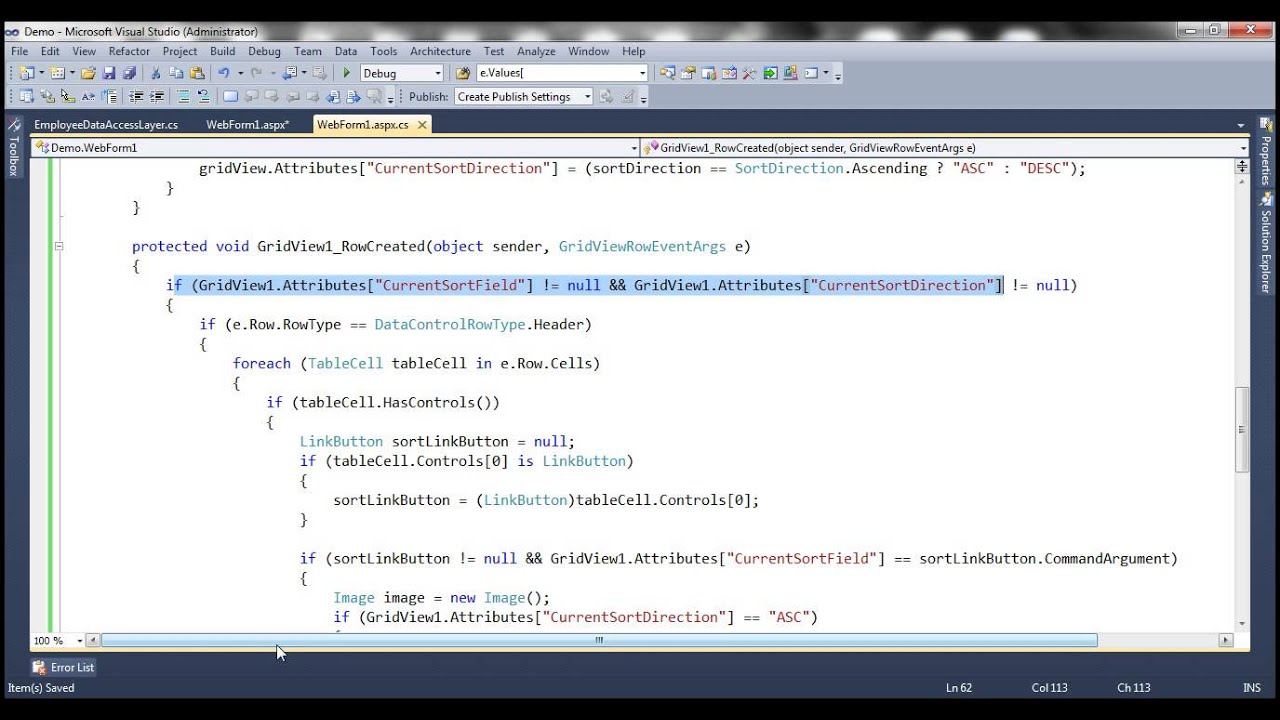
Step 5: Copy and paste the following code in WebForm1.aspx.cs
protected void Page_Load(object sender, EventArgs e)
{
if (!IsPostBack)
{
GridView1.DataSource = EmployeeDataAccessLayer.GetAllEmployees("EmployeeId");
GridView1.DataBind();
}
}
protected void GridView1_Sorting(object sender, GridViewSortEventArgs e)
{
//Response.Write("Sort Expression = " + e.SortExpression);
//Response.Write("Sort Direction = " + e.SortDirection.ToString());
SortDirection sortDirection = SortDirection.Ascending;
string sortField = string.Empty;
SortGridview((GridView)sender, e, out sortDirection, out sortField);
string strSortDirection = sortDirection == SortDirection.Ascending ? "ASC" : "DESC";
GridView1.DataSource = EmployeeDataAccessLayer.GetAllEmployees(e.SortExpression + " " + strSortDirection);
GridView1.DataBind();
}
private void SortGridview(GridView gridView, GridViewSortEventArgs e, out SortDirection sortDirection, out string sortField)
{
sortField = e.SortExpression;
sortDirection = e.SortDirection;
if (gridView.Attributes["CurrentSortField"] != null && gridView.Attributes["CurrentSortDirection"] != null)
{
if (sortField == gridView.Attributes["CurrentSortField"])
{
if (gridView.Attributes["CurrentSortDirection"] == "ASC")
{
sortDirection = SortDirection.Descending;
}
else
{
sortDirection = SortDirection.Ascending;
}
}
gridView.Attributes["CurrentSortField"] = sortField;
gridView.Attributes["CurrentSortDirection"] = (sortDirection == SortDirection.Ascending ? "ASC" : "DESC");
}
}

Доступные форматы для скачивания:
Скачать видео mp4
-
Информация по загрузке: