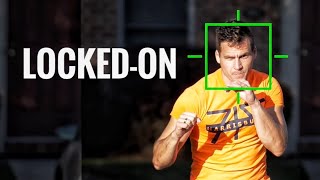
How to use Auto Tracking in Final Cut Pro
Автор: Atti Bear
Загружено: 2021-12-21
Просмотров: 9076
Apple finally gave us Auto Tracking capabilities in Final Cut Pro X and it's totally free!!!. It heavily relies on Machine Learning therefore it's faster any other third party Auto Tracker Plugin you have to pay for. So we now finally can automatically track all sorts of objects and easily pixelate people or certain ares within our footage.
🎥 Chapters:
0:00 Intro
0:33 Content of the Video
1:29 How to use Auto Tracking
4:12 Different Analysis Methods
5:29 Processing Speed
6:15 Improve Auto Tracking Results
9:10 How to Face Track and Pixelate People
11:02 Finish Thoughts
If you want to support this channel, become a member to get access to perks:
http://bit.ly/AttiBearMembership
Thanks for watching and I'll see you next time.
Also, if you liked todays Episode hit the Subscribe button:
http://bit.ly/2nRqhDa
--------------------------------------------
MY FAVORITE GEAR 📷 -
Main Camera https://geni.us/RdQl
Backup Camera https://geni.us/LdTd
Best Mic I ever used https://geni.us/UBoYo8
Always ON Lens https://geni.us/QMYU
Create cinematic Footage https://geni.us/pHTB7B
Most versatile Action Cam https://geni.us/5ci3
Best Video Drone https://geni.us/gI2d
The complete List of my Gear ➡️ https://atti-bear.com/my-gear
Disclaimer:
Some of the links in my video descriptions are affiliate links, which means at no extra cost to you, I will make a small commission if you click them and make a qualifying purchase.
--------------------------------------------
FIND ME ON SOCIAL MEDIA 👤-
Website: https://atti-bear.com
Instagram: / atti_bear
Facebook: / attibear
Twitter: / atti_bear
--------------------------------------------
🔴How I optimize my Channel: http://bit.ly/2PwREkS
🔴The Music I use: http://bit.ly/2PtJ1Yg
--------------------------------------------
#FinalCutPro #FCPX #FinalCutTutorial

Доступные форматы для скачивания:
Скачать видео mp4
-
Информация по загрузке: