Популярное

Музыка Кино и Анимация Автомобили Животные Спорт Путешествия Игры Юмор

Интересные видео

2025 Сериалы Трейлеры Новости Как сделать Видеоуроки Diy своими руками

Топ запросов

смотреть а4 schoolboy runaway турецкий сериал смотреть мультфильмы эдисон
dTub
Скачать

Brother ScanNCut Tips & Tricks Tutorial - Scan to Cut Data - My Wonderful Family Paper Pumpkin Kit

Автор: Papered Chef

Загружено: 2020-04-17

Просмотров: 37026

Описание:

In this Brother Scan and Cut tutorial, you will learn how to use Scan to Cut Data. You will scan in the stencils from the April 2020 Paper Pumpkin Kit - My Wonderful Family and cut them out on card stock and copper foil. You will learn how to scan in a stencil, how to select, edit and save the data to be cut and how to retrieve the data. In this example, I used the stencil from the Paper Pumpkin kit and cut the leaves out on Shaded Spruce card stock. Then, I used the tree stencil and cut it out onto Copper Foil card stock. I shared how to duplicate, rotate, mirror, resize, and layer the scanned images. Then, prior to cutting them, I used auto layout to make them all fit onto the mat in the most efficient way. You learned several settings in this tutorial which can be applied to scanning in your stencils, die cut shapes, punched out shapes or even outlines of your stamped images. Use Direct Cut when you only want to cut out the outside of a scanned image and Scan to Cut Data when you want to edit and save the data you scan in. This tutorial teaches you ways to create multiple embellishments for your card projects which can be embossed to add dimension and interest.

Subscribe to Paper Pumpkin: https://www.paperpumpkin.com/en-us/si...
Shop for Stampin' Up! http://paperedchef.stampinup.net

Get a STICKER MACHINE - This is the brand of sticker machine I use although my exact model is no longer available. They make smaller machines too and you can purchase refills of your adhesives.
https://amzn.to/2wUEFm2

———————— Supplies ————————
• Regals 12" X 12" (30.5 X 30.5 Cm) Cardstock [147002] —— https://bit.ly/2RNKl8D
• Early Espresso 8-1/2" X 11" Cardstock [119686] —— http://bit.ly/2Dylcs3
• Copper Foil Sheets [142020] —— http://bit.ly/2JxI1kG
• Shaded Spruce 8-1/2" X 11" Cardstock [146981] —— http://bit.ly/2NgLdhE
• Ornate Thanks Photopolymer Stamp Set (English) [149471] —— https://bit.ly/2JKQVZ3
• Seriously The Best Cling Stamp Set [151712] —— http://bit.ly/35pwBVH
• Seriously The Best Project Kit [151307] —— http://bit.ly/39EfzGy
• Three Cheers For You Card Kit (English) [151304] —— http://bit.ly/2MVY3Ux
• Hammered Metal 3D Embossing Folder [150646] —— http://bit.ly/2MPaNNa
• Mosaic 3D Embossing Folder [149575] —— http://bit.ly/31Ko8v5
• Coastal Weave 3D Embossing Folder [151503] —— http://bit.ly/2ttuO4N
• Window Sheets [142314] –– http://bit.ly/2tYZ0Fx
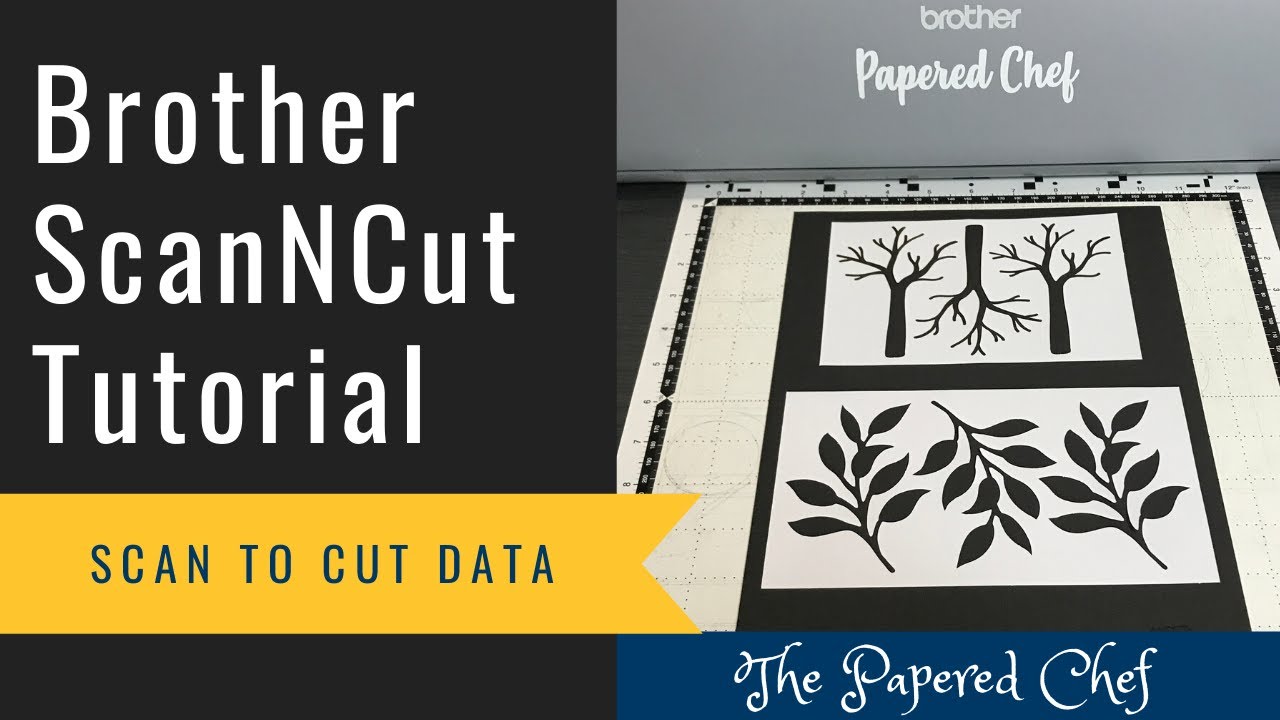
Brother ScanNCut Tips & Tricks Tutorial - Scan to Cut Data - My Wonderful Family Paper Pumpkin Kit

Поделиться в:

Доступные форматы для скачивания:

Скачать видео mp4

  • Информация по загрузке:

Скачать аудио mp3

Похожие видео

Советы и рекомендации Brother ScanNCut — Резка штампованных изображений — Набор для печати на бум...

Советы и рекомендации Brother ScanNCut — Резка штампованных изображений — Набор для печати на бум...

Почему вам НУЖЕН Brother Scan N Cut!

Почему вам НУЖЕН Brother Scan N Cut!

КАК СКАНИРОВАТЬ ДЛЯ ВЫРЕЗКИ ДАННЫХ С ПОМОЩЬЮ SCAN N CUT - МОДЕЛИ SDX

КАК СКАНИРОВАТЬ ДЛЯ ВЫРЕЗКИ ДАННЫХ С ПОМОЩЬЮ SCAN N CUT - МОДЕЛИ SDX

ScanNCut: 10 вещей, которые я хотел бы знать, начиная работу в Allbrands After Hours

ScanNCut: 10 вещей, которые я хотел бы знать, начиная работу в Allbrands After Hours

ScanNCut Make Any Picture Into A Cut File: Allbrands Behind the Seams

ScanNCut Make Any Picture Into A Cut File: Allbrands Behind the Seams

Brother ScanNCut Tips & Tricks - Scanning/Cutting Position Adjustment - Align your Blade

Brother ScanNCut Tips & Tricks - Scanning/Cutting Position Adjustment - Align your Blade

Создайте свои собственные коврики для Brother Scan n Cut!

Создайте свои собственные коврики для Brother Scan n Cut!

Brother ScanNCut Tips & Tricks - Creating Shapes for Sentiments - Welding & Layering

Brother ScanNCut Tips & Tricks - Creating Shapes for Sentiments - Welding & Layering

ScanNCut: Quick cards using ScanNcut images

ScanNCut: Quick cards using ScanNcut images

test machine à foil de chez action avec les dies + motifs imprimés

test machine à foil de chez action avec les dies + motifs imprimés

Brother ScanNCut Tips & Tricks - Direct Cut vs Scan to Cut Data - Sending Hearts Paper Pumpkin Kit

Brother ScanNCut Tips & Tricks - Direct Cut vs Scan to Cut Data - Sending Hearts Paper Pumpkin Kit

Рабочее пространство ScanNCut & Canvas: простое создание трафаретов

Рабочее пространство ScanNCut & Canvas: простое создание трафаретов

Компания Epson обновила EcoTank: не покупайте не ту модель!

Компания Epson обновила EcoTank: не покупайте не ту модель!

Как вырезать цифровые файлы с помощью Brother Scan N Cut CM350

Как вырезать цифровые файлы с помощью Brother Scan N Cut CM350

Cutting out Stamped Sentiments using the Brother ScanNCut - Incredible Like You -  2019 Occasions

Cutting out Stamped Sentiments using the Brother ScanNCut - Incredible Like You - 2019 Occasions

Background

Background "dies" using stencils AND Brother Scan N Cut

How to Transform a JPeg into a Cutting File - ScanNCut

How to Transform a JPeg into a Cutting File - ScanNCut

♻️Дизайнерское зеркало. Имитация керамики из картона [diy]

♻️Дизайнерское зеркало. Имитация керамики из картона [diy]

Рабочее пространство Brother ScanNCut Canvas, часть 1: Allbrands после работы

Рабочее пространство Brother ScanNCut Canvas, часть 1: Allbrands после работы

{Scan N Cut} Présentation du Kit Foil Brother...

{Scan N Cut} Présentation du Kit Foil Brother...

© 2025 dtub. Все права защищены.


  • Контакты
  • О нас
  • Политика конфиденциальности


Контакты для правообладателей: infodtube@gmail.com