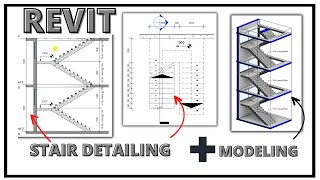
Revit Intro Tutorial - Making Stairs, Floor Modification, & Roofs - Part 2
Автор: DanielBlanc_Studios
Загружено: 2020-09-28
Просмотров: 534
Welcome to Part 2 of this 7-part seminar! You will learn Revit fast in just 1 week. Today we will be covering the following topics in detail:
1) How to add a stair to your project
2) How to sketch a custom stair with the Sketch Path tool
3) Changing your stair's height and length for Risers and Treads
4) Flipping the direction of your stairs
5) Adding or removing railings
6) Adding opening in the floor for your stairs
7) Creating a generic roof
8) Changing the slope of your roof to slant your roof
9) Connecting your walls to your roof.
If you haven't seen part one please watch that first; open your saved files to continue from where we left off. Otherwise if you are just interested in learning about any of these topics, stick around!
I am not an affiliate of Autodesk, I'm just doing this because I really enjoying helping others! So if you have any questions or concerns let me know in the comment section!
IG: @db_studios_
Email: [email protected]
Time Stamps
0:00 - 0:45 [Introduction]
0:46 - 2:42 [Different methods to make a stair]
2:43 - 12:03 [Sketching your own stair and change default riser]
12:04 - 12:40 [Flipping direction of your stairs]
12:41 - 13:30 [Removing railing]
13:31 - 15:37 [2 fast ways to copy your stairs on multiple levels]
15:38 - 18:02 [Modifying floor for stairs opening]
18:03 - 19:15 [Adding guard railing]
19:16 - 21:56 [Adding additional rails]
21:57 - 22: 55 [Creating a roof]
22:56 - 28:34 [Creating custom slope for roof & attaching walls to roof]
28:35 - 29:09 [Recap]
#learnrevitfast #revitseminar

Доступные форматы для скачивания:
Скачать видео mp4
-
Информация по загрузке: