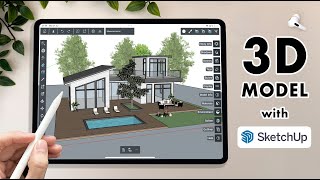
Navigation and Modeling in SketchUp for Ipad - Getting Started Part 2!
Автор: The SketchUp Essentials for Ipad
Загружено: 2022-11-02
Просмотров: 41145
In this video, we continue our series on getting started with SketchUp for Ipad! In this video, learn to navigate around the 3D space and start creating 3D models!
GETTING STARTED WITH SKETCHUP FOR IPAD PLAYLIST
• Getting Started with SketchUp for Ipad Par...
JUST DRAW MODE VS CLICK MOVE CLICK
• Just Draw vs. Click Move Click - Which Ske...
WANT TO LEARN SKETCHUP PRO (Desktop Version)?
/ thesketchupessentials
TIMESTAMPS
0:00 - Introduction
0:24 - Starting a new project
0:38 - How to navigate the 3D space in SketchUp for Ipad
1:50 - The top menu
2:10 - The Left Menu
2:41 - Tool modifiers
3:42 - Customizing your toolbar
4:40 - The right menu
5:49 - The bottom menu
6:17 - Drawing Modes - Just draw vs. Click Move Click
9:38 - Drawing lines and shapes in SketchUp for Ipad
11:45 - Other tools - scale and offset tools

Доступные форматы для скачивания:
Скачать видео mp4
-
Информация по загрузке: