Популярное

Музыка Кино и Анимация Автомобили Животные Спорт Путешествия Игры Юмор

Интересные видео

2025 Сериалы Трейлеры Новости Как сделать Видеоуроки Diy своими руками

Топ запросов

смотреть а4 schoolboy runaway турецкий сериал смотреть мультфильмы эдисон
dTub
Скачать

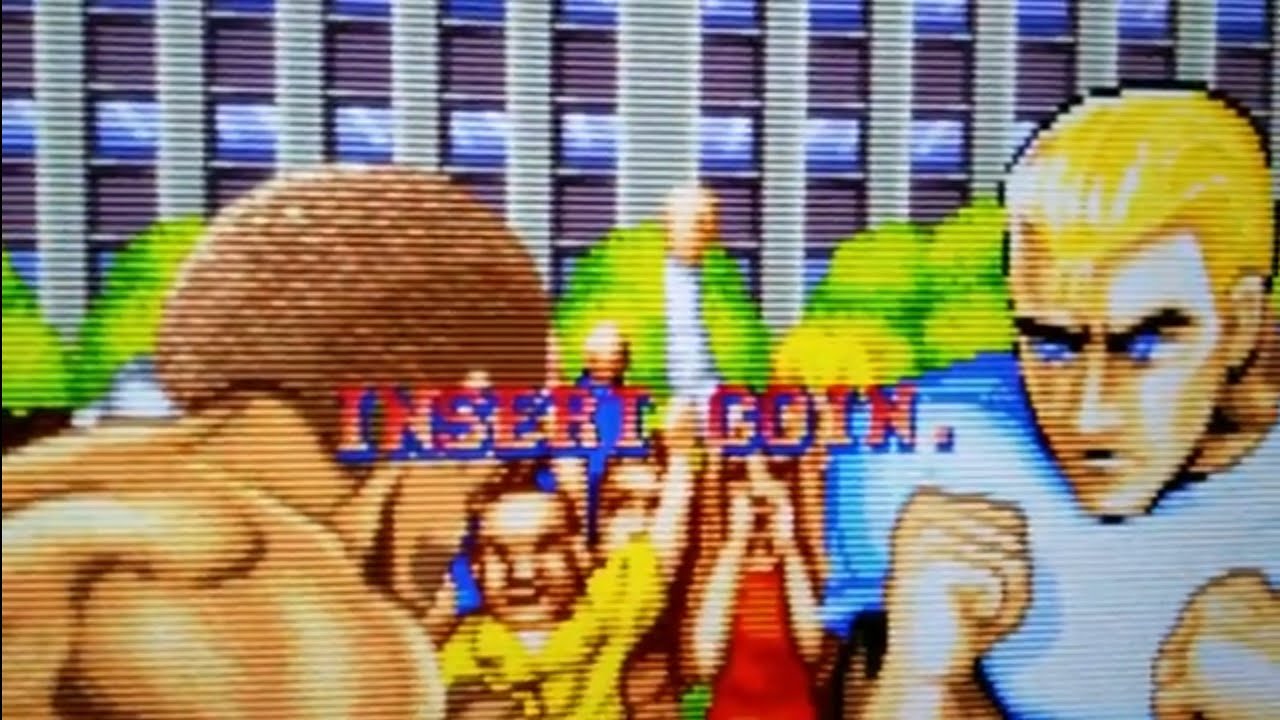
RetroPie How To Add Scanlines And Shaders Raspberry Pi

Автор: ETA PRIME

Загружено: 2016-12-07

Просмотров: 107682

Описание:

Today I want to show you how to easily add Scanlines And Shaders to RetroPie.

RetroPie Shader WIKIhttps://github.com/RetroPie/RetroPie-...

AMAZON LINKS
Buy a Raspberry Pi and accessories on Amazon

Raspberry Pi 3 - http://amzn.to/2gYPWIc

Raspberry Pi 3 Starter Kit - http://amzn.to/2gYKNQr

Best Raspberry Pi Case - http://amzn.to/2g0xqzk

Raspberry Pi 7 inch Touch screen - http://amzn.to/2gHoIFf

▼Do you run an AdBlocker? Consider donating-
http://bit.ly/2gy2ffr

DISCLAIMER: This video and description contains affiliate links, which means that if you click on one of the product links, I’ll receive a small commission. DISCLAIMER: Under section 107 of the Copyright Act 1976, allowance is made for “fair use” for purposes such as criticism, comment, news reporting, teaching, scholarship, education, and research. No Games Or Applications Are Included Or Added On Or To Any Device In This Video

RetroPie How To Add Scanlines And Shaders Raspberry Pi

Поделиться в:

Доступные форматы для скачивания:

Скачать видео mp4

  • Информация по загрузке:

Скачать аудио mp3

Похожие видео

Советы по настройке разрешения для Raspberry Pi B+/Retropie: как исправить размытое изображение н...

Советы по настройке разрешения для Raspberry Pi B+/Retropie: как исправить размытое изображение н...

Shaders: RetroPie 4.4

Shaders: RetroPie 4.4

Simple DOSBox Setup RetroPie MS-DOS Raspberry Pi

Simple DOSBox Setup RetroPie MS-DOS Raspberry Pi

How To Use Sky Scraper and Scraper In Retropie, Emulationstation,  Raspberry Pi

How To Use Sky Scraper and Scraper In Retropie, Emulationstation, Raspberry Pi

RetroArch: Example of arcade overlays/bezels and shaders running on a Pi.

RetroArch: Example of arcade overlays/bezels and shaders running on a Pi.

Шейдеры CRT в RetroArch ОЧЕНЬ убедительны!

Шейдеры CRT в RetroArch ОЧЕНЬ убедительны!

My Arcade Machine Is Cooler Than Me

My Arcade Machine Is Cooler Than Me

How To Add A Coin Acceptor Mechanism To Your RetroPie Arcade Build

How To Add A Coin Acceptor Mechanism To Your RetroPie Arcade Build

Shaders for Retro Games GUIDE

Shaders for Retro Games GUIDE

How To Fix RetroPie On 4K TVs - Manually Adjust Resolution Settings For 4K TV - RetroPie Guy

How To Fix RetroPie On 4K TVs - Manually Adjust Resolution Settings For 4K TV - RetroPie Guy

Install Batocera On The Raspberry Pi 4 Full Setup Guide - Retro Gaming Goodness!

Install Batocera On The Raspberry Pi 4 Full Setup Guide - Retro Gaming Goodness!

Pandora's Box arcade with Raspberry Pi GPIO Controller

Pandora's Box arcade with Raspberry Pi GPIO Controller

Raspberry Pi 4 As a Retro Gaming Console | Its an Absolute Monster!

Raspberry Pi 4 As a Retro Gaming Console | Its an Absolute Monster!

The New G1 Pro Is FAST! SFF Gaming PC That Does It ALL!

The New G1 Pro Is FAST! SFF Gaming PC That Does It ALL!

Как установить Retropie на Rasberry Pi 3 B+ БЫСТРЫЙ И ПРОСТОЙ СПОСОБ! 2025.

Как установить Retropie на Rasberry Pi 3 B+ БЫСТРЫЙ И ПРОСТОЙ СПОСОБ! 2025.

Setup Cocktail Mode on Raspberry Pi   Easy Guide

Setup Cocktail Mode on Raspberry Pi Easy Guide

MAKE PS1 GAMES LOOK BETTER | RETROPIE EMULATION STATION | GUIDE

MAKE PS1 GAMES LOOK BETTER | RETROPIE EMULATION STATION | GUIDE

Using Shaders (get scanlines!) in RetroPie - 2022

Using Shaders (get scanlines!) in RetroPie - 2022

How To Use Shaders, Scanlines, Bezels & Custom Game Controls On RetroPie  & How To Remove Them All!

How To Use Shaders, Scanlines, Bezels & Custom Game Controls On RetroPie & How To Remove Them All!

Use HLSL to make MAME look good on a non-CRT

Use HLSL to make MAME look good on a non-CRT

© 2025 dtub. Все права защищены.


  • Контакты
  • О нас
  • Политика конфиденциальности


Контакты для правообладателей: infodtube@gmail.com